

What a service page is for
A homepage points visitors in the right direction. A service page helps them decide on one specific job. By the time someone reaches it — from Google, your menu, or a link from a friend — they already know roughly what they need. They are not asking “what is bookkeeping?” or “why do I need a new roof?” They are asking “are you the one I should call?”
So the page has a different job. It is not there to teach or impress. It is there to remove the doubts that stop a ready customer from contacting you, one by one.
The three questions every buyer needs answered
When I review service pages with visitors but no enquiries, almost all of them miss at least one of these. Most miss the second.
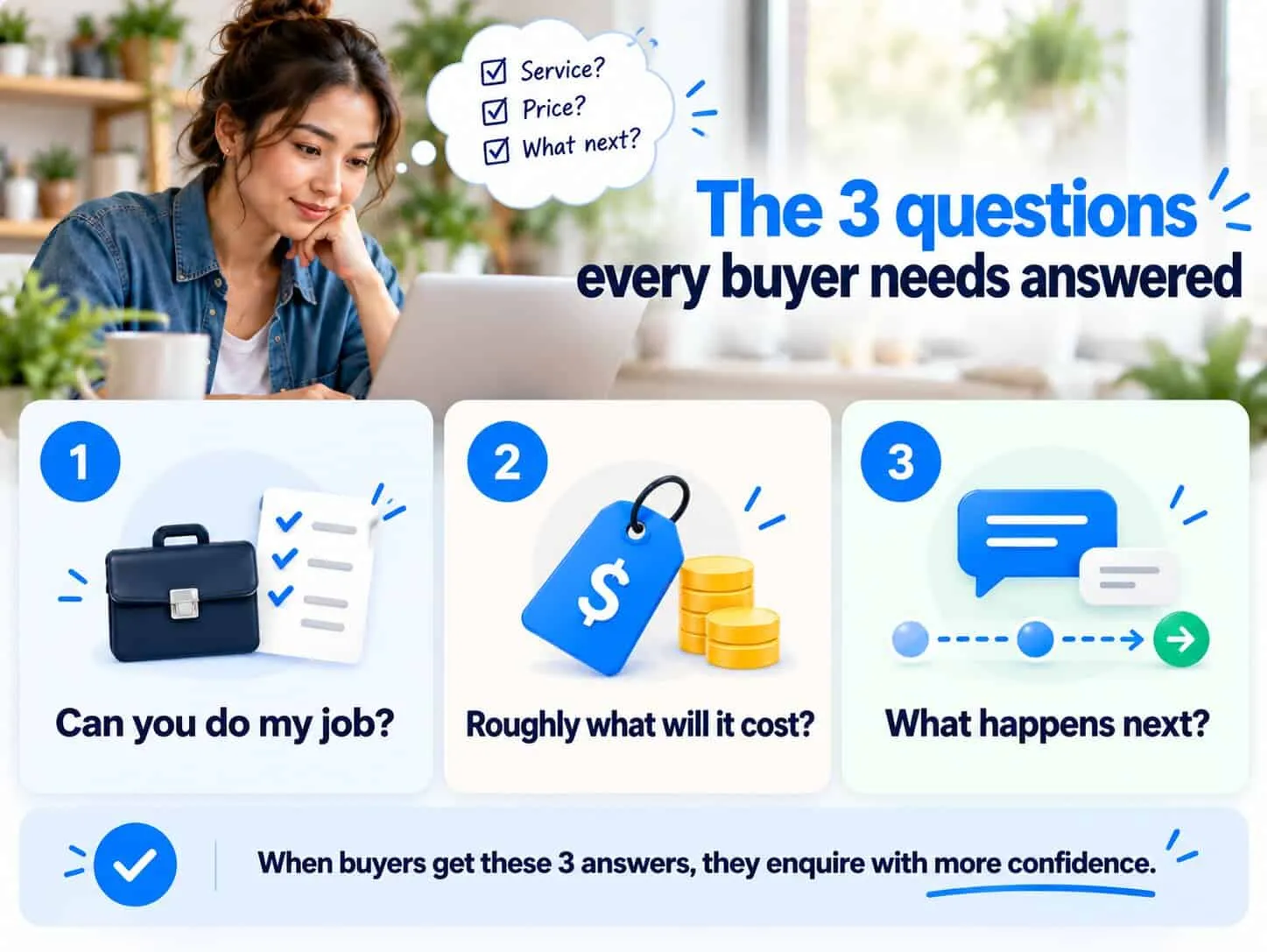
Most small businesses avoid the price question, usually because “every job is different”. That’s true — but you still know what a small job and a big job cost. Say that. A visitor who sees “most kitchen rewiring jobs are RM 1,800 to RM 4,500, depending on size” enquires with confidence. A visitor who only sees “contact us for a quote” often leaves to find someone who will tell them.
The structure that works
Seven sections, in this order. Each one answers the next question the customer has.
Name the job in the buyer’s words
Your headline should say the service, who it’s for and the result — in the words a customer would type into Google. “Commercial cleaning for Melaka offices — weekly, after hours, one fixed monthly fee” beats “Professional Cleaning Solutions”. Put the button right below it for people who have already decided.
Say who it is for, and who it isn’t
Write one or two lines about the customer you serve best. “Best for clinics and shops with 2–20 staff.” Saying who it isn’t for — “not for one-off deep cleans” — is just as useful. It saves you from bad enquiries and tells the right customer they’ve found a specialist.
Spell out what’s included
A simple list of what they get, and anything that costs extra. Customers compare line by line. If your list is vague and a competitor’s is clear, the competitor looks like better value — even at a higher price.
Show how it works, in three or four steps
From first message to finished job. “Send photos → quote within 24 hours → we book a date → done in a day.” Showing the steps makes the decision feel easier, and answers “what happens after I contact you?” before they ask.
Give a price or a range
Show a starting price, a typical range, or two or three examples with real numbers. Five ways to do it are in should you show prices on your website? Say what makes the price go up or down. If you really can’t, say how fast you quote and that quotes are free — but try a range first.
Put proof for this service here
Use a review about this exact service, a before-and-after, or a short case study. General praise (“great to work with”) doesn’t help much. Specific results (“leak fixed the same day, no mess”) help a lot.
Answer the last doubts, then one next step
Answer three to five real questions customers ask before buying — timing, areas covered, guarantees, what if something goes wrong. End with the same button as at the top, saying what they get.
Quick check: does your service page answer the three questions?
5 questions · 30 secondsOpen your website on your phone, then answer honestly.
Swap these lines
Instead of
“We provide high-quality plumbing services”
Try
“Blocked drains and leaks in Melaka, fixed the same day — or you don’t pay the call-out.”
Instead of
“Prices vary. Contact us for a quote.”
Try
“Most jobs are RM 150–RM 450. Send a photo on WhatsApp and we’ll confirm the price before we come.”
Instead of
“Our experienced team is dedicated to your satisfaction”
Try
“Fourteen years, 1,200+ jobs, 4.8 stars from 210 Google reviews.” — numbers you can stand behind.
Instead of
“Submit”
Try
“Get my quote in 24 hours” — name what they get, not what they do.
One service, one page
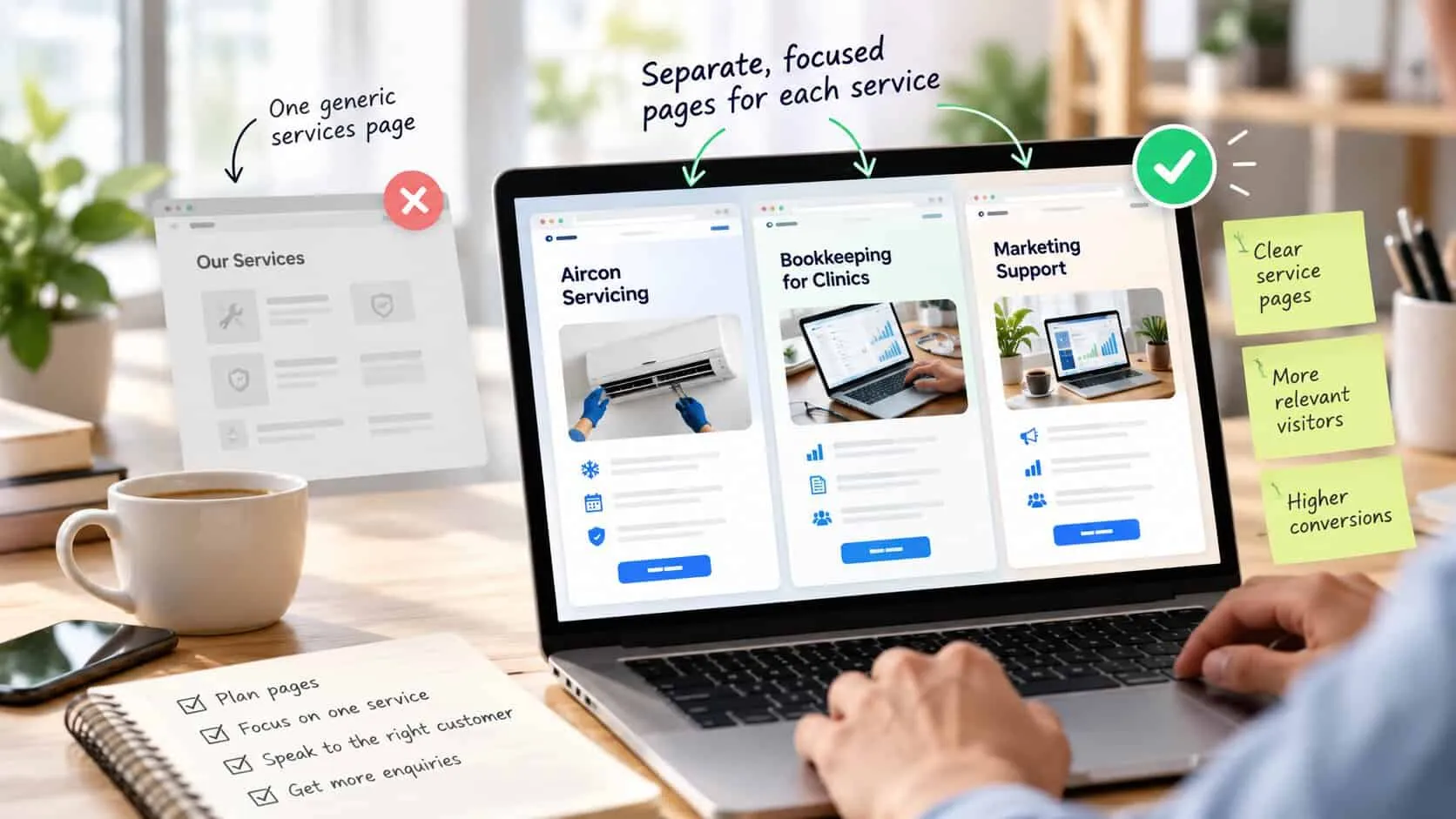
If you offer three services, you need three service pages — plus, if you like, a short overview page linking to them. Putting everything on one “Our Services” page makes each customer search for their part, and the page can’t answer anyone’s questions properly.
It matters for Google too. People search for the exact job — “aircon servicing Melaka”, “bookkeeping for clinics” — and Google shows the page that best matches. A page clearly about one service, in one area, for one type of customer, has a real chance. A page about everything rarely ranks at all. For more on that side, see SEO basics for small business.
Six service page mistakes that cost enquiries
I see these on most service pages I review. Each one is cheap to fix.
Opening with your company, not their job
“Founded in 2009, we are a leading provider…” The customer came about their problem. Your history should go further down, as proof, or on the About page.
A list of services with no detail
Five one-word bullet points tell the customer what you sell, but not if you’re good at it. Each important service needs its own page.
No price signal at all
This is the biggest reason people visit but never call. Even “from RM 800” changes who contacts you and how ready they are.
Proof that isn’t about this service
A review praising how friendly you are, on a page selling technical work. Match the proof to the page.
Three different buttons
“Call now”, “Get a quote” and “Book a consultation” all on one page. Pick the one step that suits most customers and repeat it. Keep a phone or WhatsApp link as simple text next to it.
A form that asks for everything
Twelve fields before they can ask a question. Name, contact and one line about the job is enough. The rest can wait.
Write it from real enquiries
The best words for your service page are already in your inbox and WhatsApp. Look at the last ten enquiries for this service and the questions you answered before each one booked. Use the customers’ words in your headline. Turn their questions into your FAQ. Their worries — price, timing, mess, being stuck in a contract — show what your proof needs to cover.
If the page still isn’t working after this, check where your visitors come from before you rewrite again — six checks to run on your traffic first — and whether your homepage sends them to the right page: how to write a homepage that converts.
Before you publish: a service page checklist
Go through this for each service page. Every “no” is your next thing to fix. Tap the ones you already have — your ticks are saved on this device.
0 of 9 in place
Tap each one your site already has.
Common questions
How long should a service page be?
Long enough to answer what the customer needs to decide, and no longer. For most small businesses that is 600 to 1,200 words in seven short sections. A customer comparing three providers will read more than you expect, as long as each section answers a real question.
Should I put my prices on my service page?
Yes, at least a starting price or a typical range. Visitors who see no price assume you are expensive, or that you will waste their time with a sales call. A range filters out the wrong enquiries and gives the right ones more confidence.
Do I need a separate page for each service?
Yes, if different people buy them or for different reasons. One page per service lets you speak to one customer, answer their questions, and rank on Google for exactly what they search. One page listing everything does none of this well.
What is the difference between a homepage and a service page?
The homepage sends visitors to the right place. The service page helps them decide on one specific job. When someone lands on a service page they already know roughly what they want. The page must show you can do it, say what it costs and make the next step easy.
Where should the enquiry button go on a service page?
Once near the top for people who have already decided, again after the price or steps section, and once at the end. Use the same wording each time, so visitors never have to choose between two different next steps.
Part of the website conversion guide — turning the visitors you already have into enquiries.
Keep reading
In this series
Copywriting
How to write a homepage that converts
The five parts of a good homepage, what each one does, and lines you can change this week.
9 min read

Diagnosis
Why your website isn’t converting
The seven most common reasons, starting with the one that costs you the most.
10 min read

Forms
Contact forms people actually finish
Which four questions to ask, nine easy fixes, and how to test your form like a customer.
8 min read