
Traffic is not the problem you think it is
Almost every owner who calls me wants more visitors. Almost none of them need more. A site that gets one enquiry from every 100 visitors doesn’t need twice the traffic — it needs to stop losing the other 99. Fixing that is free; buying traffic is not.
Getting enquiries is not about pushing people, or a bigger orange button. It is about removing difficulty and doubt: make it clear what you do, show proof you do it well, and make the next step easy. Usually, the fix is removing things, not adding them.
This series is that work, page by page.
In the first eight seconds
The four questions every visitor asks
-
1
Question 1
Am I in the right place?
Answered by the headline, in simple words, at the top of the page — not by a slogan. If a stranger can’t tell what you sell and to whom from one line, everything below is wasted.
-
2
Question 2
Can these people actually do it?
Answered by proof, not fancy words. Named clients, real numbers, photos of finished work, reviews with real names. Everyone says “professional and reliable” — even those who are not.
-
3
Question 3
What will this cost me?
This question loses the most enquiries. A page with no price information makes people expect the worst and leave. A price range, a starting price or an example project is enough — you don’t need a full price list. How to choose and write it is in should you show prices on your website?
-
4
Question 4
What happens if I get in touch?
People hesitate because they don’t know what happens next. Tell them: what you will send, how fast, and that there is no obligation. Not knowing the next step stops people — so remove that worry.
Shortcut
Want the four answers checked on your own site?
That is exactly what the free audit does. Send me your website link and I’ll tell you which of the four questions visitors can’t answer, and the three changes that would fix it.
Get my free auditWhere small business sites leak enquiries
On most sites I check, enquiries are lost in the same six places. They are in the order I would fix them: the first ones cost the most and are the cheapest to fix. Find the first one that sounds like your site and start there.
-
1
Leak 1
The traffic is not what you think
Analytics shows hundreds of visits, but the phone is quiet. Some of those visits may be bots, your own team, or people from the wrong country. Check this before you change any page.
-
2
Leak 2
The homepage doesn’t say what you do
Visitors arrive, look for a few seconds and leave. The headline is a slogan, and there are four or five buttons asking for attention.
-
3
Leak 3
Every service shares one thin page
Google sends people who searched for one service to a page that lists all of them, with no price, no photos of that work and no clear next step.
-
4
Leak 4
Nothing shows you are real
No named reviews, no photos of real jobs, no address or company number. Visitors cannot tell you apart from a scam, so they choose a competitor who shows these.
Trust signals that make visitors enquire →Write an About Us page that builds trust →Stock photos vs real photos →
-
5
Leak 5
The form asks too much, or quietly fails
Eight fields, a required budget question, or a form that sends to an old email nobody checks. People start, give up, and you never know.
-
6
Leak 6
Several small problems at once
If none of the above stands out, it is usually a mix of slow pages, an old look and weak calls to action. Go through the full list of common reasons.
Fix one leak, wait two to four weeks, and compare enquiries before moving to the next. Changing everything at once means you never learn what worked.
What good looks like
Owners are told their site needs more enquiries, but nobody shows them what a good site looks like. So here it is, in five places. None of it is about design style — each item is something a visitor can or can’t do.
A stranger can say what you do within five seconds
The headline says the work, who it is for and roughly where — “Aircon servicing for homes and offices in Johor Bahru”, not “Excellence in climate solutions”. Read the top of your homepage to someone outside your industry and ask what you sell. If they hesitate, that is why you get few enquiries.
The proof belongs to a named person
Reviews with a full name, a photo of the real job, a true number. Praise with no name looks fake, because most of it is. One detailed review from a customer in the same situation as the reader works better than many five-star quotes.
There is one next step, and it repeats
The same action at the top, middle and end — call, WhatsApp or a short form. Not four equal options. A visitor who has to choose how to contact you often decides to do it later — which means never.
The enquiry step asks for the minimum
Name, contact, and one question about what they need. Nobody leaves a form because it was too easy. Ask everything else in your reply, once you are talking.
It answers the objection instead of avoiding it
Price, availability, service area, and what happens after they enquire. Many sites hide these to force a call, but visitors see that as bad news and leave. A page that says “most jobs cost between X and Y” loses people who were never going to buy, and keeps the ones who were.
What a reasonable enquiry rate looks like
There is no single enquiry rate for a website, because it depends on why the visitor came. Someone who searched your service on Google is very different from someone who tapped a link on social media. These are the ranges I see on small business sites — compare each source with itself, not your whole site.
| Where they came from | Enquiry rate | Verdict | If you are well below it |
|---|---|---|---|
| Already chose you | |||
| Your Google Business ProfileThey clicked your listing | 5–12% | Most ready | These people are the most ready to buy — they already chose you and clicked. If they don’t enquire, your site doesn’t match your Google listing. |
| Referral or word of mouthThey arrive convinced | 8–20% | Highest rate | They came already convinced, and the site changed their mind. Usually because of a missing phone number, an old look, or no sign the business is still active. |
| Searching for your service | |||
| Google search for your serviceThey are comparing | 3–8% | Match the page | The page they land on probably doesn’t match what they searched for. Sending every search to the homepage is the usual reason. |
| Browsing | |||
| Facebook or Instagram profile linkNot ready to buy yet | 1–3% | Low is normal | Low is normal — these people are browsing, not buying. Don’t judge your site on this traffic, and don’t pay to get more of it. |
| Paid ads pointed at the homepageAds sent to the homepage | Under 1% | Fix the target | Expected — and the reason most small business ad budgets are wasted. Send the ad to a page about that one service instead. |
Bars show each range on a 0–20% scale. Rates are what I see on small business sites, not industry promises.
Count every enquiry that reaches you — form, call, WhatsApp, or directions tap. If you only count forms, your real rate is higher than Google Analytics shows, and you might rewrite a page that is already working.
Live now
Read these

Photos
Stock photos vs real photos on your website
Which photos must be real, where stock is fine, how to take good photos on your phone, and the eight to take first.
7 min read
About page
How to write an About Us page that builds trust
What visitors check on your About page, the seven parts in order, and a before-and-after rewrite.
9 min read

Pricing
Should you show prices on your website?
Why hiding prices costs enquiries, and five ways to show one when every job is different.
8 min read
Start here
How to write a homepage that converts
The five parts of a good homepage, what each one does, and lines you can change this week.
9 min read
Diagnosis
Why your website isn’t converting
The seven most common reasons, starting with the one that costs you the most.
10 min read

Traffic check
Is your website traffic real?
Six checks that show if the problem is the traffic, the tracking or the page — before you pay to change anything.
9 min read

Service pages
How to write a service page that converts
The seven parts every service page needs, how to talk about price, and lines you can copy today.
10 min read

Forms
Contact forms people actually finish
Which four questions to ask, nine easy fixes, and how to test your form like a customer.
8 min read
Trust
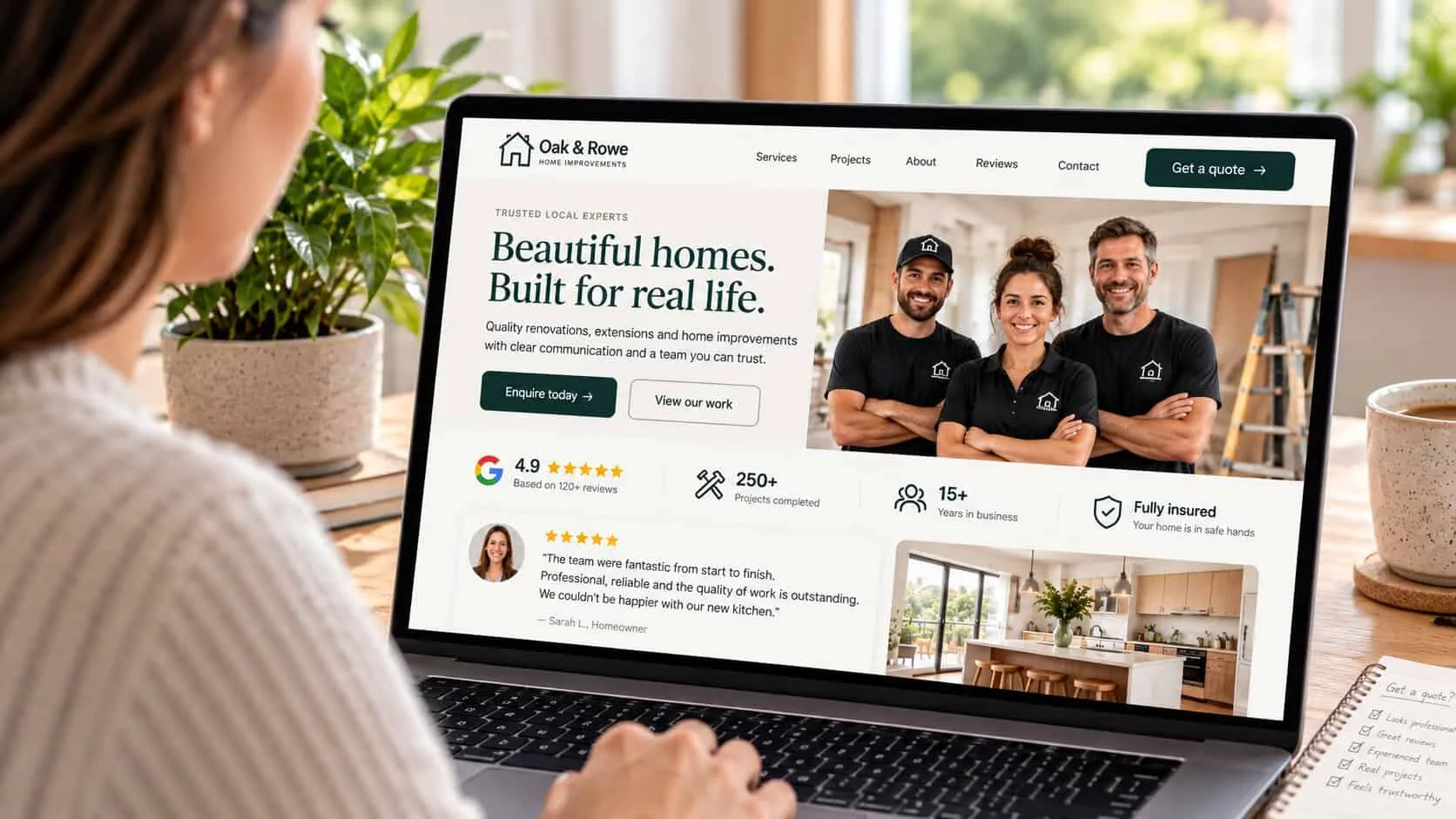
Trust signals that make visitors enquire
Ten things that make customers trust you, where to put each one, and what makes them doubt you.
9 min read
Buttons
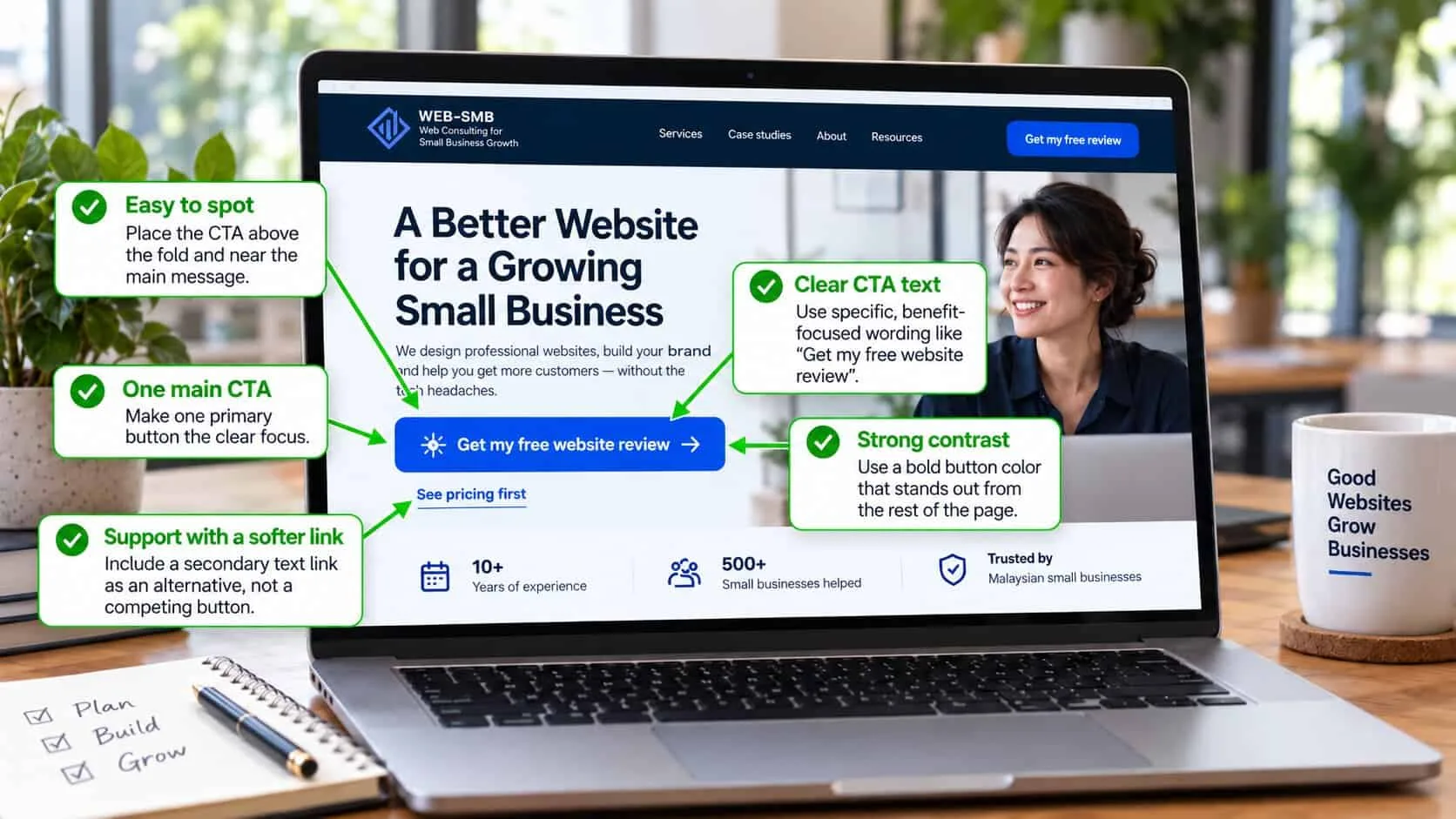
Calls to action that get clicked
Which action to ask for, what the button should say, the line beside it, and where it goes.
10 min read
Where the traffic comes from
Related

Questions owners ask about conversion
What is a good conversion rate for a small business website?
It depends on where the visitor came from, so one number for the whole site means very little. Someone who searched for your exact service is many times more likely to enquire than someone from social media. Compare each source with itself — the table above shows what I see on small business sites.
How many visitors do I need before I can trust the number?
About 200 visitors to a page before the rate means anything, and 30 to 50 enquiries before you can compare two versions. Less than that is just guessing. Most small businesses never get exact numbers and don’t need them — fix the obvious problems, which you can usually see without any data.
Should I add WhatsApp or live chat?
WhatsApp, yes — if you really reply within an hour. For Malaysian small businesses it gets more enquiries than a form, because it is easy and feels like less commitment. Live chat only if someone is really there. A chat box nobody answers is worse than none: it promises a reply, then shows you are not there.
Do long pages convert worse than short ones?
No — unclear pages do worse. Length is only a problem when people must scroll past things they don’t care about to find what they need. A long page that answers the four questions in order, with the contact button repeated, works better than a short page that leaves doubts.
How many fields should my enquiry form have?
Three or four. Name, contact, and one question about what they need. Every extra field means fewer people finish. Most things businesses ask first — budget, timing, how they found you — can be asked in your reply, once you are talking.
Will making my site faster get me more enquiries?
It stops you losing them — which is not the same. Speed is the basic minimum: after about four seconds on mobile data, many people leave before they see anything. Fix it if your site is slow, then work on the message — a fast site with an unclear headline still gets no enquiries.
How long until I see a difference after changing a page?
Enquiries change within days, because every new visitor sees the change — no waiting for Google. What takes months is being sure the change caused it. Write down the date you changed something, and compare the next month with the same month last year, so busy and quiet seasons don’t confuse you.
Self check
Score your own site against the four
Eight questions you can answer from what you already know. You get a score out of 100, results for each area, and the three fixes to make in order — no email needed.