

First: does Google have your site at all?
Open Google and type site:yourdomain.com — your own address, no spaces, no www. This asks Google to show every page it has stored from your site. What comes back puts you in one of three groups, and each group has a different fix.
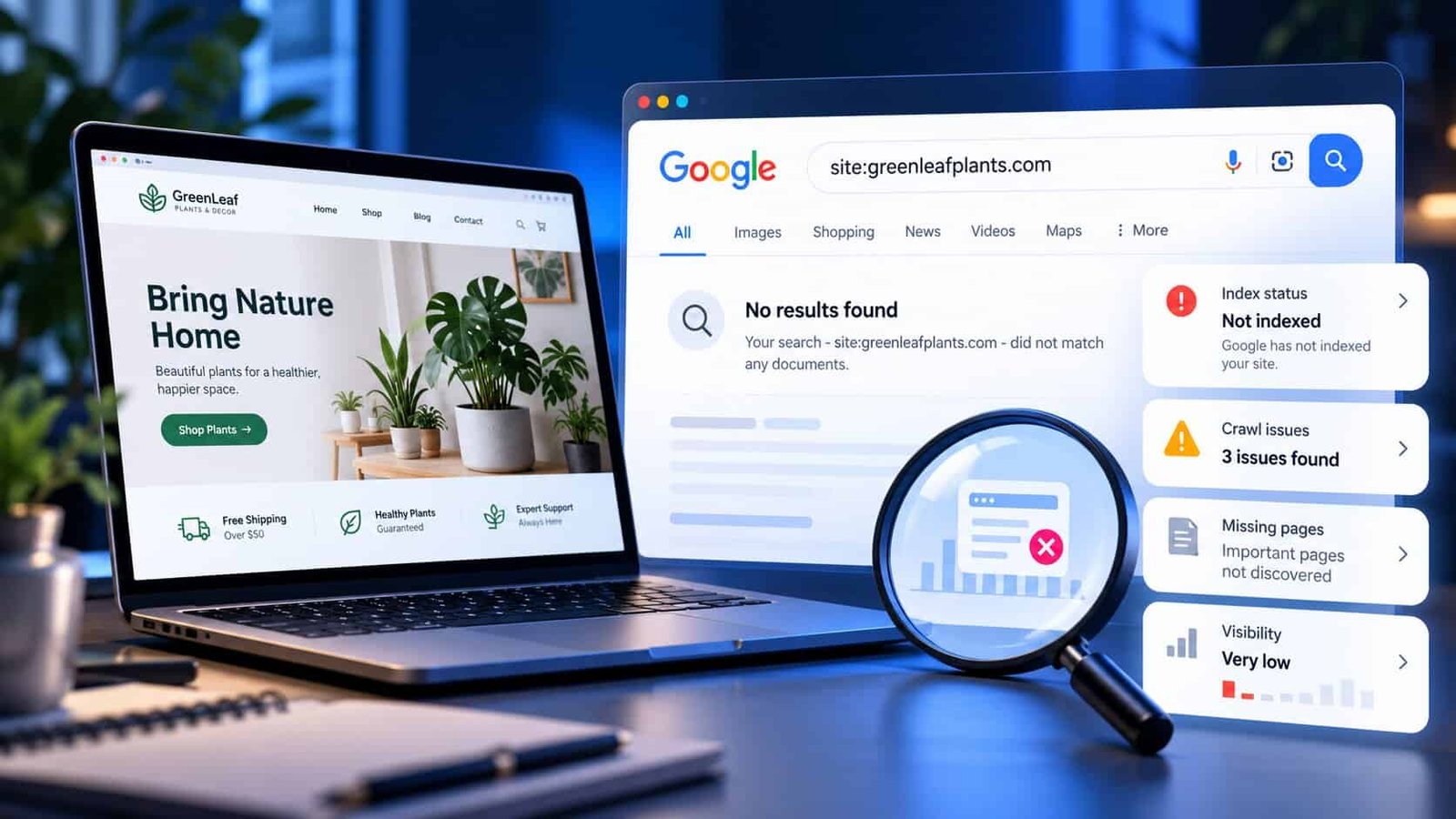
site: search means Google has not stored a single page, however finished the site looks.Nothing at all
Google has not indexed the site. The cause is almost always reasons 1 to 3 below — it is new, something is blocking Google, or Google has never been told about it. These are the quickest to fix.
Some pages
Google has the site but is ignoring parts of it. Look at which pages are missing — usually service pages that are thin, duplicated, or not linked from anywhere. Reasons 4, 6 and 7.
Every page
You are indexed. The problem is ranking, not visibility — Google has the site but does not think it is the best answer for the searches you tried. Reasons 5 to 9.
The nine reasons, in checking order
Quickest to check firstWhere the "hide from Google" setting lives
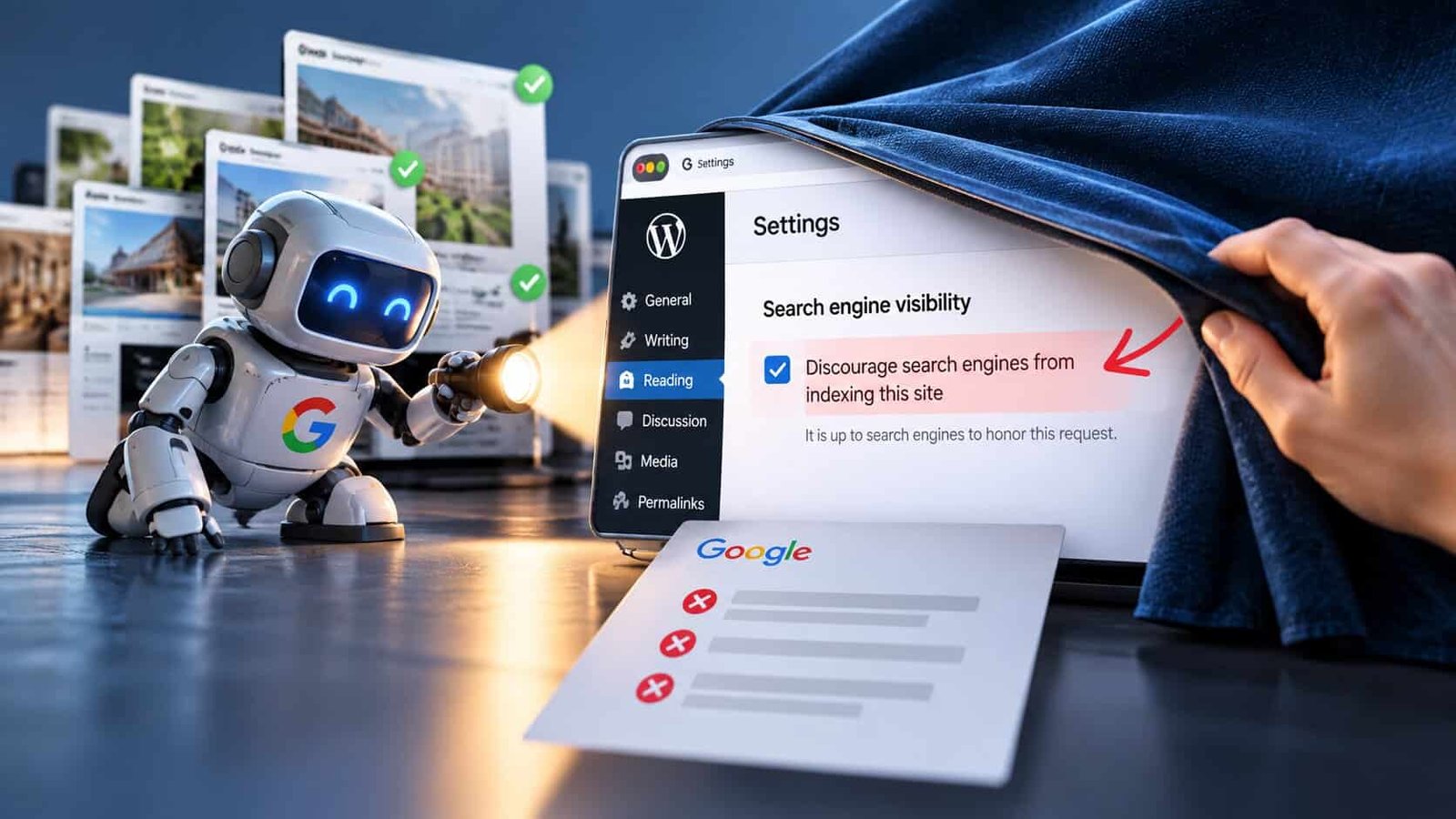
Reason 2 catches more sites than every other reason combined, so check it before anything else. Menu names shift between versions, but the setting is always close to these.
| Built with | Where to look | It should be |
|---|---|---|
| WordPress | Settings → Reading → "Discourage search engines from indexing this site" | Unticked |
| Wix | SEO settings → "Let search engines index your site" | On |
| Squarespace | Settings → SEO → "Hide site from search engines" | Off |
| Shopify | Online Store → Preferences → password protection | Removed |
| Custom-built | Ask your developer to check robots.txt and any noindex tag | Neither blocking |
How to ask Google to index a page
Once a blocking setting is fixed, or a new page is published, you can ask Google to look at it rather than waiting.
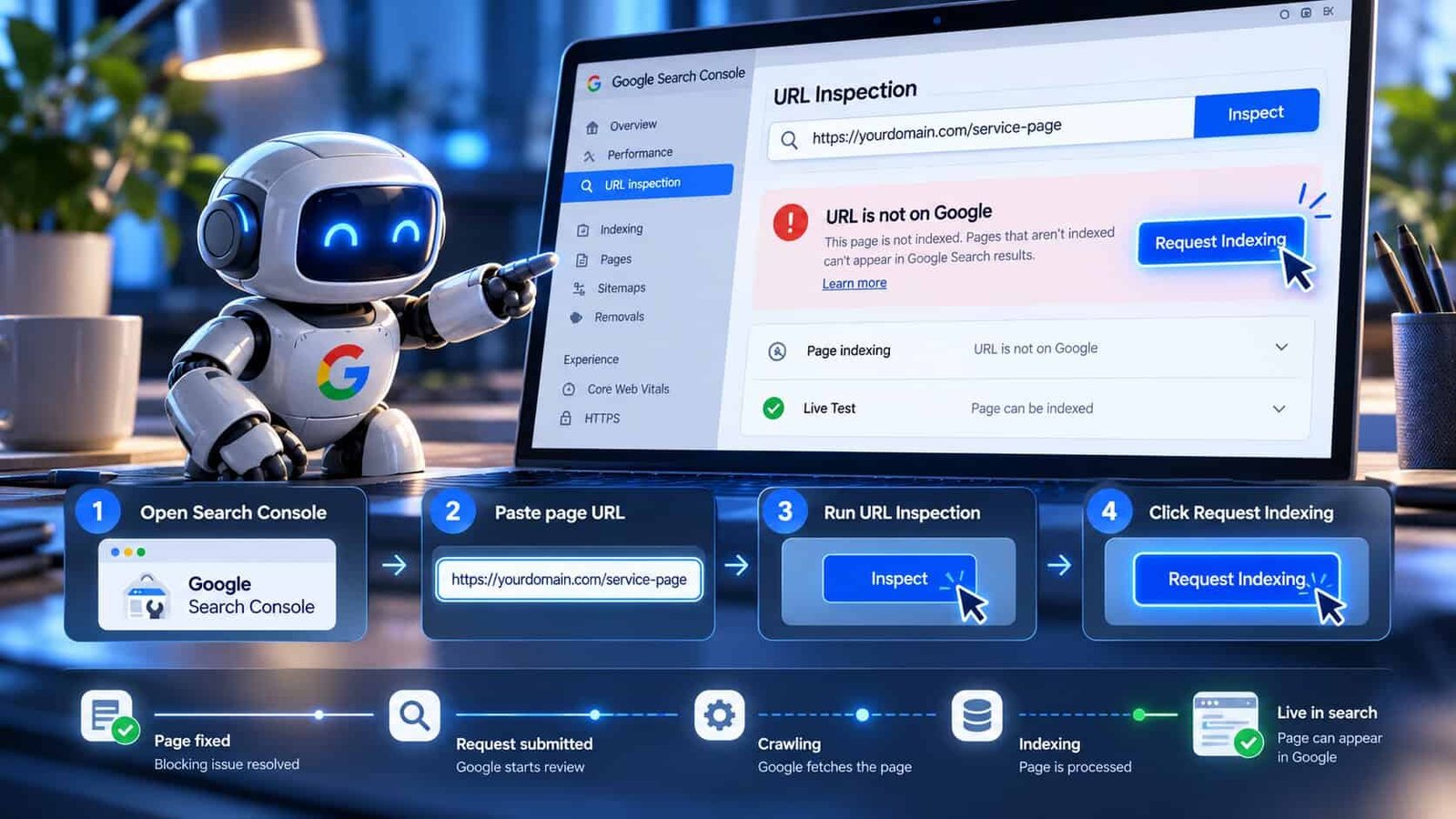
Open Google Search Console and choose your site.
Paste the full page address into the search bar at the top. This runs URL Inspection.
If it says "URL is not on Google", click Request indexing. If it names a reason — blocked, noindex, duplicate — fix that first.
Do this for your homepage and main service pages only. Requesting the same page repeatedly doesn't speed it up.
How long it realistically takes
Being indexed and ranking well are two different clocks. The first is fast once nothing is in the way. The second is slower, and it's where most of the real work lives.
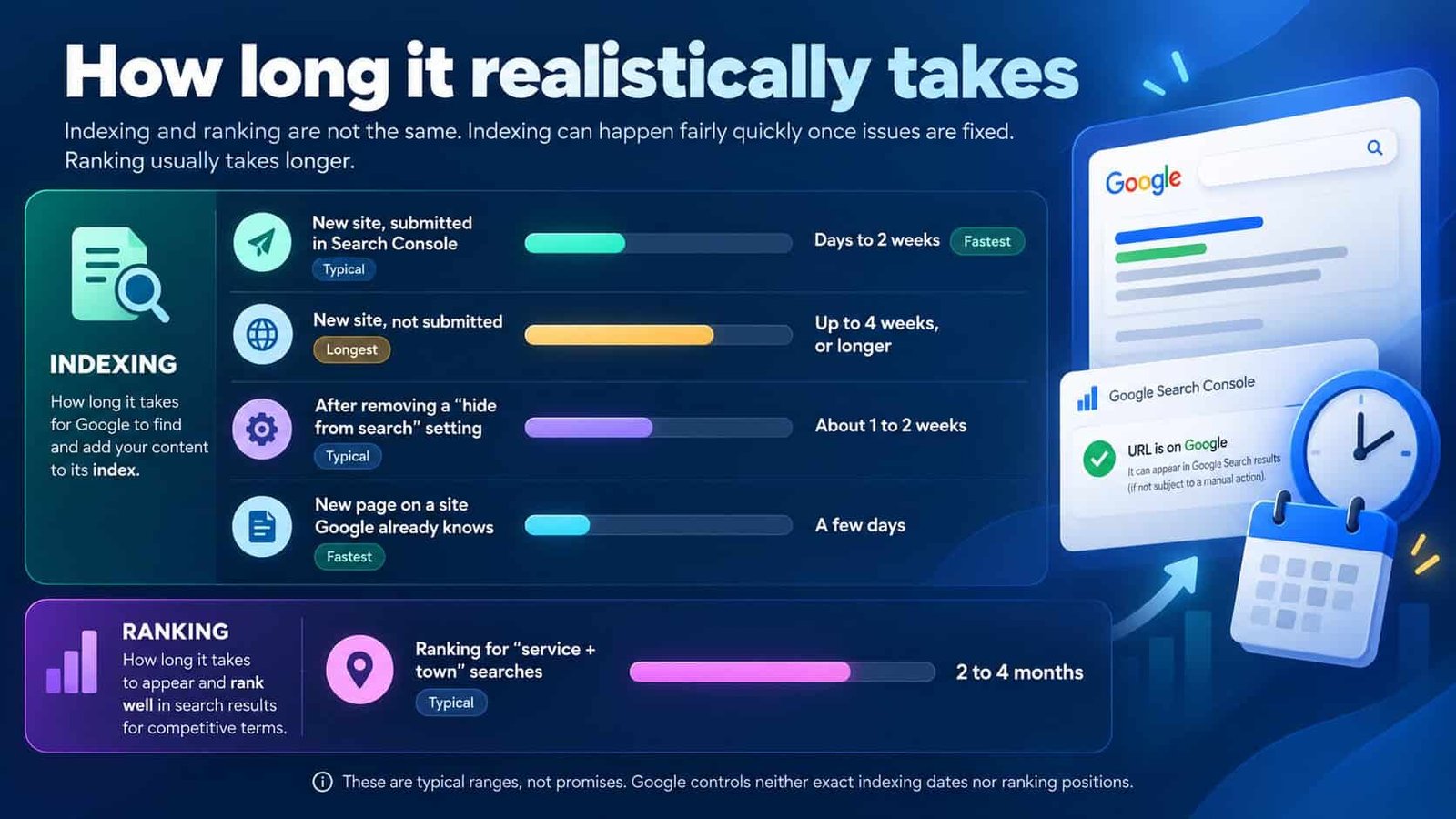
These are typical ranges, not promises. Anyone guaranteeing a position on a date is guessing — nobody controls Google's ranking.
Questions owners ask
Why is my website not showing up on Google?
Usually one of four things: the site is too new, a setting is telling Google not to index it, Google has never been told it exists, or it is indexed but ranks too low to see. The site: search tells you which.
How long does it take for a new website to show up on Google?
A few days to four weeks to be indexed, faster if you submit it in Search Console. Ranking for the searches customers actually use typically takes two to four months.
How do I check if my website is indexed?
Search site:yourdomain.com. For an exact answer on a single page, paste its address into URL Inspection in Search Console.
It shows for my business name but not my services. Why?
Google has the site but doesn't see it as the best answer. Usually the pages never name the service and town, services share one page, or competitors have more reviews and links.
Do I have to pay Google to show up?
No. The ordinary results and Google Maps are free. Paying only buys ads, which are labelled as sponsored and disappear when you stop paying.
Can I make Google index my site faster?
A little. Submit your sitemap in Search Console, request indexing on key pages, and link to the site from your Google Business Profile and anywhere else you already appear.



Still can't find your site?
Send me your web address. I'll run through all nine checks and tell you exactly which one is costing you — and the three fixes worth doing first. Free, within 48 hours.