The answer
The short answer
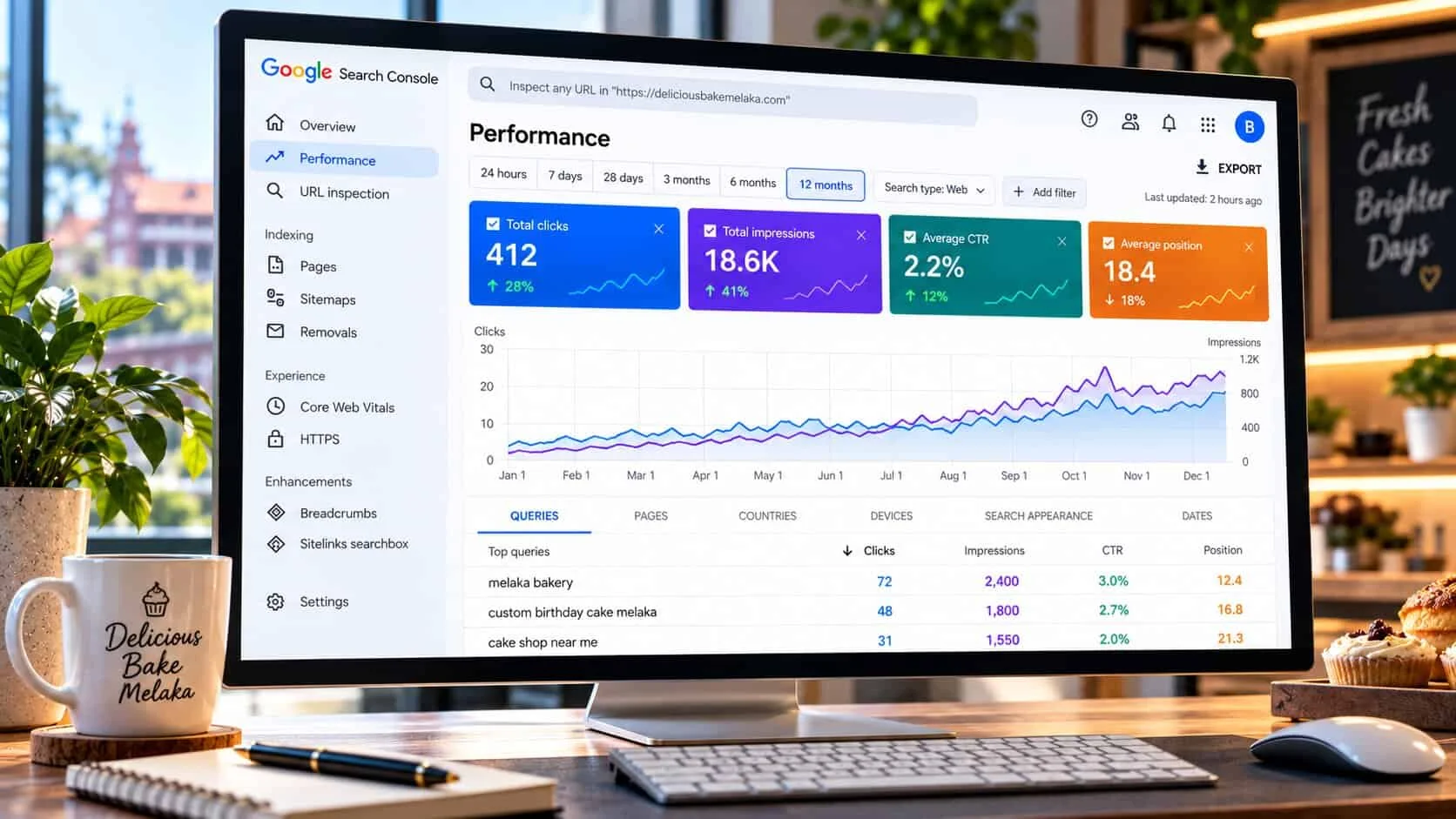
Google Search Console is a free tool from Google that shows how your website appears in Google search: which searches you show up for, how high, and how many people click. It does not show what visitors do once they arrive — that is Google Analytics.
Check it once a month, on the same day. Compare the last 3 months with the 3 before, because single weeks jump around for no reason. If the trend is up and nothing is broken, close it and get back to work.
Still waiting for results? Read how long SEO takes first — it explains why impressions come months before clicks.
The numbers
The 4 numbers that matter
The Performance report opens with four coloured boxes. Here is what they mean, using a Melaka bakery as the example:
Illustrative example: a Melaka bakery, last 3 months. Numbers are made up but realistic, and they add up.
Impressions move first. When Google starts trusting a page, it shows it more often, usually low on the page. Clicks follow once the page reaches page one or two. Average position is an average of every search you appeared for, so one new low ranking can make it look worse even while things improve.
Ignore the daily ups and downs. Read the direction over 3 months.
The routine
The 10-minute monthly check, in order
Do these in the same order each month. Write the four numbers down somewhere so you can compare next time.
- 1
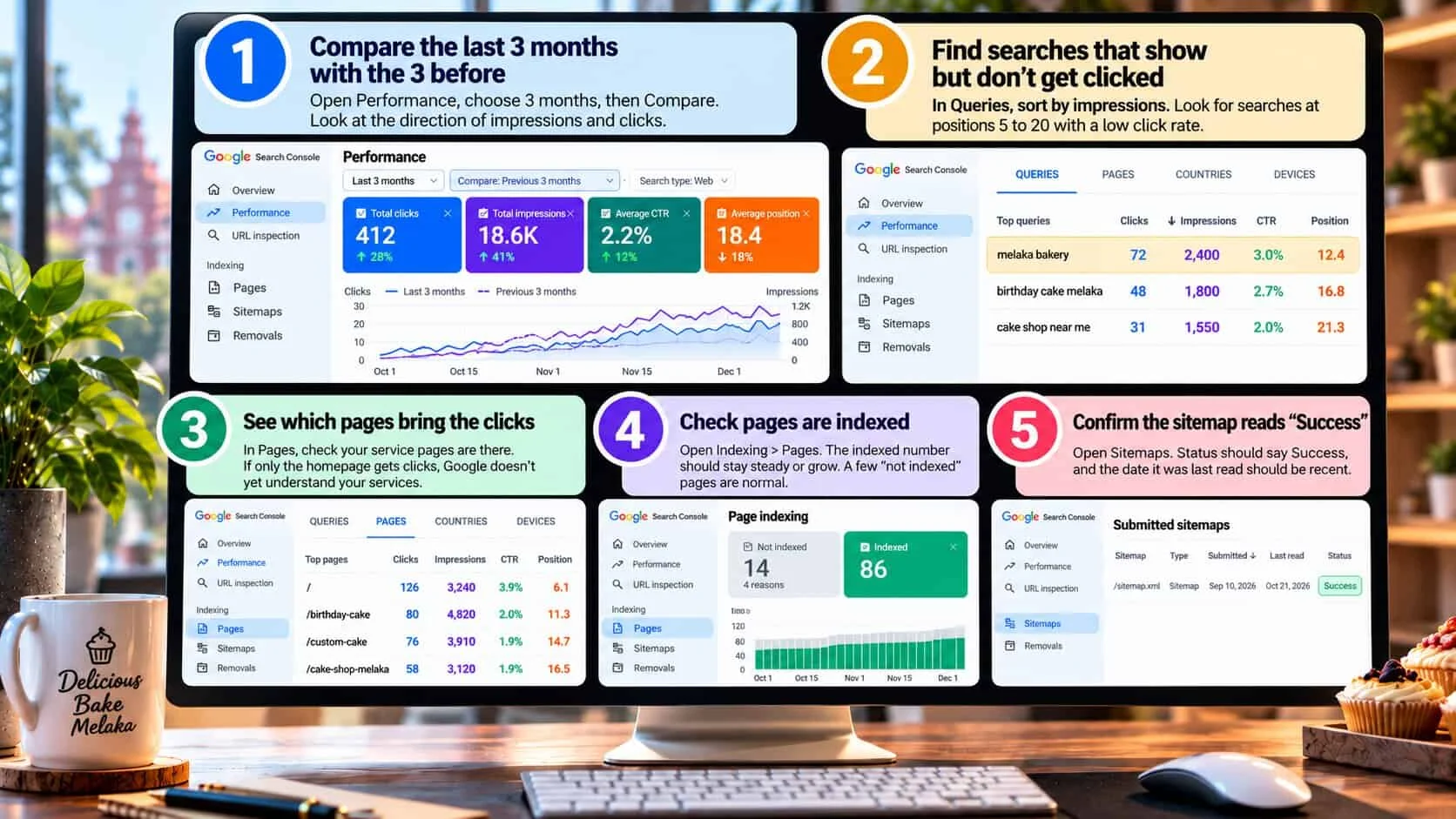
Compare the last 3 months with the 3 before
Open Performance, choose 3 months, then Compare. Look at the direction of impressions and clicks, not one day. Rising impressions mean Google is testing you for more searches.
- 2
Find searches that show but don’t get clicked
In Queries, sort by impressions. Look for searches at position 5 to 20 with a low click rate. These are your quickest wins: the page is close, it just needs a clearer title, better content, or a few internal links.
- 3
See which pages bring the clicks
In Pages, check your service pages are there. If only the homepage gets clicks, Google doesn’t yet understand your services. Each main service needs its own page.
- 4
Check pages are indexed
Open Indexing › Pages. The indexed number should stay steady or grow. A few “not indexed” pages are normal — redirects, thank-you pages. A sudden drop is not.
- 5
Confirm the sitemap reads “Success”
Open Sitemaps. Status should say Success, and the date it was last read should be recent. If it says “Couldn’t fetch”, tell your web designer the same day.
The example
A worked example: reading a bakery’s searches
This is how I would read the Queries tab for the bakery. Same 3 months as above, sorted into groups by position.
| Search | Clicks | Impr. | CTR | Position | Verdict |
|---|---|---|---|---|---|
| Business name | |||||
| The bakery’s own name | 138 | 610 | 22.6% | 1.4 | Working |
| Page one | |||||
| custom cake melaka | 33 | 1,180 | 2.8% | 8.7 | Working |
| birthday cake melaka | 64 | 2,450 | 2.6% | 9.8 | Working |
| Page two — close | |||||
| bakery melaka | 41 | 3,120 | 1.3% | 14.2 | Quick win |
| burnt cheesecake melaka | 12 | 1,540 | 0.8% | 17.9 | Fix the title |
| wedding cake melaka | 9 | 980 | 0.9% | 21.3 | Quick win |
| Page three or lower | |||||
| cupcake delivery melaka | 0 | 640 | 0% | 34.6 | Quick win |
| bakery near me | 4 | 2,210 | 0.2% | 38.1 | Too broad |
Illustrative bakery example, last 3 months. Only the top searches are shown, so the rows add up to less than the totals above.
What I would do: “bakery melaka” and “wedding cake melaka” sit on page two with lots of impressions — improve those pages and link to them from the homepage. “burnt cheesecake melaka” is already close but rarely clicked, so its title needs to promise something specific, like daily stock or delivery areas. “bakery near me” is too broad to chase; the Google Business Profile wins that one, not the website.
The business name gets the most clicks. That is normal. The growth comes from the service searches below it.
What good looks like
What good looks like after a few months
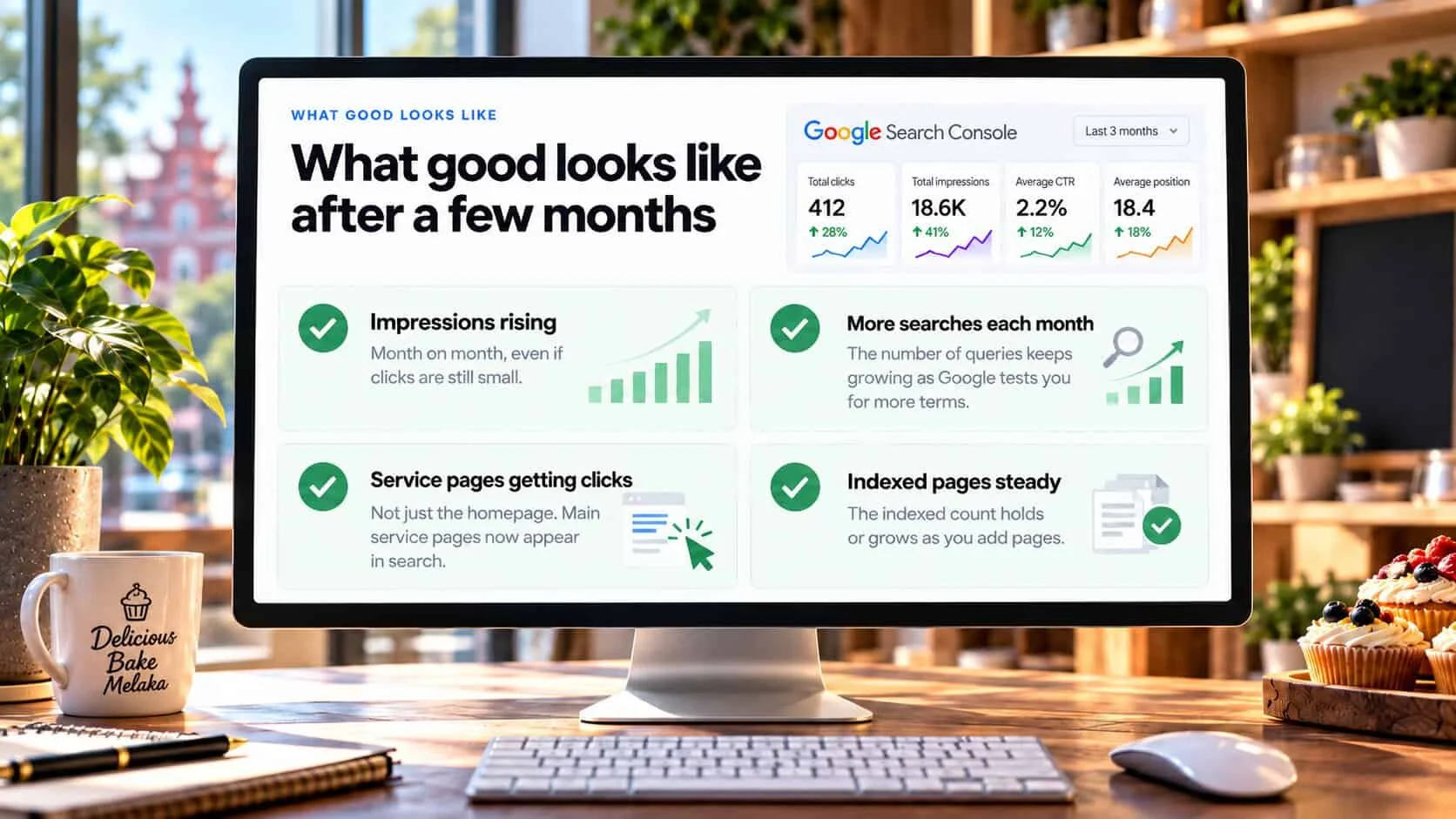
Impressions rising
Month on month, even if clicks are still small.
More searches each month
The number of queries keeps growing as Google tests you for more terms.
Service pages getting clicks
Not just the homepage. Each main service page appears in the Pages tab.
Indexed pages steady
The indexed count holds or grows when you add pages.
The warnings
When to worry, and when to wait
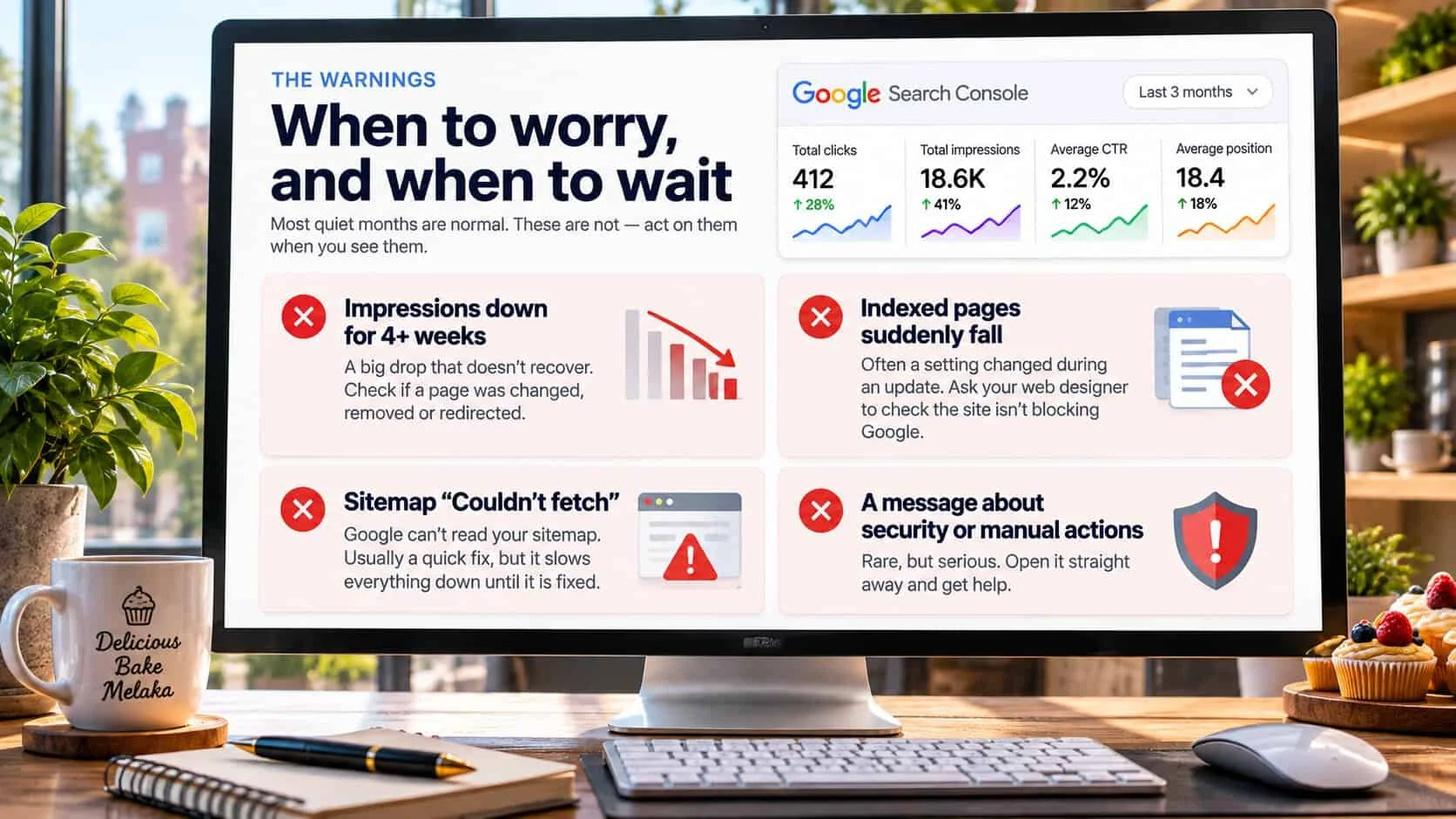
Most quiet months are normal. These are not — act on them the same week:
Impressions down for 4+ weeks
A drop of a third or more that doesn’t recover. Check if a page was changed, removed or redirected.
Indexed pages suddenly fall
Often a setting changed during an update. Ask your web designer to check the site isn’t blocking Google.
Sitemap “Couldn’t fetch”
Google can’t read your sitemap. Usually a quick fix, but it slows everything down until it is fixed.
A message about security or manual actions
Rare, but serious. Open it straight away and get help.
If none of these apply, wait and keep going. If your site gets visitors from Google but they don’t enquire, that is a different problem: read why your website isn’t converting. If you’re not showing up at all, start with why your website is not showing up on Google.
Quick check: are you using Search Console properly?
5 questions · 30 secondsAnswer for your own website, honestly.
Search Console: owners’ questions
How often should a small business check Google Search Console?
Once a month is enough. Set a reminder for the same day each month and compare the last 3 months with the 3 months before. Weekly checks mostly show noise. Also open it straight away if Google emails you about an issue.
What is a good click rate in Google Search Console?
It depends on position. Searches for your business name often get 20% or more. Service searches on page one usually get 2% to 8%. A page sitting at position 30 or lower gets almost no clicks, so a low click rate there is normal.
Why do I have impressions but no clicks?
Your page is showing, but too far down for people to see it, usually page three or lower. Keep improving that page and link to it from your other pages. If it already sits on page one with few clicks, rewrite its title and description.
Is Google Search Console free?
Yes. It is free from Google. You verify that you own the website, then it shows how your site appears in Google search. It does not show visitors from other sources — that is what Google Analytics is for.
What is the difference between Search Console and Google Analytics?
Search Console shows what happens on Google before someone clicks: which searches you appear for, your position, and clicks. Google Analytics shows what people do after they arrive on your site, from every source.
Keep reading
Getting found on Google
SEO timing
How long does SEO take for a small business?
Month by month, what speeds it up, and signs it’s working.
Indexing
Why is my website not showing up on Google?
A two-minute check, then nine reasons in the order to look.

SEO basics
SEO basics for owners who don’t want to learn SEO
What to do yourself, what to pay for, and the myths to ignore.