

The answer
The short answer: four rules
Good website content is not clever writing. It is clear answers, in the right order, for the person who is about to choose between you and the next business on Google.
Write for one kind of customer
A parent in Ayer Keroh ordering a birthday cake a week ahead, not “everyone”. When you picture one reader, the right details come naturally.
Use their words, not yours
“Aircon not cold”, not “HVAC performance optimisation”. Their words are also what they type into Google.
Answer their questions in the order they ask them
What do you do, where, how much, can I trust you, and how do I start. Most pages answer the last questions first, or never.
End every page with one clear next step
“WhatsApp us a photo of your unit”, not five buttons that all say “Learn more”. More on this in calls to action that get clicked.
How people read
How people really read a web page
They don’t read it. They scan it. On an average web page, people have time to read at most 28% of the words, and about 20% is more likely (Nielsen Norman Group). On a phone, between other things, it is often less.
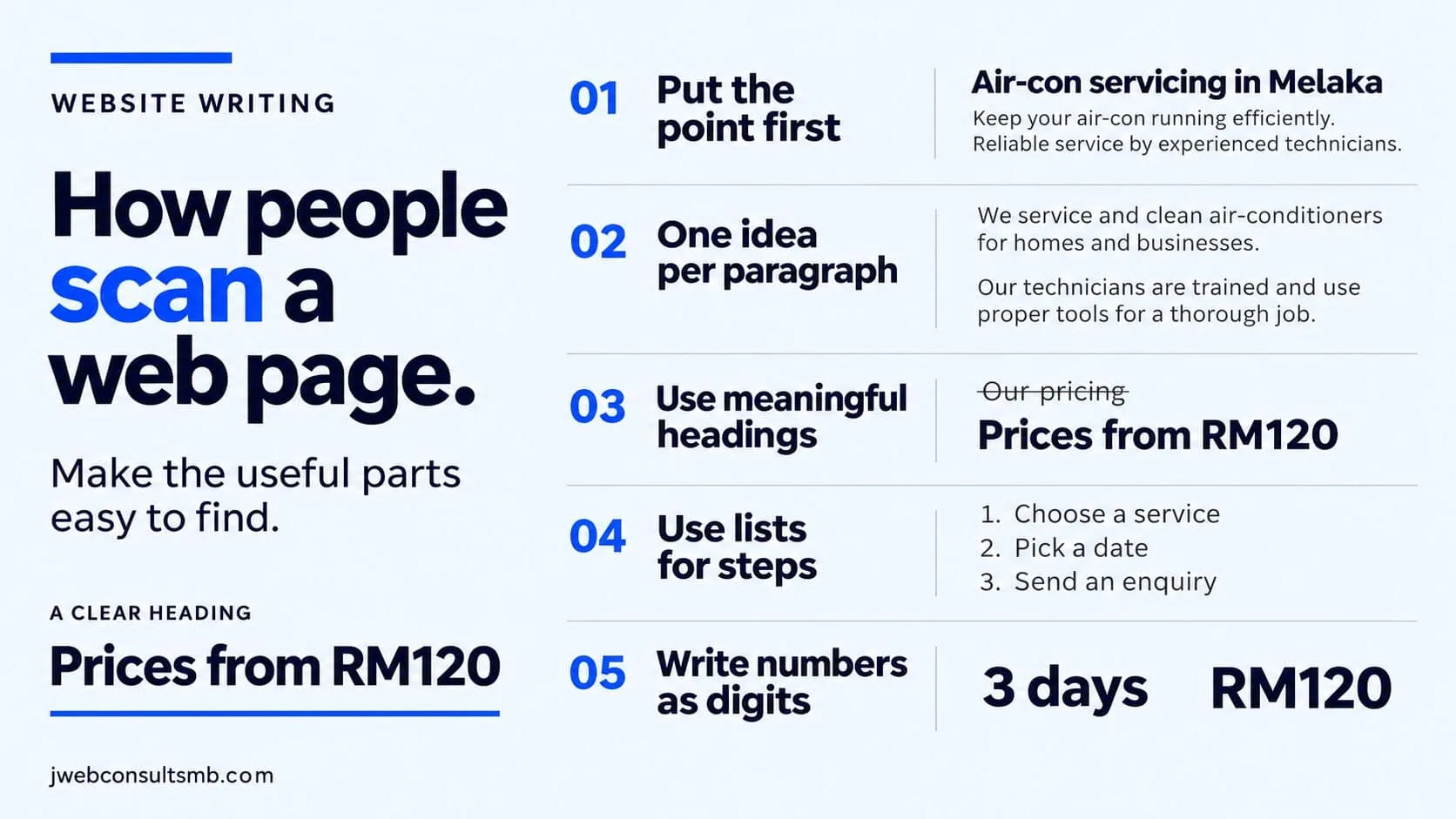
So the first line of every section has to carry the message on its own. Write as if the reader will only see your headings, the first sentence under each, and anything in bold:
- 1
Put the point first
Start each section with the answer, then explain. “From RM 120 per unit” goes first, the details of what is included come after.
- 2
One idea per paragraph
Two or three short sentences. On a phone, a paragraph of eight lines looks like a wall, and people skip walls.
- 3
Headings that say something
“Prices from RM 120” tells the scanner more than “Our pricing”. Every heading should still make sense on its own.
- 4
Lists for steps and choices
If you are listing what is included, the steps to book or the areas you cover, use a list.
- 5
Numbers in digits
“3 days”, “RM 120”, “4.9 on Google”. Digits catch the eye in a block of words, and they feel more concrete than “affordable” or “fast”.
Before you write
Before you write: answer three questions
Before you open the editor, write the answers to these on one piece of paper. They decide every line that follows.
| Question | A bakery | An aircon service |
|---|---|---|
| Who is this page for? | Parents in Melaka ordering a birthday cake a week ahead | Home owners in Melaka whose aircon isn’t cold |
| What do they need to know before they contact you? | Flavours, sizes, prices, how far ahead to order, delivery | Price, how soon you can come, areas covered, warranty |
| What should they do next? | WhatsApp the date and the design they like | WhatsApp a photo of the unit |
The middle answer is your page. If you can’t list what customers need to know, look at the questions they ask on WhatsApp. Those are the questions your page should answer.
Page by page
What each page must say
Each page has one job. Here is what it has to say, and the mistake I see most often:
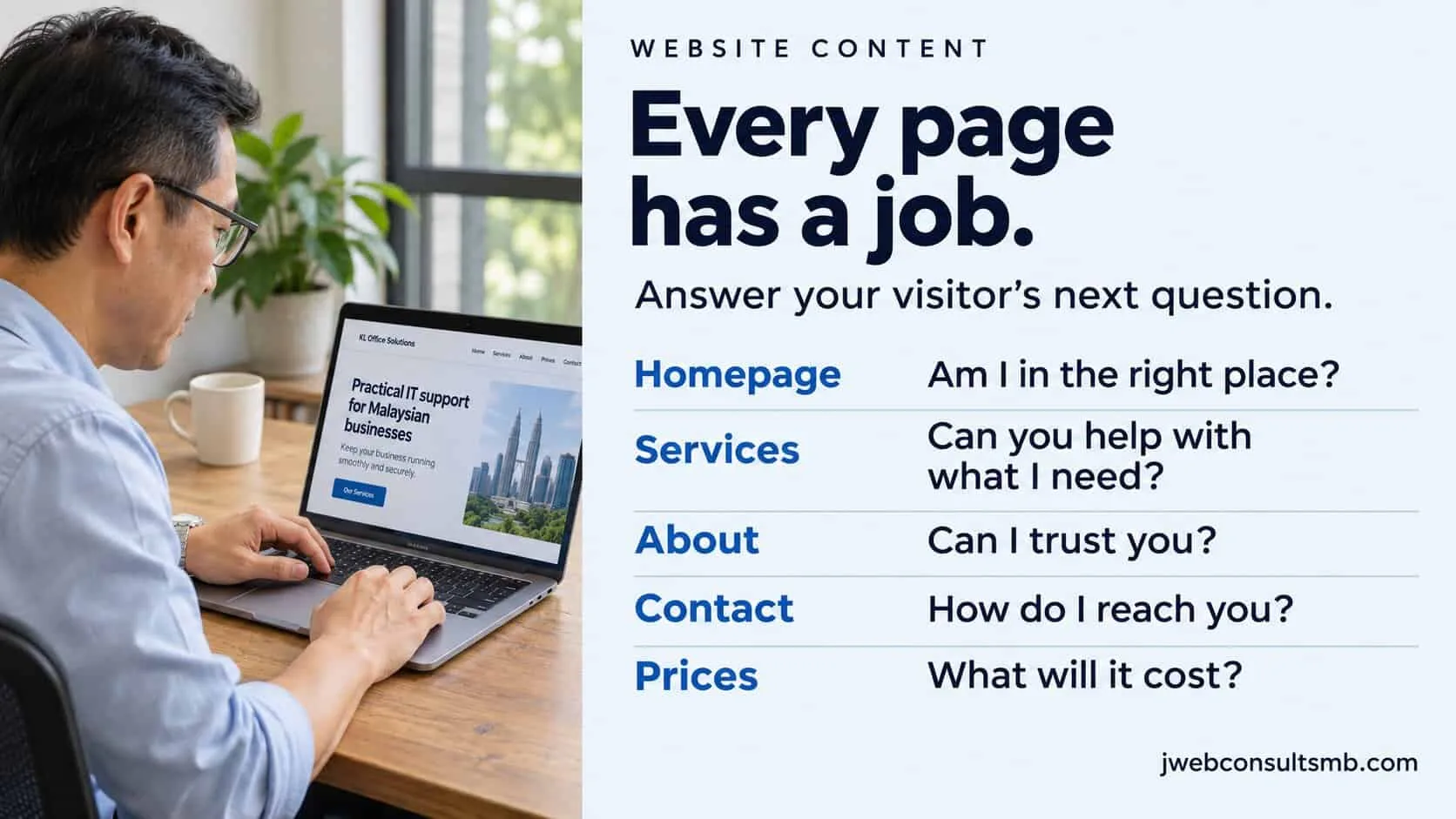
| Page | It must say | The common mistake |
|---|---|---|
| Homepage | What you do, where, for whom, the main proof, and one next step | “Welcome to our website” and a slogan. See a homepage that converts. |
| Service page | Who it is for, what is included, the price or a range, how it works, proof, FAQs, the next step | One page listing every service in one line each. See a service page that converts. |
| About page | Who you are, why you do this, your team, and proof you are real | A company history nobody asked for. See an About Us page that builds trust. |
| Contact page | How to reach you, hours, where you are, and what happens after they get in touch | Only a form, with no phone, no WhatsApp and no reply time. See contact forms people finish. |
| Prices | Prices or ranges, what changes the price, and what is included | “Contact us for a quote” and nothing else. See should you show prices. |
Rewrites
Before and after: five rewrites
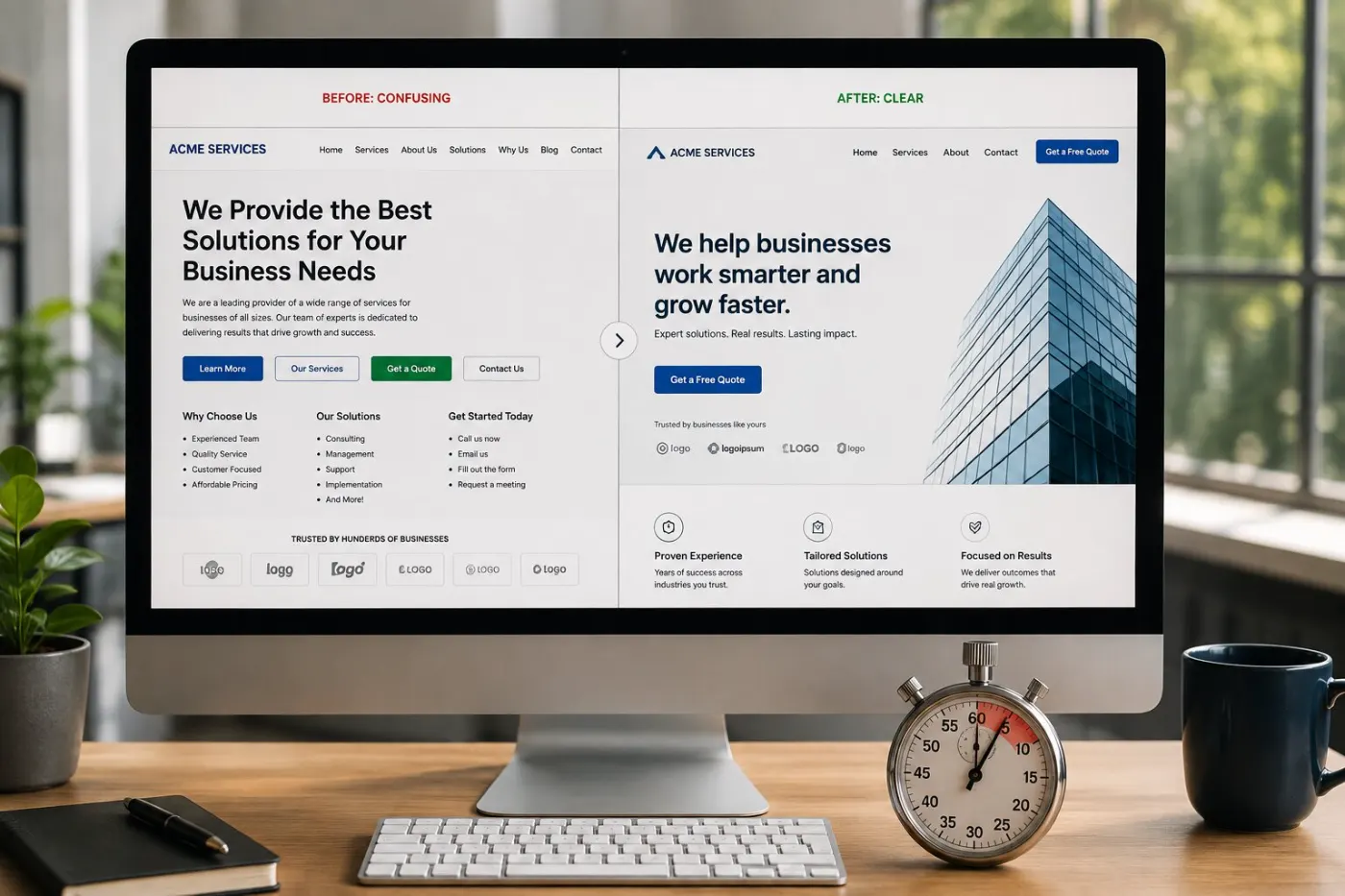
The same businesses, the same services. Only the words changed. Each “after” says what, where, for whom or how much, so the reader doesn’t have to ask.
| Before | After | What changed |
|---|---|---|
| We provide quality aircon services with many years of experience. | Aircon chemical wash in Melaka from RM 120. Same-week visits in Ayer Keroh, Bukit Beruang and Klebang. | Service, place, price and speed, in two lines |
| Delicious cakes for every occasion. | Custom birthday cakes in Melaka. Order 3 days ahead. Pickup or delivery. | What, where and the one rule buyers need |
| Your trusted legal partner. | Wills from RM 800, with a fixed quote before we start. First consultation RM 200. | A real service and two real numbers |
| One-stop manufacturing solution. | Plastic injection moulding, 50 to 450 tonnes, from 5,000 pieces a run. | The process, the size and the minimum order |
| Achieve flawless skin today! | Acne scar care led by our doctors. Usually 3 to 6 sessions. First consultation RM 80. | Honest, specific, and inside the clinic advertising rules |
All five are illustrative. For full pages written this way, see the website walkthroughs by industry, including the aesthetic clinic and manufacturing examples.
The words
Choose their words, not your industry’s
After years in a trade, its words feel normal. To a customer they are a small wall. Use the words customers use when they WhatsApp you, and keep the trade word in brackets if it helps.
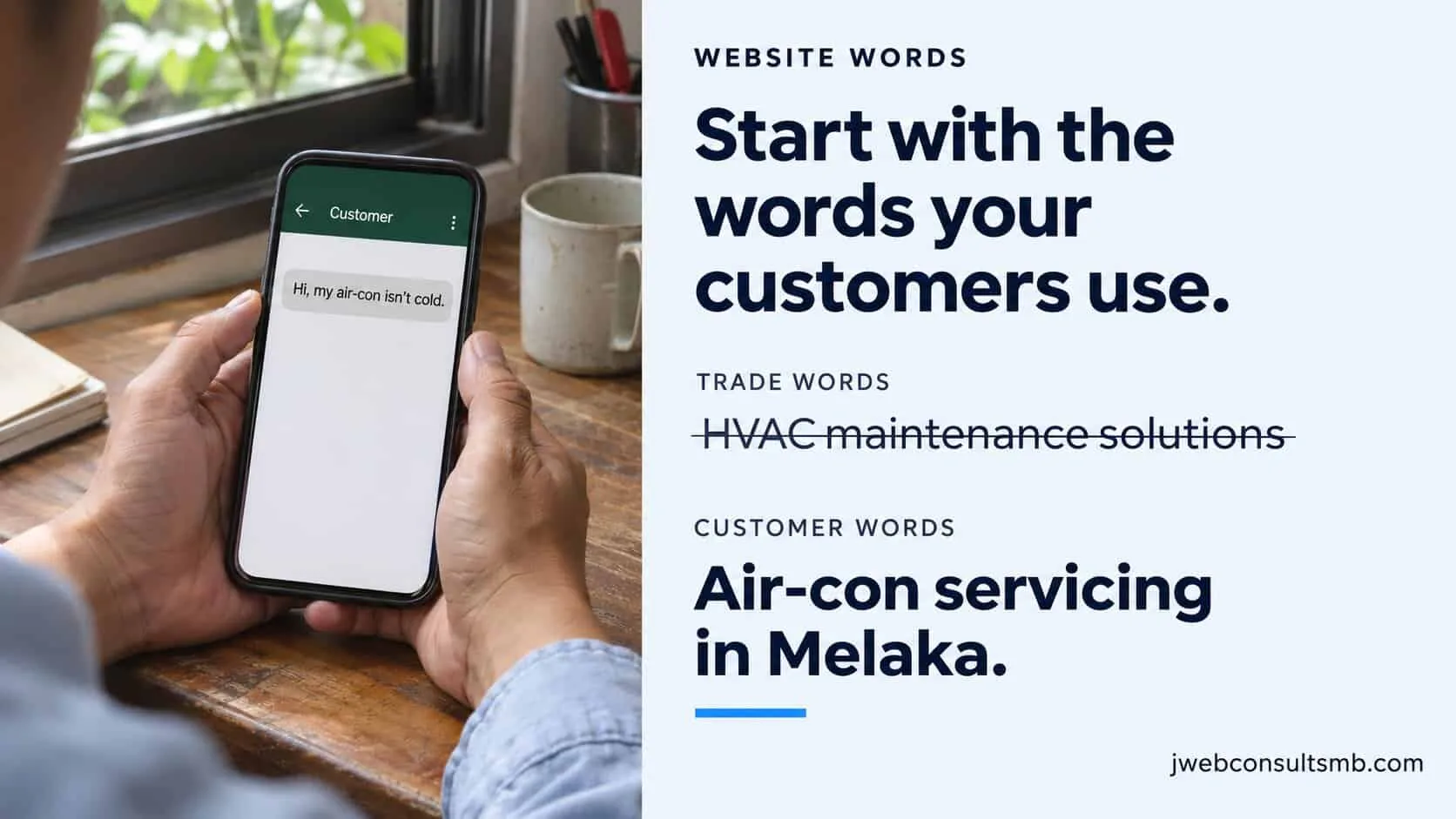
| Your word | Their word |
|---|---|
| HVAC servicing | aircon service, aircon not cold |
| Bespoke confectionery | custom cake, birthday cake |
| Conveyancing | lawyer for buying a house, SPA lawyer |
| Fenestration solutions | windows, sliding doors, grilles |
| Integrated digital marketing | getting more customers from Google and Facebook |
Where to find their words
Your WhatsApp and email
Scroll back through the last 30 enquiries. Copy the exact phrases people used to describe their problem.
Your Google reviews
Customers describe what you did, in their words. Those phrases make good headings.
Search Console
The Queries report shows the exact searches that found you. See the 10 minute monthly check.
Google’s own suggestions
Type your service and town into Google and look at the suggestions and the “People also ask” box.
Writing for Google, without writing for robots
Google can only show your page for the words and questions it actually covers. You don’t need tricks, just a page that clearly answers one topic:
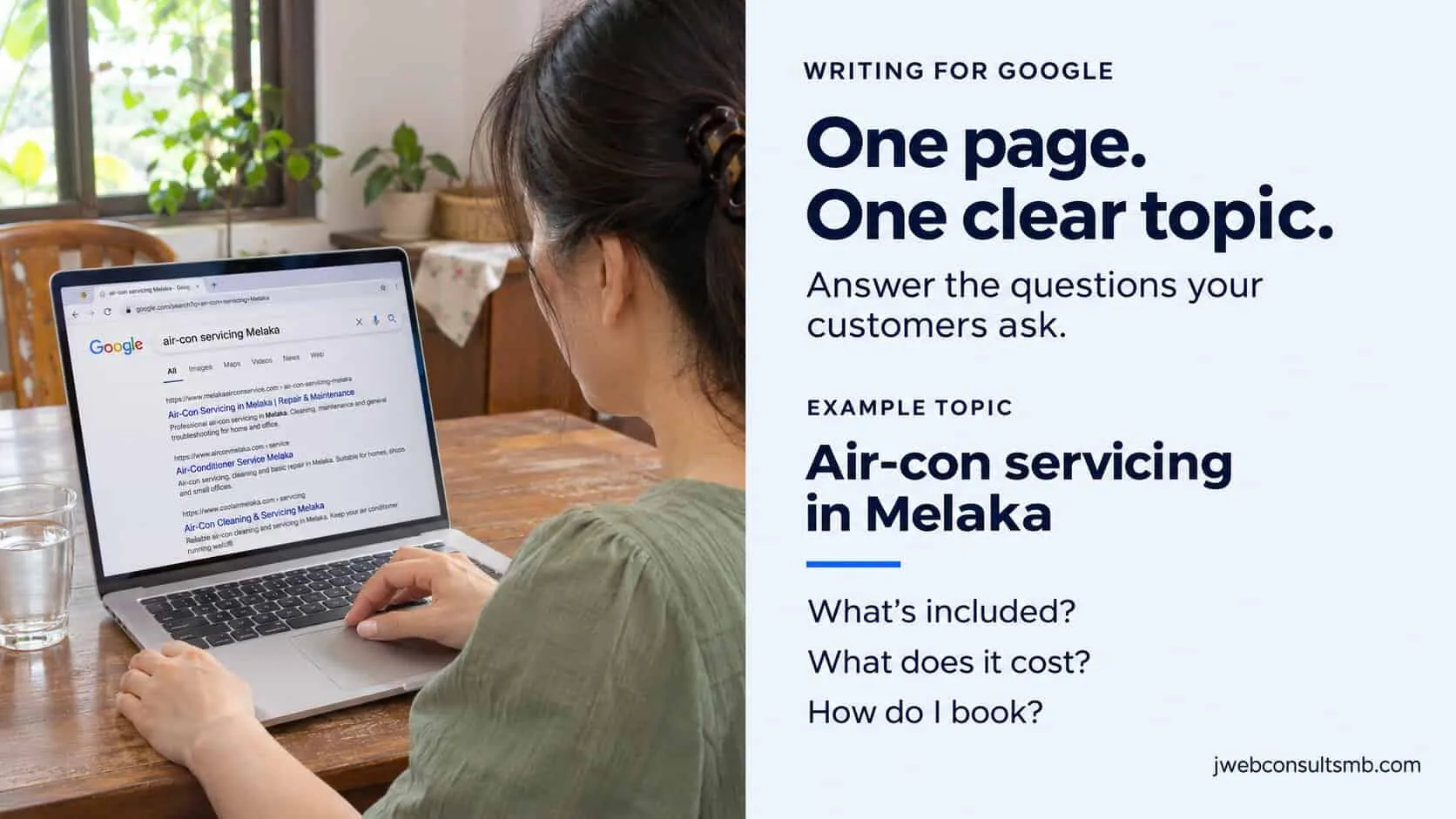
One main topic per page
One service, one page. Name it in the page title and the main heading.
Use the words people search, naturally
In the main heading, the first paragraph and one or two subheadings. Don’t repeat it twenty times.
A page title and description that earn the click
Keep the title short enough not to be cut off, about 60 characters, and make the description say why to click.
Answer the follow-up questions
An FAQ at the bottom covers the questions people search next: price, time, area, guarantee.
Link to your related pages
From a service page to its price list, to a case study, to the contact page.
Google says it rewards helpful content made for people, however it was produced (Google Search Central, February 2023). The basics are in SEO basics for small business.
Malaysia
Writing for Malaysian customers
A few things Malaysian customers look for that generic writing advice misses:
Prices in RM, and whether SST is included
A price without the tax answer still leaves a question.
The areas you serve, by name
People search by town and taman. “Ayer Keroh, Bukit Beruang, Klebang” beats “all over Melaka”.
How to reach you, WhatsApp first
With your hours, including weekends and public holidays, and how quickly you reply. See WhatsApp for small business.
Bahasa Malaysia or Chinese versions of key pages
If your customers prefer them. Write them properly, or have a native speaker check, rather than translating word for word.
The practical details
Parking, where Grab can drop off, halal status if it matters for your business, and what to bring.
AI
Using AI to write your website
ChatGPT and other tools are fine for a first draft. The trouble is that a draft from a prompt sounds like every other business that used the same prompt. Use AI for the parts it is good at, and keep the parts only you can write:
| Let AI help with | Write or check yourself |
|---|---|
| An outline of the sections a page needs | Your prices, process, areas and guarantees |
| A rough first draft to react to | Your stories, your opinions and real customer questions |
| Tidying clumsy sentences | Every fact, number and claim, line by line |
| Ideas for FAQ questions | Your photos, and which ones go where |
| A first translation draft | A native speaker check before it goes live |
The swap test
Read your page and swap your business name for a competitor’s. If it still makes sense, it isn’t finished. A finished page could only belong to you: your prices, your areas, your team, your way of doing the job.
Mistakes
Six mistakes that cost enquiries
Opening with “Welcome to our website”
The most valuable line on the page, spent on nothing. Say what you do instead.
Every sentence starts with “We”
Count the “we” and the “you” on your homepage. If “we” wins, turn sentences around to the customer.
Walls of text on a phone
Long paragraphs look fine on a laptop and endless on a phone. Check every page on your phone.
“Contact us for price” and nothing else
Give a range or a starting price. People who can’t see a number often don’t ask.
Claims with no proof
“Best”, “leading”, “trusted” mean nothing without reviews, numbers or names. See trust signals.
Copied or template text
A competitor’s words, or the theme’s placeholder lines. Customers notice the sameness, and Google sees the same text elsewhere.
Quick check: are your words working?
5 questions · 30 secondsOpen your own website on your phone, then answer honestly.
Website content: owners’ questions
What is website content writing?
It is writing the words on your website: headings, service descriptions, prices, FAQs and button labels. For a small business, its job is to help a visitor decide to contact you, by answering what you do, where, how much and how to start.
How long should a web page be?
There is no magic number. A homepage that answers the basics can be a few hundred words. A service page that covers price, process and common questions is usually longer. Cut anything a customer wouldn’t miss, and keep anything that answers a real question.
Should I write my website myself or hire a copywriter?
You know your business and your customers best, so start yourself: answer the three questions in this guide and write a rough draft. A copywriter or web consultant can then shape it, tighten it and make sure each page has one clear next step.
Can I use ChatGPT to write my website?
Yes, for outlines and first drafts. Then replace the general lines with your own prices, areas, process and stories, and check every fact. Google says it rewards helpful content however it was produced, but a page that could belong to any business won’t persuade anyone.
Does website content help SEO?
Yes. Google can only show your page for the words and questions it actually covers. One clear topic per page, written in the words customers search, with answers to their follow-up questions, is most of what a small business needs.
How often should I update my website content?
Check prices, hours, photos and team details every few months, and whenever they change. Add new questions to your FAQs when customers keep asking them on WhatsApp.
Keep reading
Turning visitors into enquiries
Trust
Trust signals that make visitors enquire
Ten signals, placed where people decide.

About page
How to write an About Us page that builds trust
What visitors check on your About page, the seven parts in order, and a before-and-after rewrite.
Homepage
How to write a homepage that converts
The five parts of a good homepage, in order.