

Before
What the old homepage got wrong
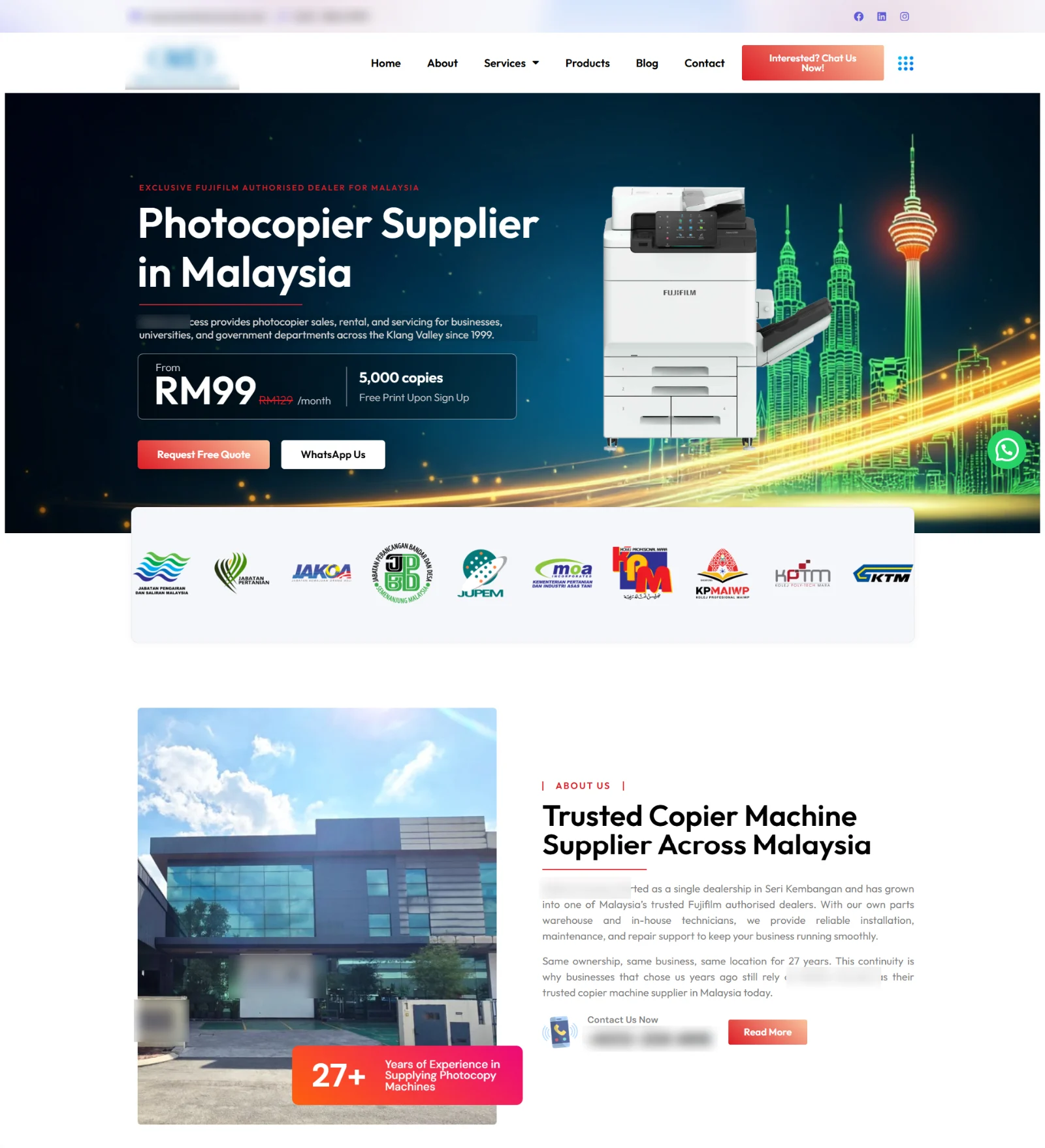
This site wasn’t bad. It had prices, reviews and a FAQ — more than most. But the first screen kept changing, and every path ended in a slow form.
A slideshow that won’t sit still
The first screen is a rotating slideshow. What a visitor reads depends on which slide is showing when they land — and most people decide whether to stay before the second slide appears.
The headline is a category, not a reason
“Photocopier Supplier in Malaysia” tells you what they are — so could every competitor. It doesn’t say what an office manager gets: a lower print bill and a machine that doesn’t go down.
Prices shown, then the same button three times
Three plans, each with a crossed-out “was” price, “T&C apply” and an identical “Enquire Now” button to a form. The crossed-out prices make buyers wonder what the catch is.
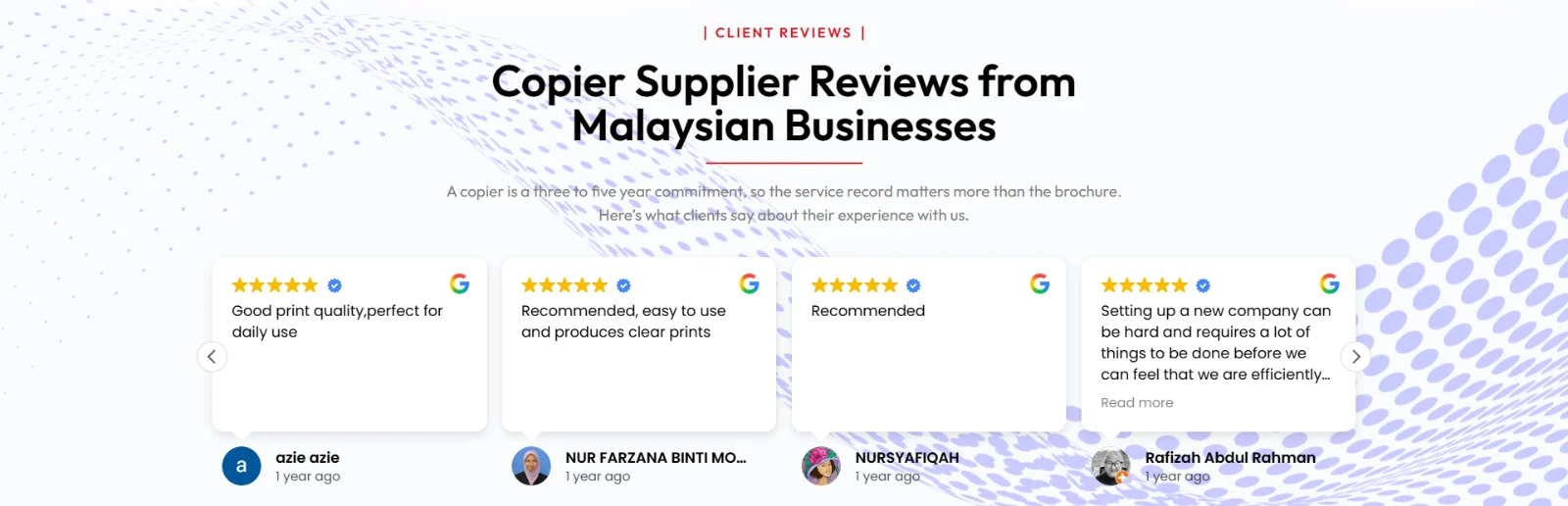
Proof that doesn’t prove much
Google reviews that say “Recommended”, awards as a carousel of certificates too small to read, and clip-art icons for “why choose us”. Real proof, shown so it’s easy to skip.
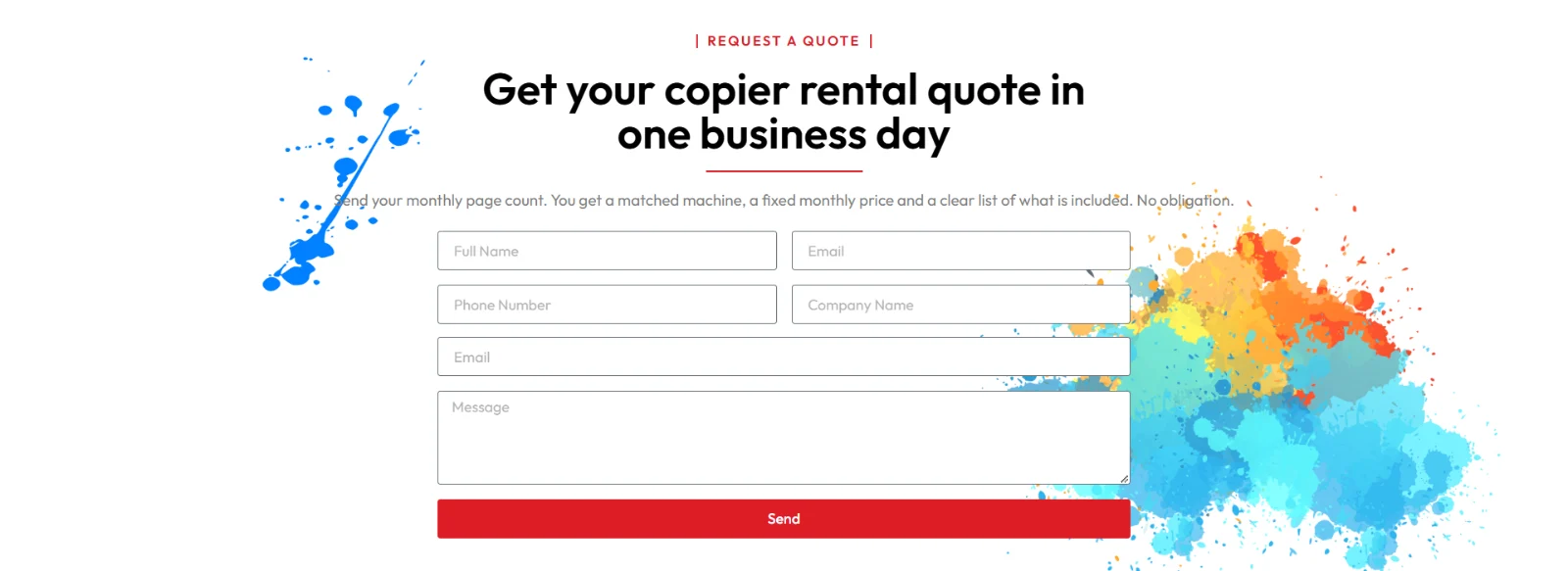
A slow last step
“Get your copier rental quote in one business day”, with a six-field form. Someone comparing three dealers this afternoon won’t wait until tomorrow.
After
8 changes, and why each one converts
Same dealer, same machines, same clients. The difference is order: the saving first, then help choosing, then proof, then the fastest way to ask.
- 1
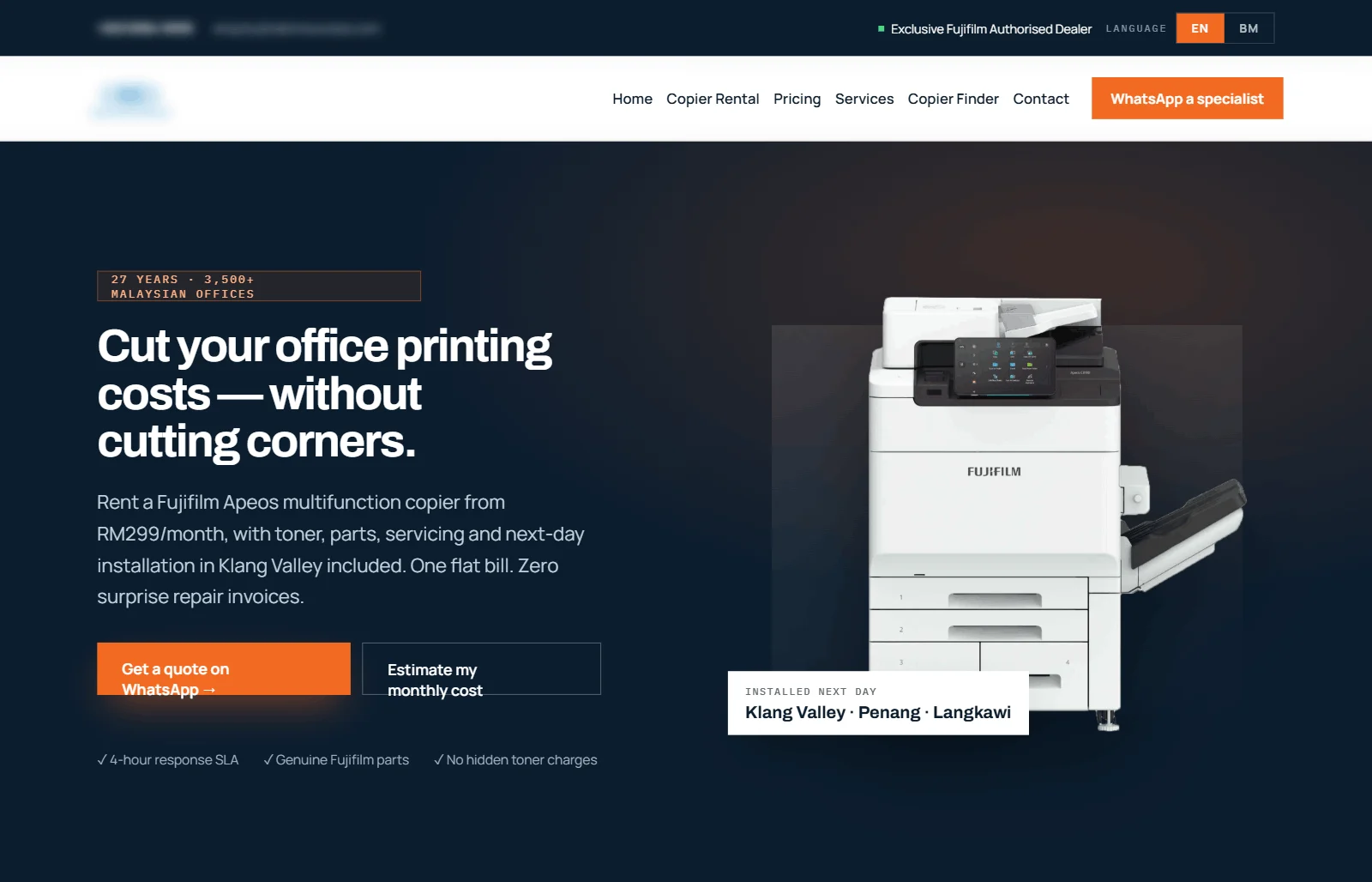
A headline about the buyer’s money, not the category
“Cut your office printing costs — without cutting corners.” The line under it says what’s in the monthly fee: toner, parts, servicing and next-day installation. An office manager knows in five seconds what this company does for them. How to write a homepage that converts.
The first screen: headline, what’s included, two buttons and three promises — before any scrolling. - 2
WhatsApp first, and a second button for people not ready yet
“Get a quote on WhatsApp” is the main button. Next to it, “Estimate my monthly cost” jumps to a calculator. Under both: 4-hour response, genuine parts, no hidden toner charges — the three worries every renter has. WhatsApp for small business.
- 3
Name the cost they don’t see
“Most offices overpay for print — they just never see it on one line.” Ad-hoc toner, callout fees, a machine down before month-end. Then an easy first step: send your last toner invoice and get it compared for free. It gives a reason to message today, not “someday”.
- 4
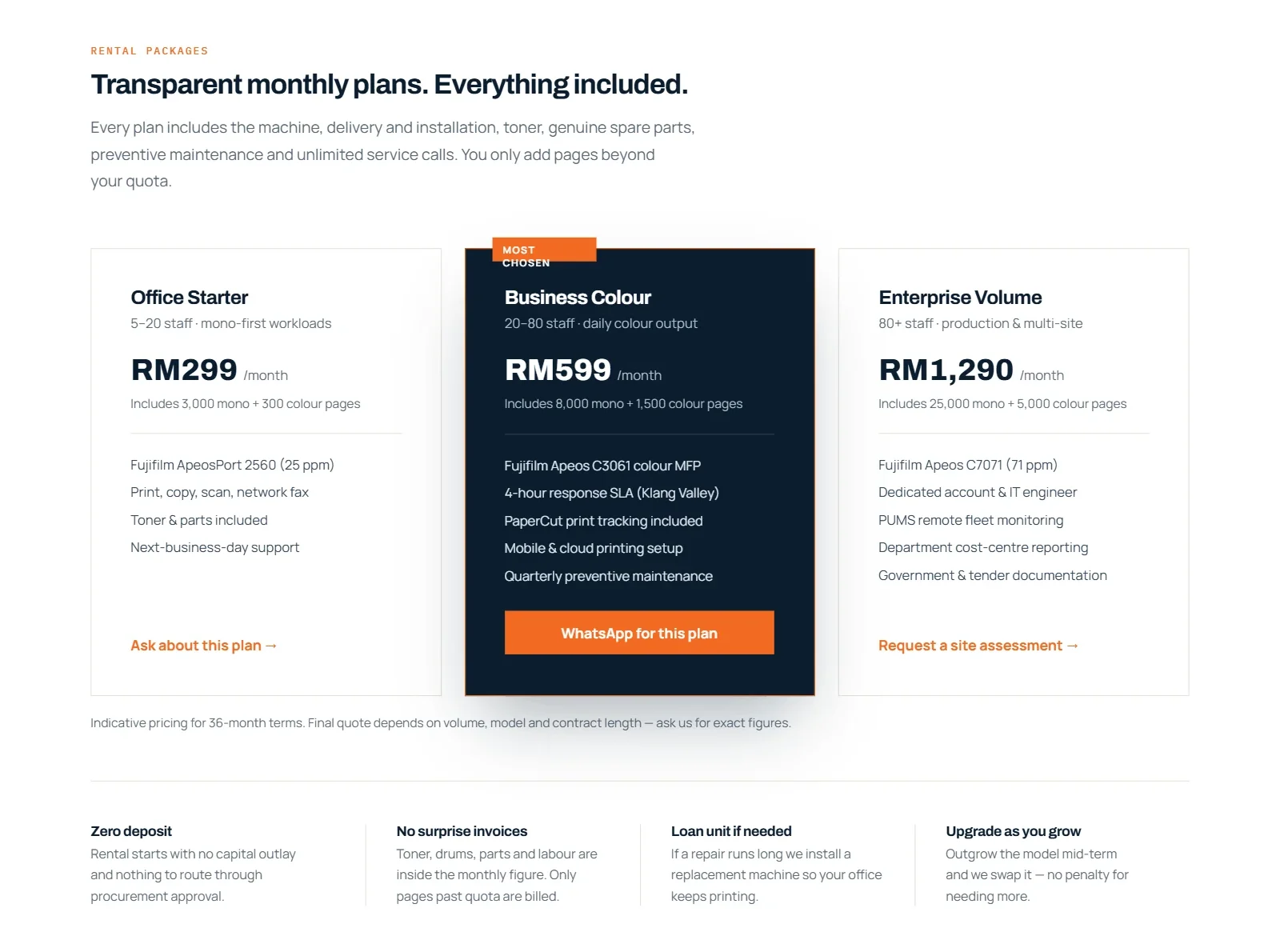
Plans that say who they’re for, and a button for each
Each plan lists the staff size, pages included, the machine and the response time. The buttons name the plan (“WhatsApp for this plan”), so the chat starts with the answer already in it. No crossed-out prices; one clear note that the final quote depends on volume. Should you show prices?
Who each plan is for, what’s inside it, and what happens if something goes wrong. Prices in the mockup are placeholders. - 5
A calculator for buyers still comparing
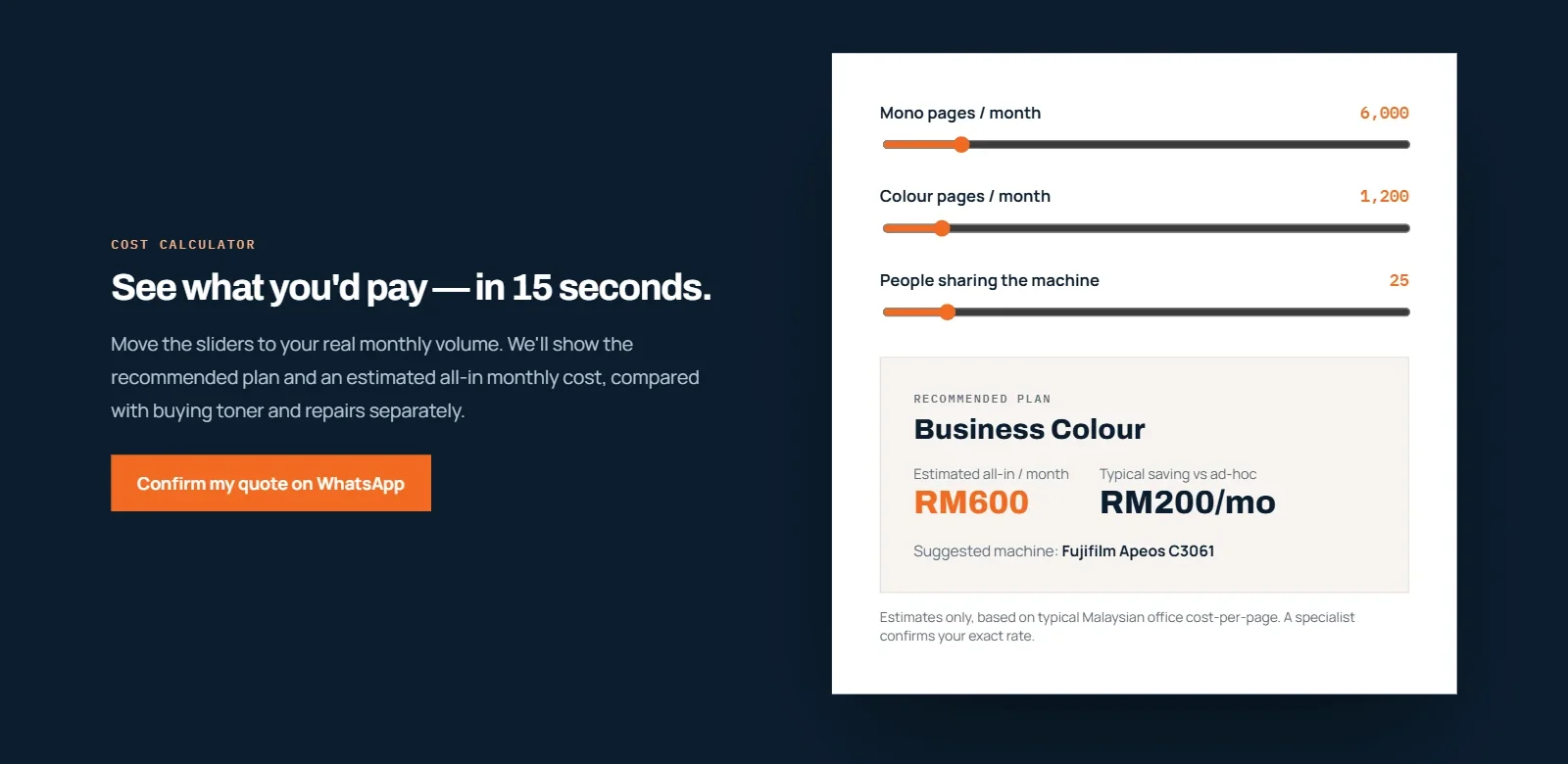
Three sliders — mono pages, colour pages, people sharing the machine — show the plan that fits and a rough monthly cost. No email asked. The button under it says “Confirm my quote on WhatsApp”, so the estimate turns into a conversation.
People who aren’t ready to talk still leave with a number — from this dealer. - 6
Three questions instead of a spec sheet
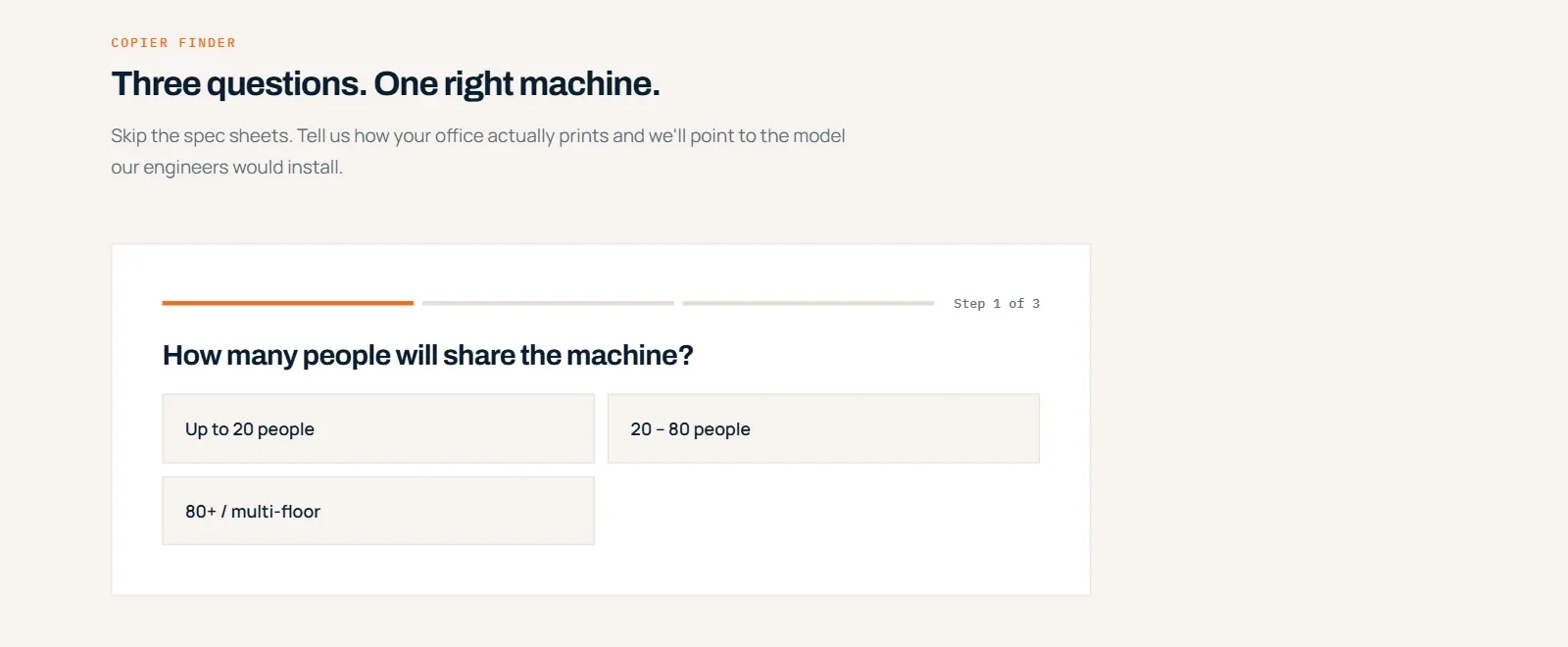
“How many people will share the machine? How much colour? What matters most?” The finder ends with the model their engineers would install and a button for its price. Most buyers can’t compare ppm and duty cycles; they can answer three questions.
A model recommendation in three taps, instead of four product cards to decode. - 7
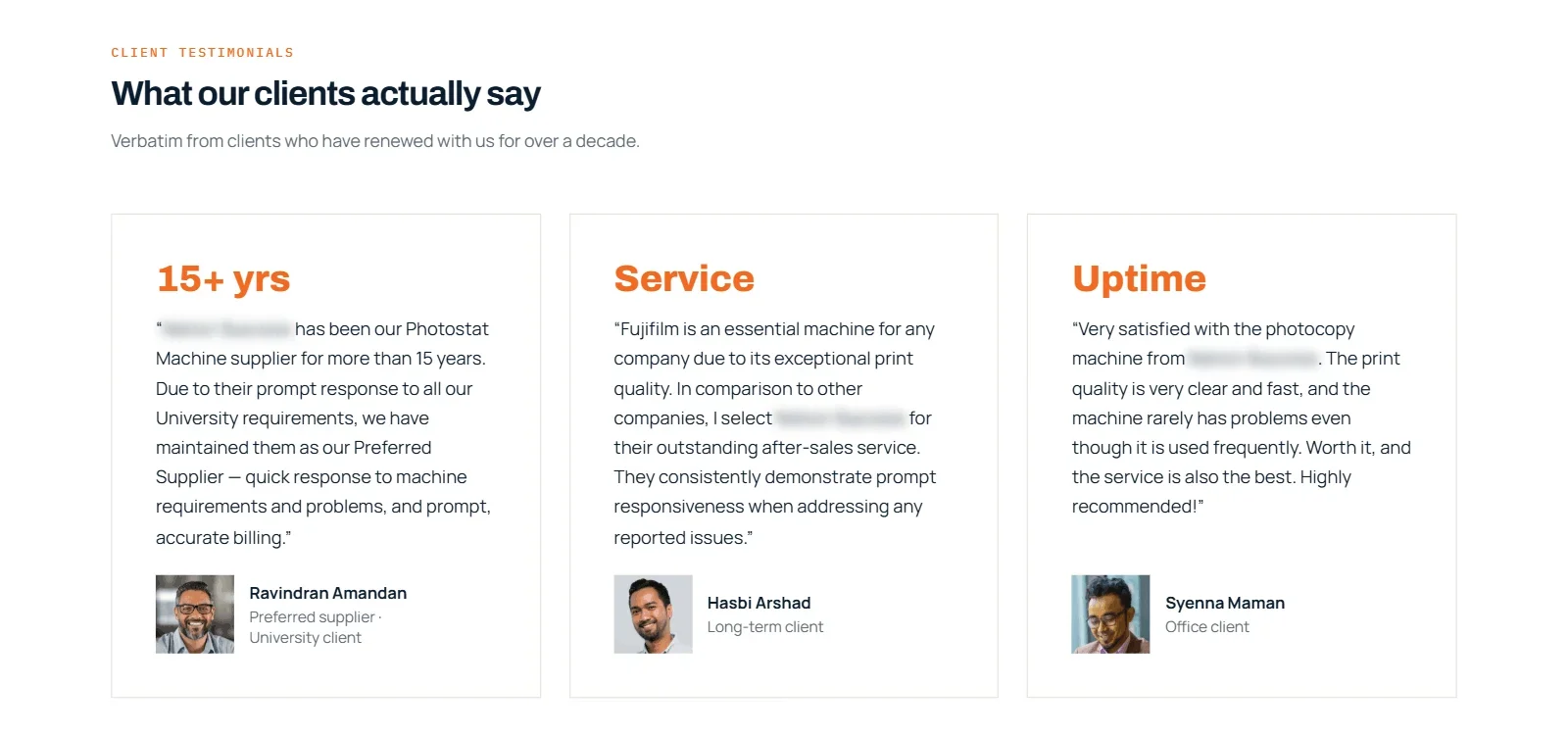
Proof with numbers, names and full sentences
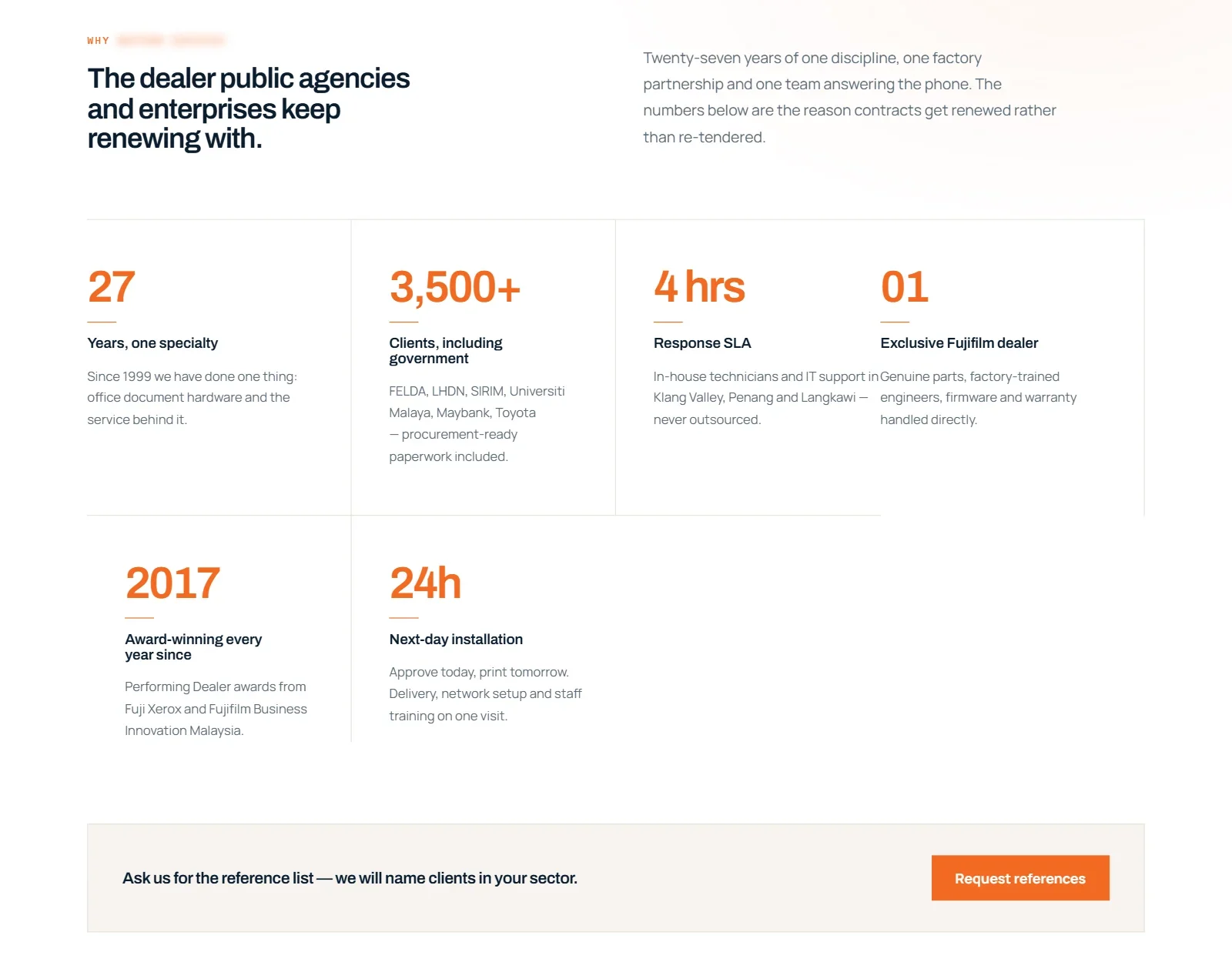
Years trading, clients including government agencies, the response time and the dealer awards sit in one block, with “Ask us for the reference list”. The reviews shown are full sentences that say why clients stay — prompt repairs, accurate billing, 15 years as preferred supplier. Trust signals that win enquiries.
Each number has one line saying why it matters to the buyer. Reviews that explain the reason, not just the stars. - 8
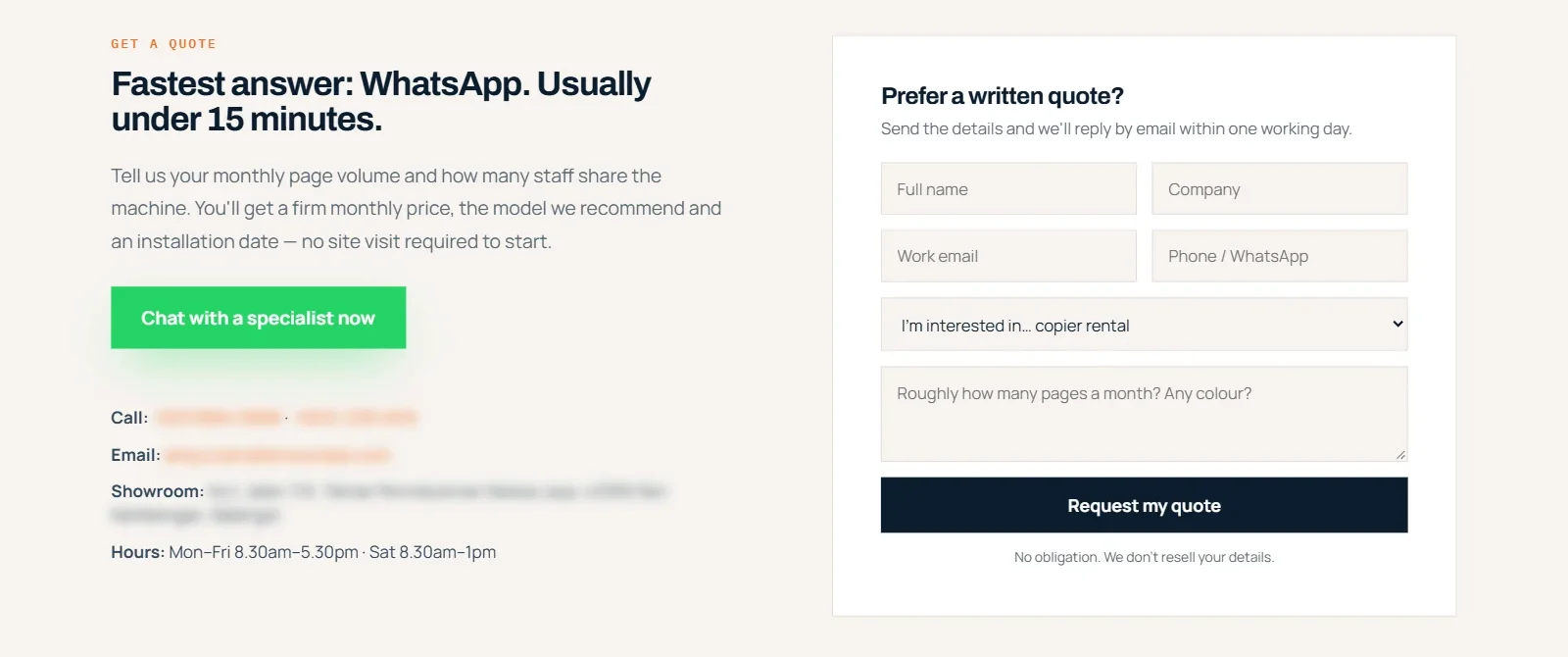
Say how fast you’ll answer
“Fastest answer: WhatsApp. Usually under 15 minutes.” The form is still there for buyers who need a written quote, with a box that asks the one useful question: roughly how many pages a month? Every section above also ends in a WhatsApp button. Contact forms that get filled in and calls to action that get clicked.
Before: an answer tomorrow. After: an answer in 15 minutes, or in writing if you prefer.
For your site
What to take from this
You don’t need to rent copiers for these to apply.
A picture is not a headline
If your first screen is a photo with no words, write one sentence on it: what you do, and what the customer gets.
Help people choose before you ask them to enquire
A calculator, a three-question finder or plans by team size turn “which one do I need?” into a WhatsApp message.
Tell people how fast you reply
“Usually under 15 minutes” beats “we’ll get back to you”. If a form takes a day, say so — and offer the faster way next to it.
What happens next
When the new site goes live, we’ll compare WhatsApp clicks, calculator use and quote requests with the old site, and add the numbers here. Going deeper: the website conversion guide and why your website isn’t converting.
Want to see your own site’s “after”?
Send your homepage. Within 48 hours you’ll get the three changes that would bring you the most enquiries.