
The short answer
An engineer or a buyer has three questions. Answer them, and the RFQ comes in.
Every section below exists to answer one of these. A site that looks modern but leaves any of them open sends the buyer back to the search results, and to the next supplier on their list.
Can you make what we make?
The processes, packages, sizes and volumes you handle, stated plainly.
Can we trust your process?
Real photos, case studies, how quality is checked and what records come with each lot.
What do you need from us to quote?
The inputs to prepare, and a form that asks for exactly those.
This example is a semiconductor assembly and test plant, because it has the hardest buyers to convince. Run a smaller factory or an industrial supply business? See what changes. Nusacore Microelectronics is a made-up company; its photos, capabilities and projects are illustrative.
Page 1 · The homepage
The full homepage, section by section
Read it top to bottom, the way a buyer would before deciding to send an RFQ. Each numbered pin matches the note beside it.
The whole page at a glance
Ten sections, in the order a buyer checks
What you make and where comes first, then three ways in, the floor, your capabilities and the products you help build. Proof follows: projects, quality and free documents. One clear ask closes the page. Tap any section to jump to its note.

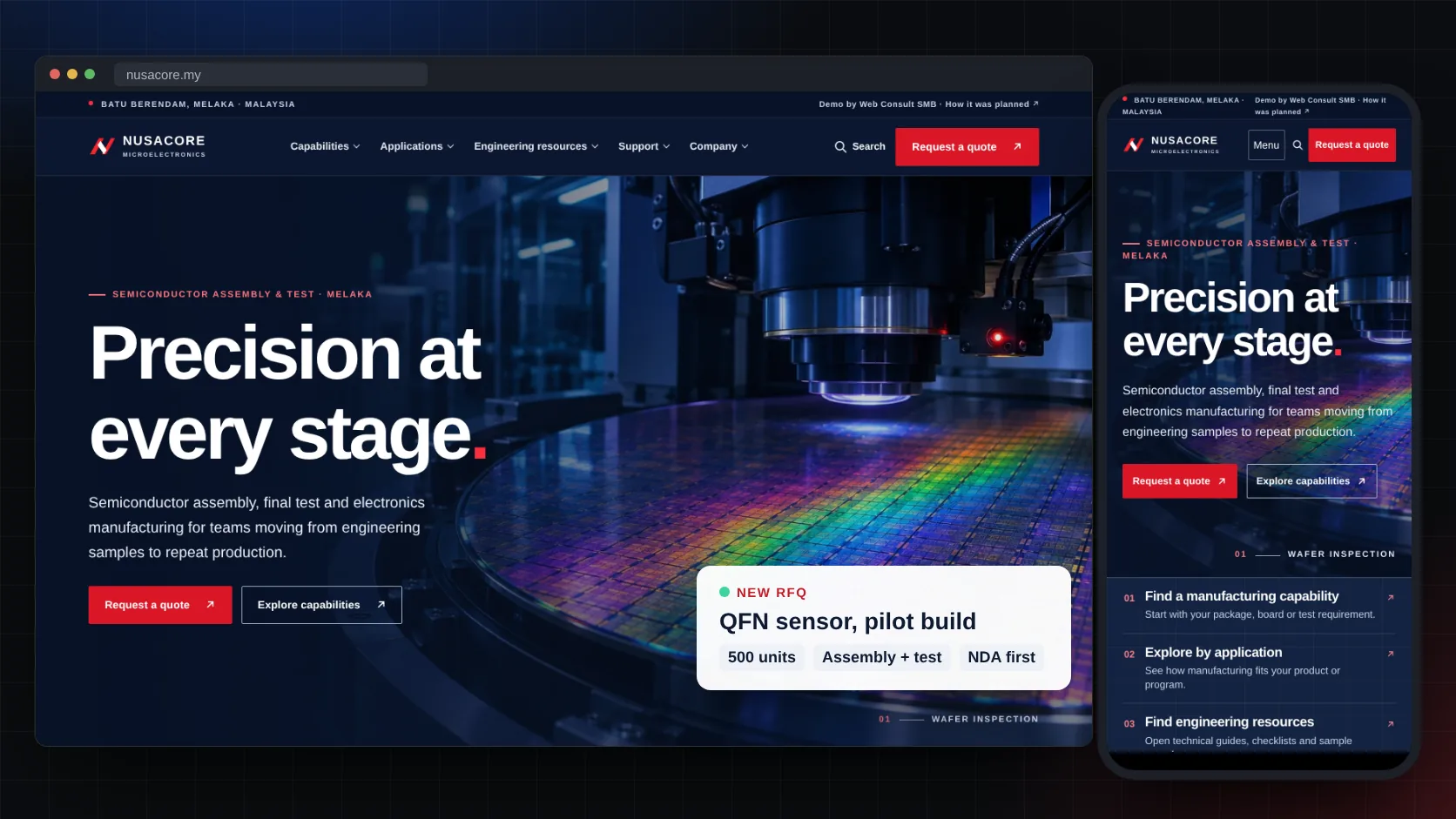
Header
Sort the menu the way buyers think, and keep “Request a quote” on screen
Engineers arrive with a process or a part in mind, not your company history. Capabilities, Applications, Engineering resources, Support and Company cover how they look. The red quote button stays in the header as they scroll, so the next step is always one click away.
Factory tipAdd a site search. Buyers often type a package or a process name, like QFN or wire bonding, and expect to land on the right page.
Hero
Say what you make, where, and for whom, in the first screen
“Semiconductor assembly, final test and electronics manufacturing for teams moving from engineering samples to repeat production.” In five seconds a buyer knows if you are worth a closer look. The line above it, Batu Berendam, Melaka, answers the next question: is this a real plant I could visit?
Factory tipUse a photo of your own line or product. A buyer who visits later and sees a different factory starts to doubt everything else on the site. See stock photos vs real photos.

Three ways in
Let each visitor start where they already are
A process engineer knows the work they need. A product manager knows the product. A buyer has a checklist to fill. Three routes under the hero, by capability, by application and by question, let each one start in the right place instead of guessing which menu fits.
About
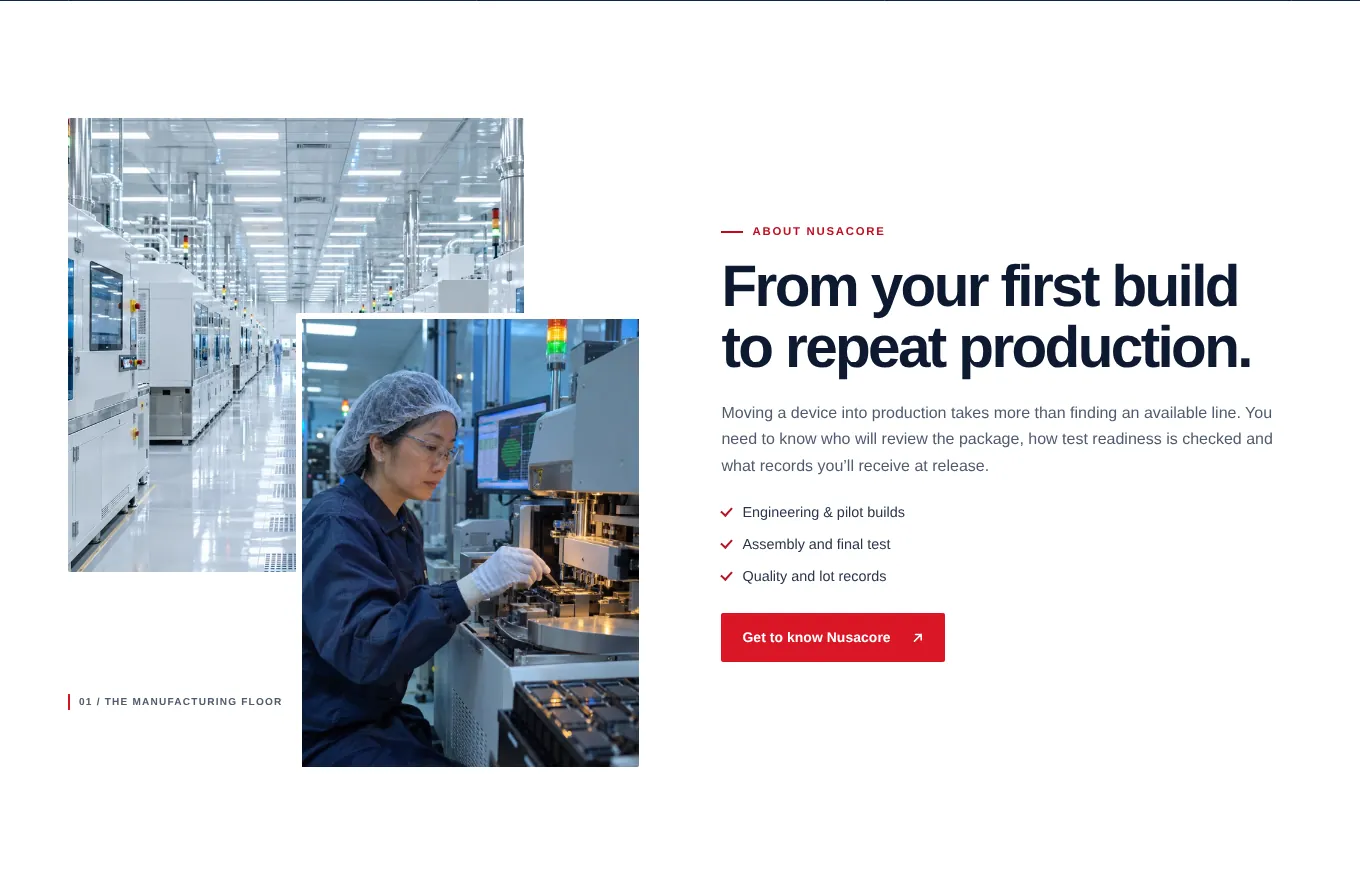
Show the floor, and promise a path from first build to repeat orders
Real photos of the cleanroom and people at work, then one paragraph about what buyers worry about: who reviews the package, how test readiness is checked and what records come with each lot. Three ticks sum up the scope.
Factory tipName the stages you really support. If you only take production runs above a minimum order, say so here. It saves both sides a wasted call.
Capabilities
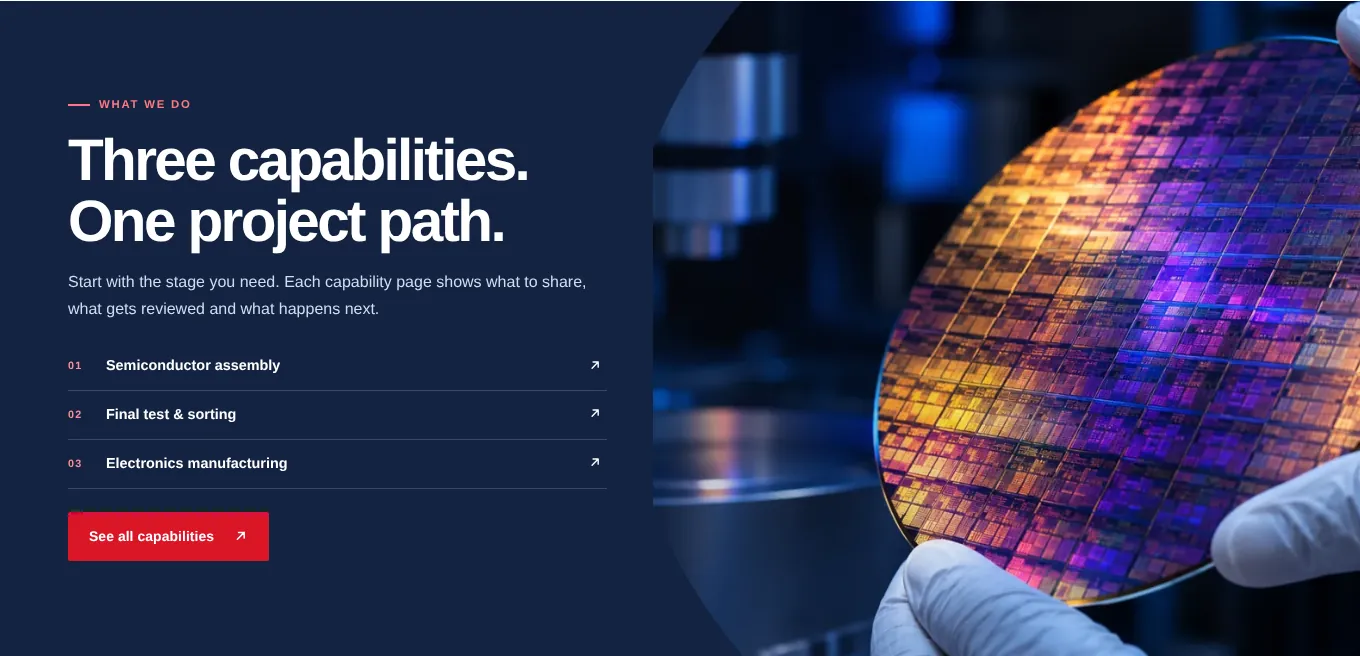
List each capability once, and give each one its own page
Three capabilities, numbered, each linking to a page that shows what to send, what gets reviewed and what happens next. A long list of machines on the homepage is hard to scan. Save the machine list, sizes and tolerances for the capability page, where the engineer who needs them will look.
Applications
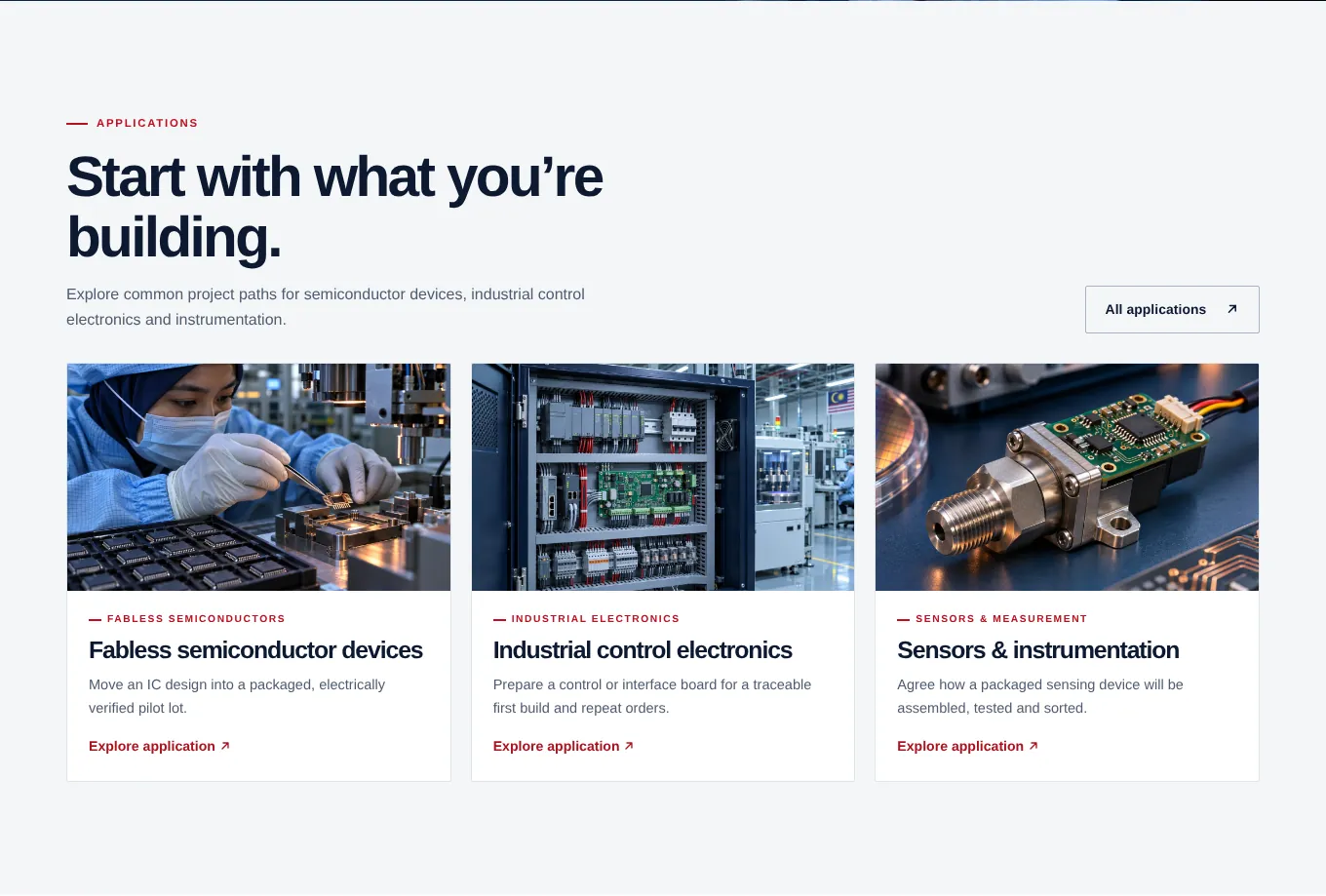
Show the products you help make, in the buyer’s own words
Fabless chips, industrial control boards, sensors. Each card says in one line what the project is: “Move an IC design into a packaged, electrically verified pilot lot.” A buyer sees their own project described and clicks.
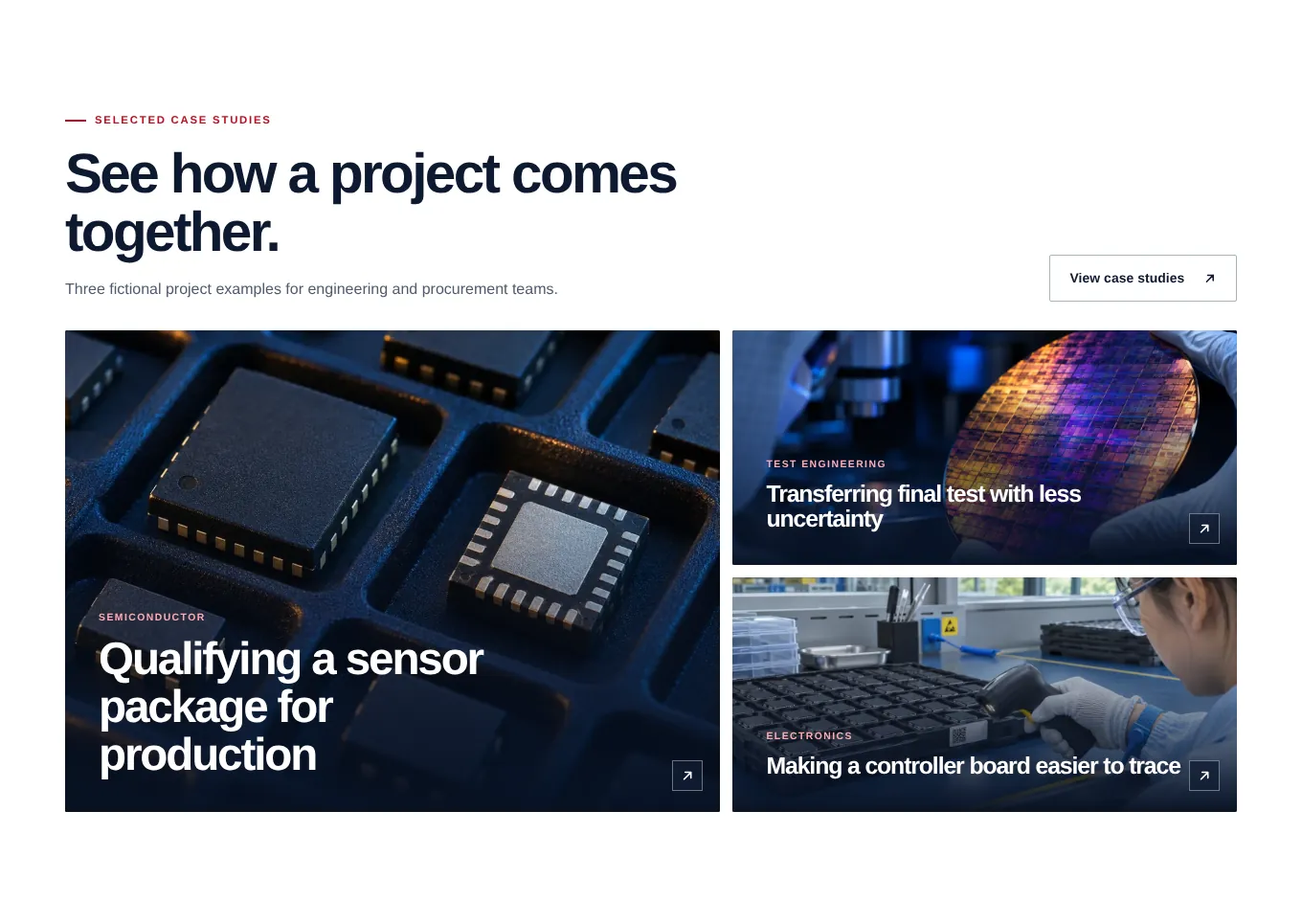
Case studies
Prove it with projects, even when the client is confidential
Most manufacturers can’t name their customers. A case study can still describe the challenge, the approach and the result: a QFN sensor moved from samples to a repeatable pilot build. That says more than a wall of logos nobody can check.
Factory tipAsk your client what you may say. The industry, the part type and the outcome are often fine, even when the brand name is not.
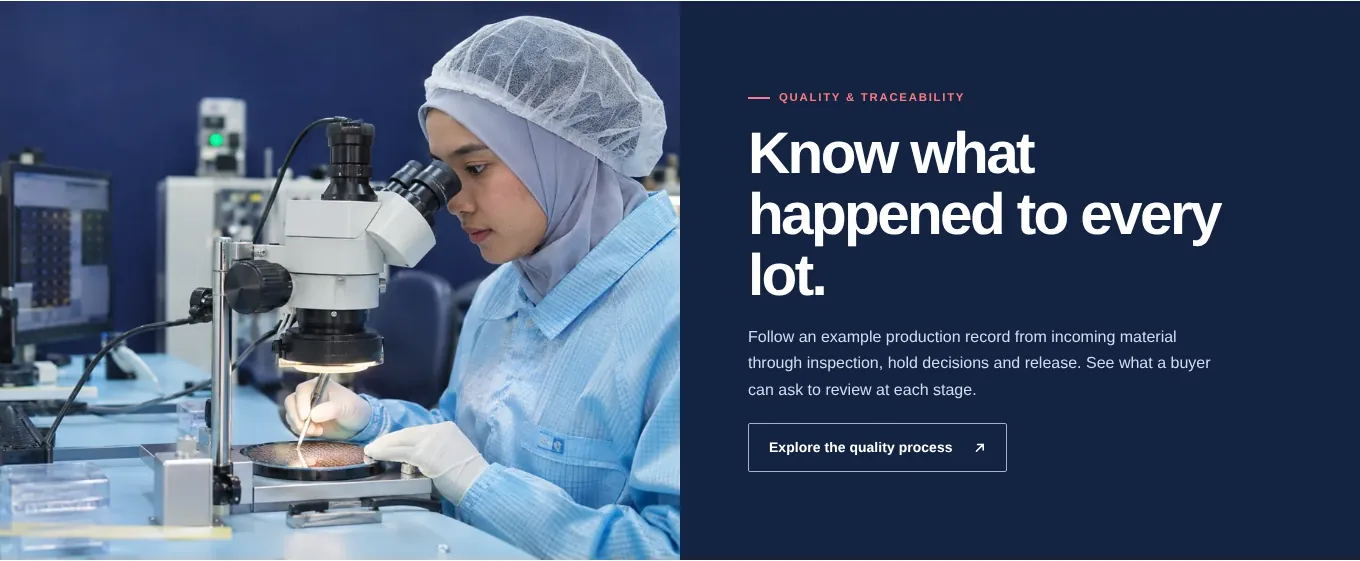
Quality
Show how a lot is tracked, not just a certificate badge
Quality is the question behind every manufacturing quote. A band that says “Know what happened to every lot” and links to the process and a sample release record gives a quality engineer something real to review.
Factory tipOnly show certificates you hold, with the standard, the scope and the expiry date. A logo with no certificate number, or one that has expired, does more harm than leaving it off. See trust signals that work.
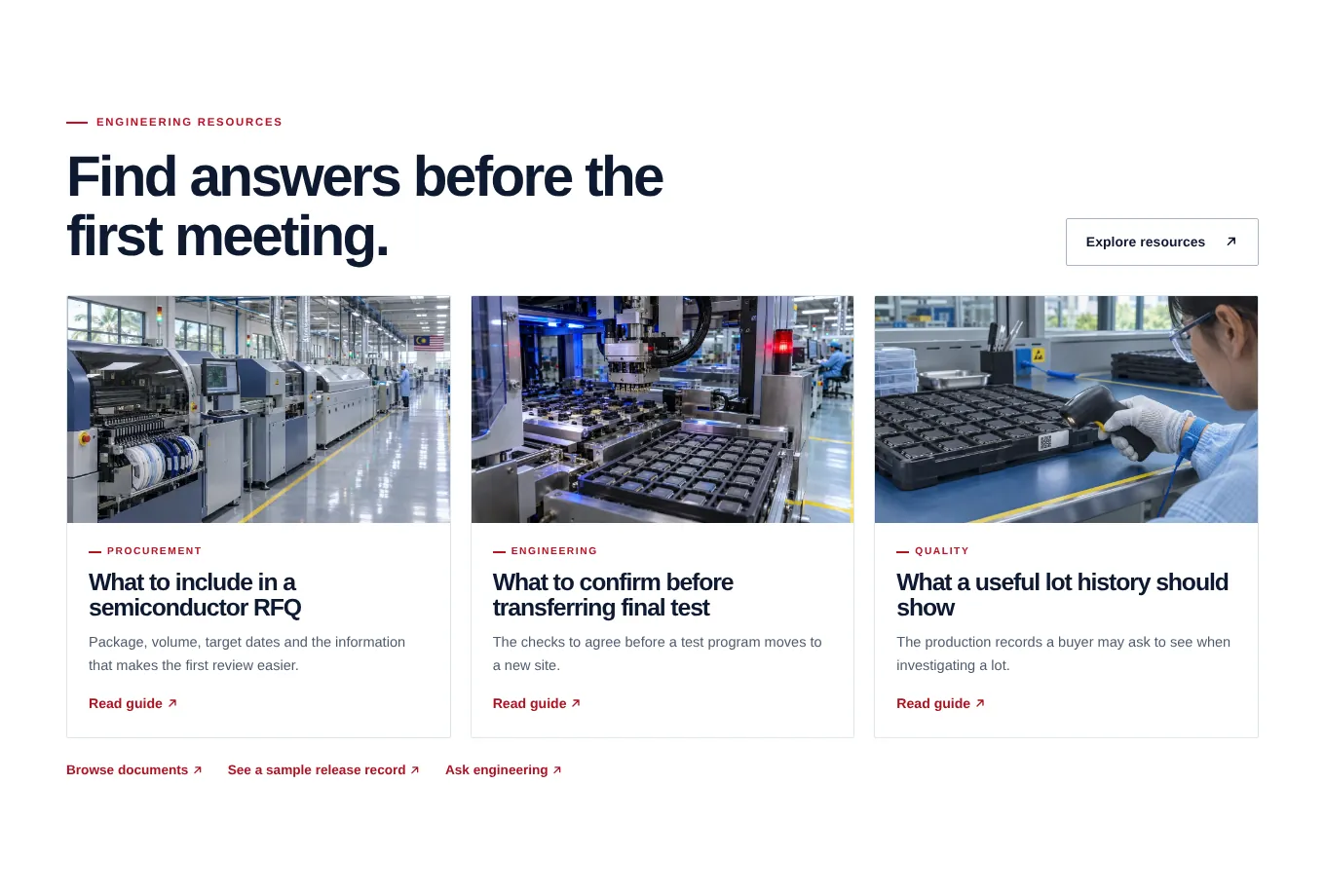
Engineering resources
Answer the first meeting’s questions before it happens
Guides like “What to include in a semiconductor RFQ”, scope sheets and a sample lot record. Engineers forward these inside their company, so your name reaches the people who decide, before anyone has called you.
Factory tipDon’t hide every document behind a form. Let them download the scope sheet freely, and ask for details only when they request a quote.
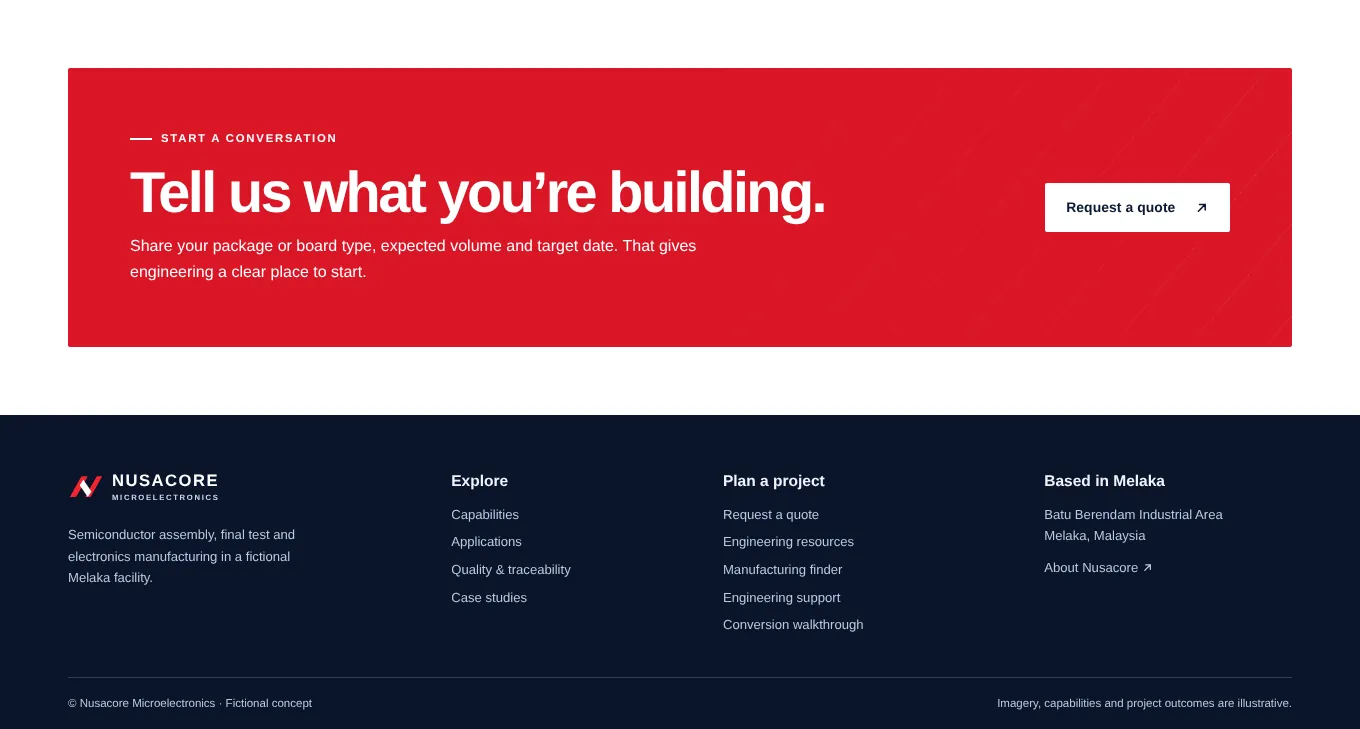
The ask + footer
End with one clear ask, and the full address
The closing band says exactly what to share: package or board type, expected volume and target date. That tells buyers how little they need to start. The footer repeats the industrial area and city, and links to every planning page.
Factory tipPut the same company name, address and phone in the footer as on your Google listing and your LinkedIn page. Buyers and job seekers both check.
Page 2 · Where engineers check fit
The capability finder
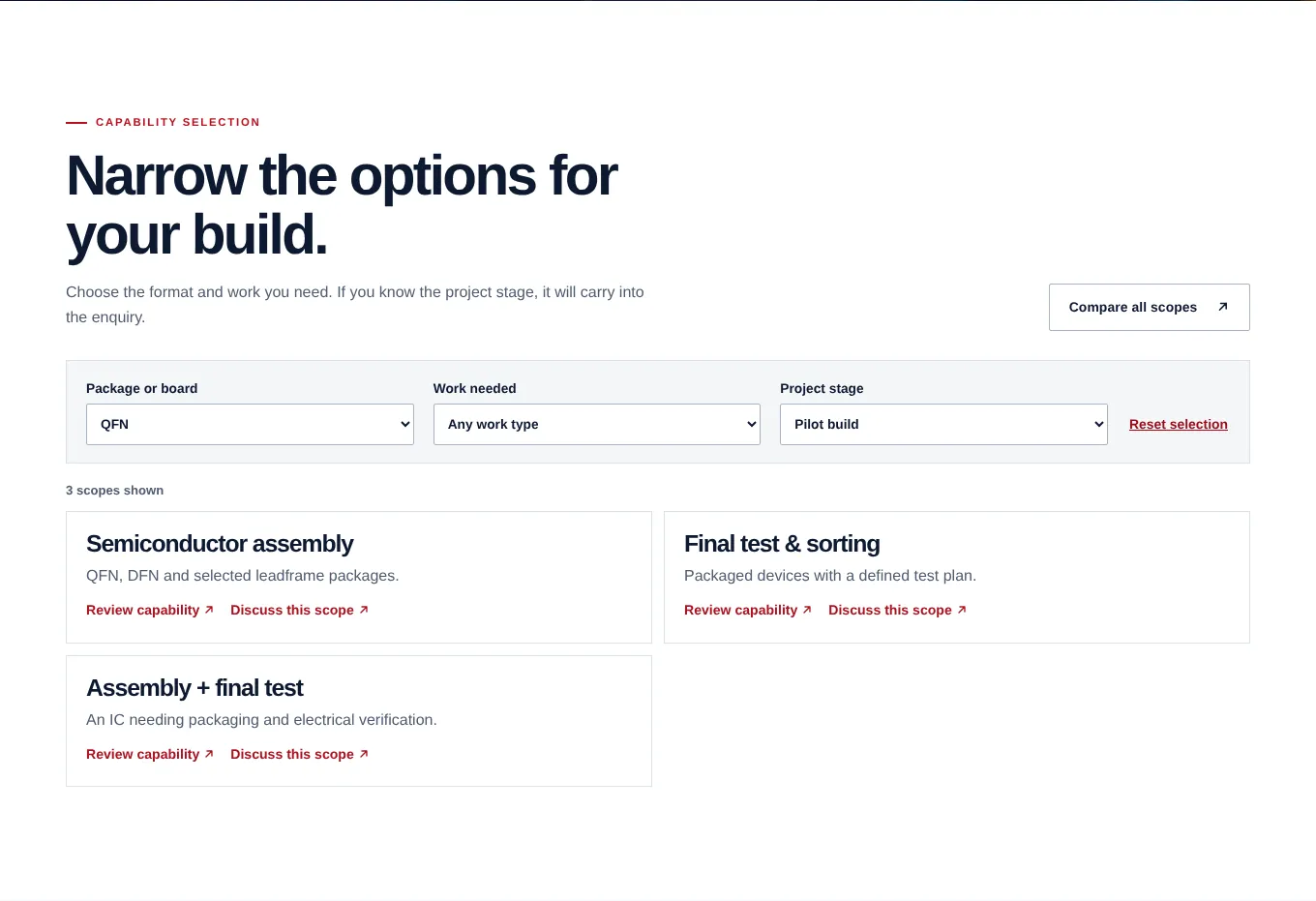
The page an engineer opens when they are not sure which service fits their project. It turns a list of capabilities into a short set of choices, and hands the answer to the quote form.
Filters
Let them narrow by what they have, not by your department names
Three plain dropdowns: package or board, work needed and project stage. These are things a buyer already knows about their own project, so nobody has to learn your internal words to use it.
Results
Show how many options fit, and what each one is for
“3 scopes shown”, each with one line. If nothing matches, the page says so and points to engineering support, instead of leaving the buyer at a dead end.
Discuss this scope
Carry their choices into the quote form
“Discuss this scope” opens the RFQ with the scope and stage already filled in. The buyer types less, and your engineers know what was picked before they read a word.
Factory tipIt also means fewer vague emails asking for “your price list”. The request arrives with the work already named.
Compare
Put inputs and outputs side by side
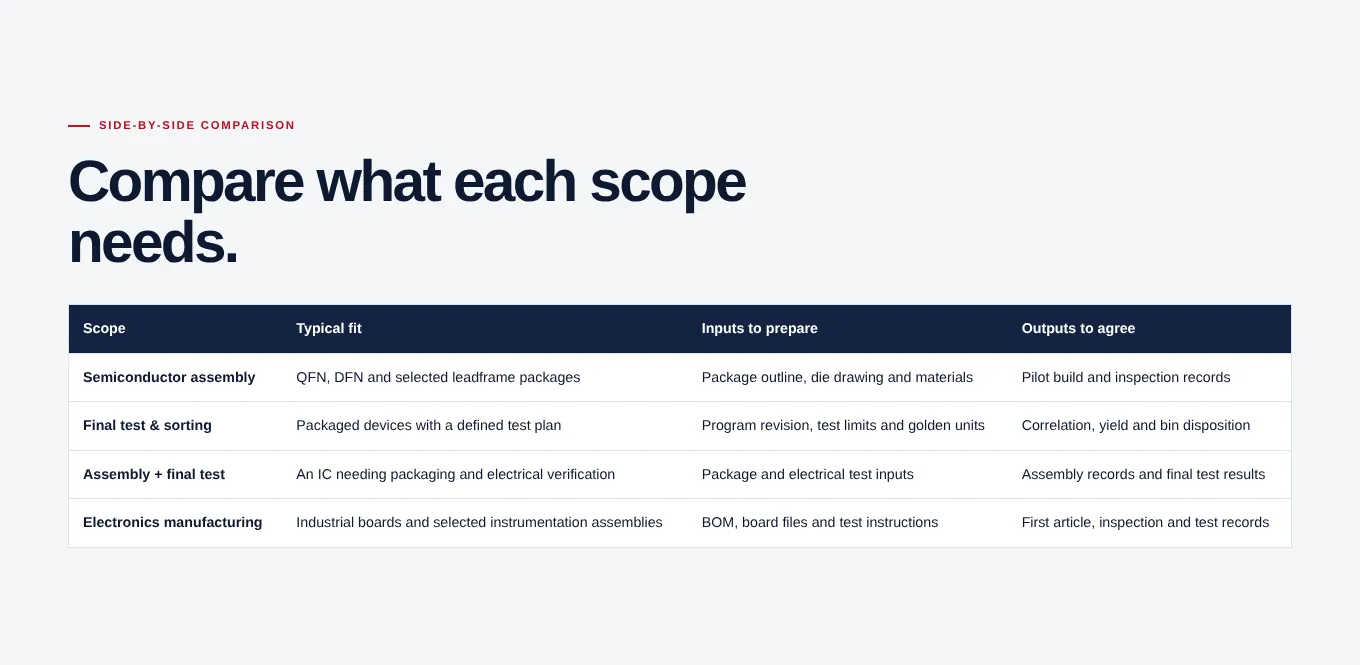
A simple table: what each scope suits, what the buyer must prepare and what you deliver back. Engineers like a table. It tells them what to gather before they write, so the first RFQ is complete.
On a phone
The same site on a phone
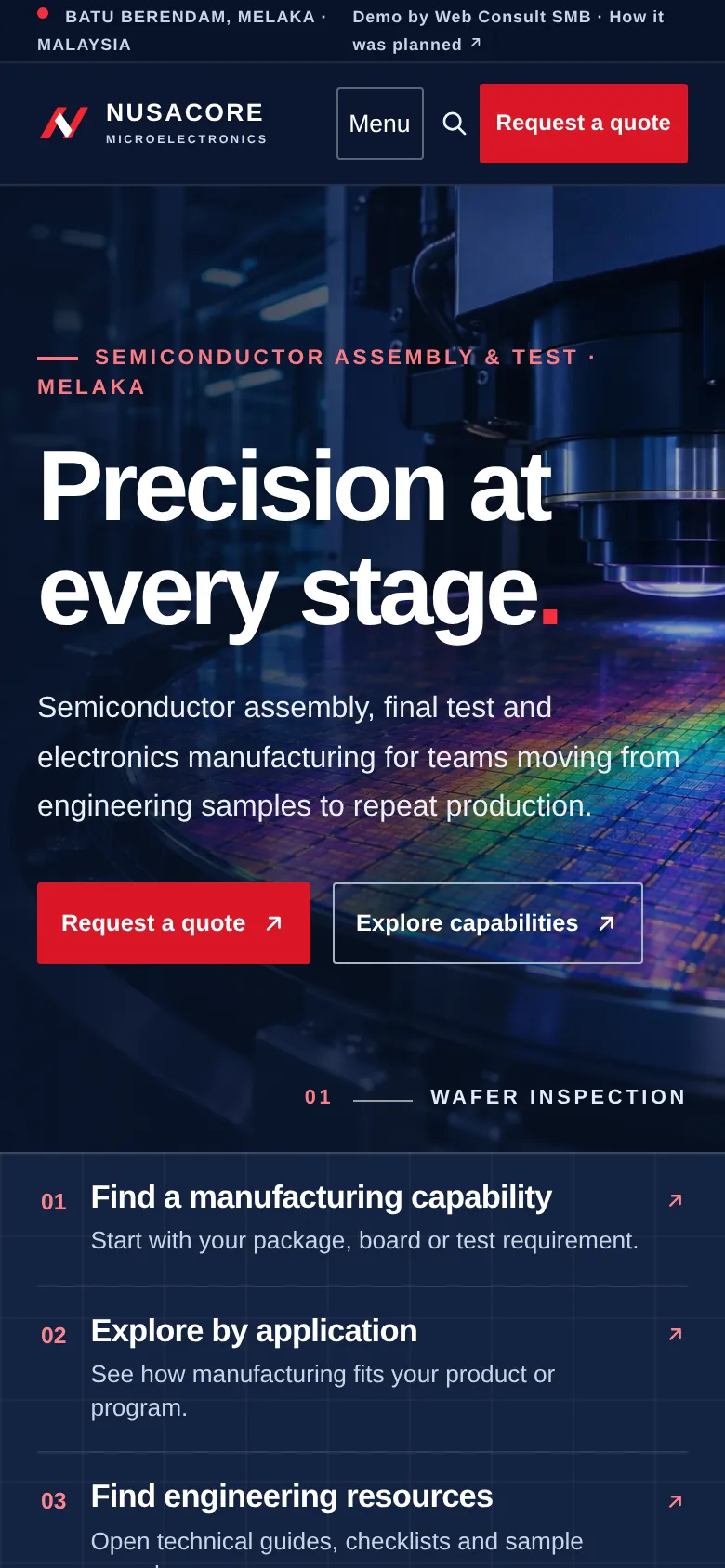
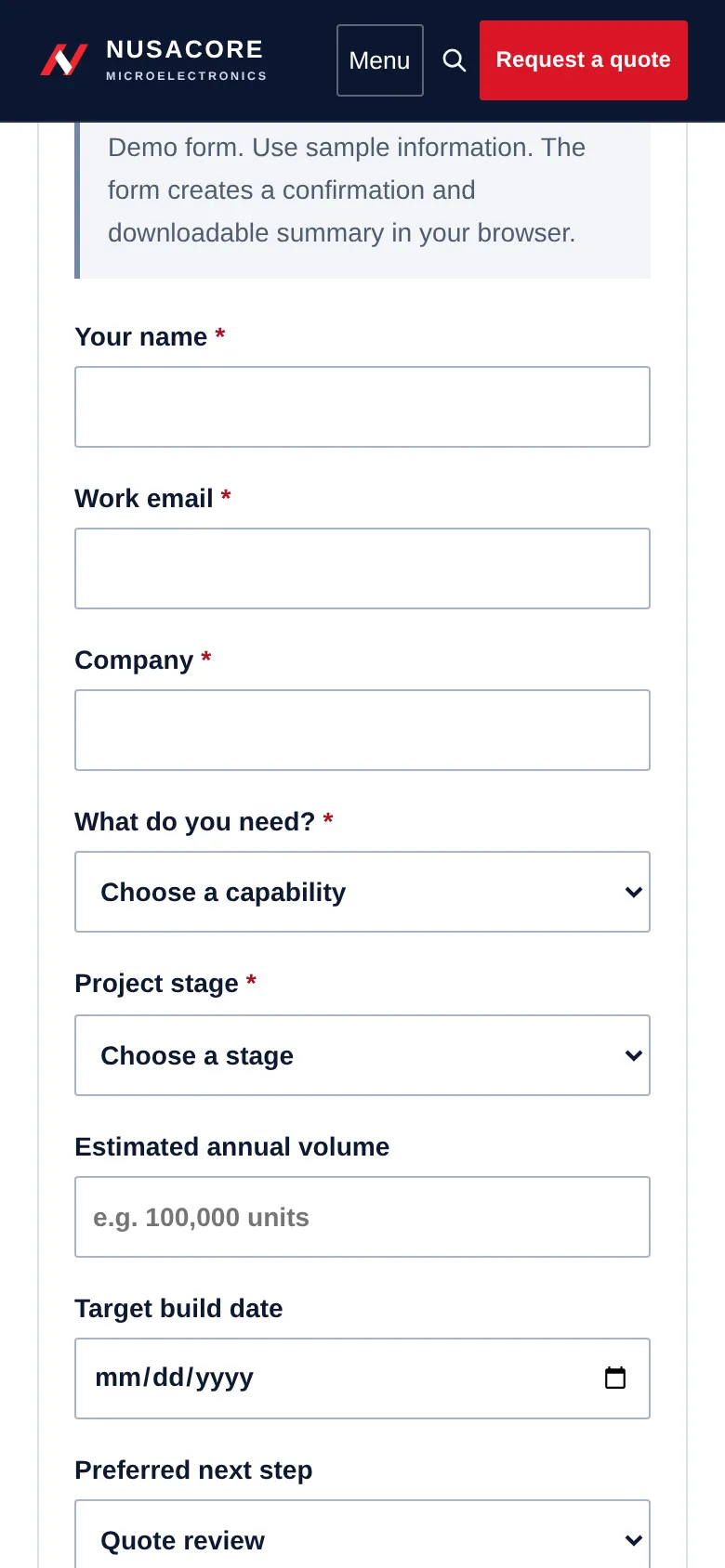
Two screens from the demo: the homepage and the RFQ form, at the size most people first see them.
Header
The quote button never leaves the screen
On a phone the menu folds away, but “Request a quote” stays in the header next to it. The three routes stack under the hero as big tap targets.
Form
Fields wide enough to tap, with the right keyboard
Each field fills the width. The email box opens the email keyboard, the date box opens a date picker and the dropdowns are large enough for a thumb.
Why it matters
The first look often happens on a phone
A link gets forwarded in an email chain or a WhatsApp group, and someone checks you between meetings. If the page works there, they come back to it at their desk.
Factory tipOpen your own site on your phone today and try to send a quote request. If it takes more than two minutes, that is your first fix.
Page 3 · Where the enquiry starts
The RFQ page
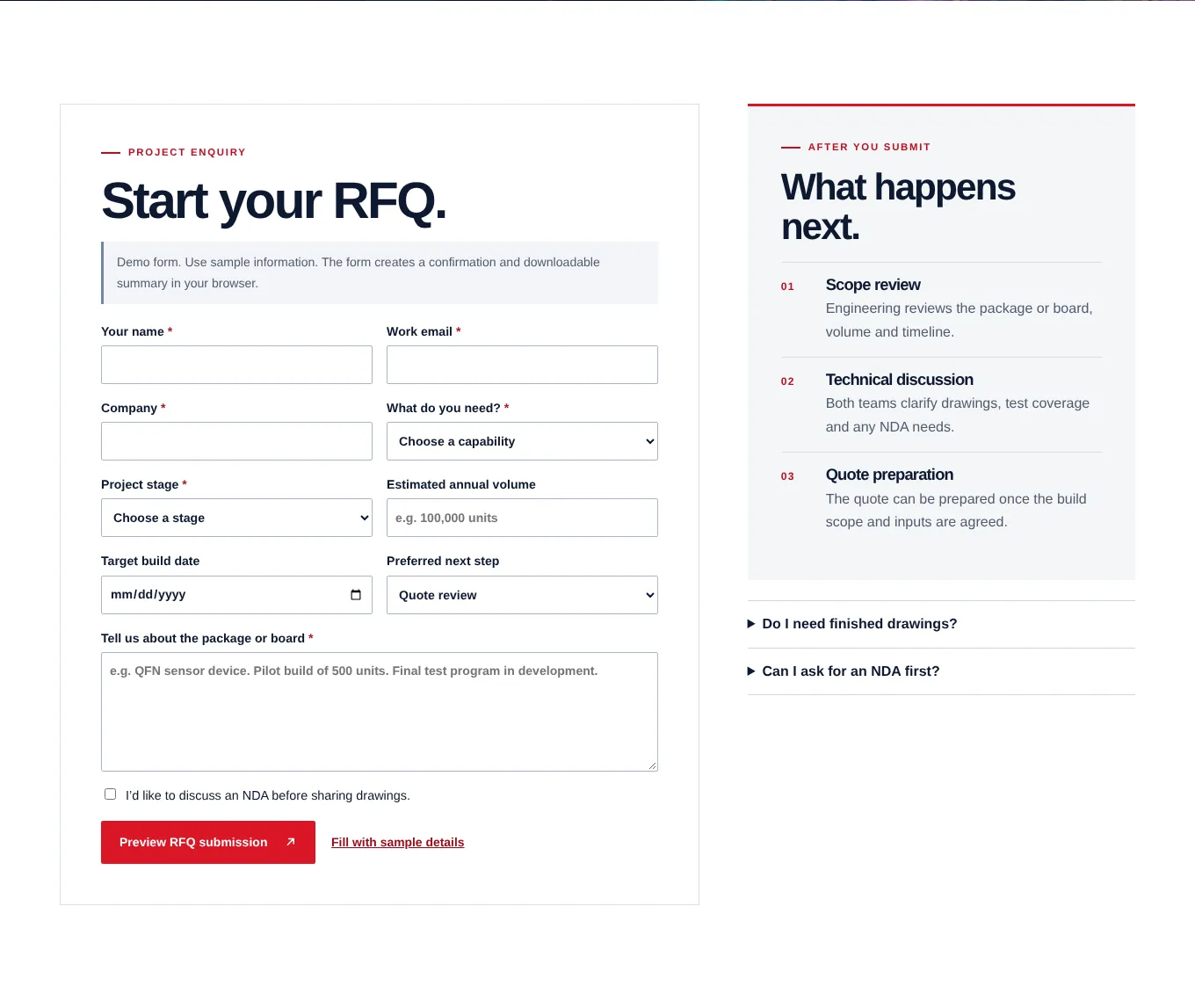
Every “Request a quote” button leads here. Its job is to turn interest into a request your engineers can act on, without a week of back and forth emails.
Intro
Promise a review, not an instant price
“Share the basics so the engineering team can review fit, timing and the right next step.” Manufacturing quotes take a real review. Saying so sets an honest expectation and makes the form feel worth filling.
Fields
Ask the questions a quote needs, and only those
Name, work email, company, what you need, project stage, yearly volume, target date, preferred next step and a box to describe the package or board. Each one is something your engineer would ask in the first reply anyway.
Factory tipKeep volume and date optional if buyers often don’t know yet. A rough “10,000 to 50,000 a year” is better than a form left half done. See contact form best practices.
NDA
Let them ask for an NDA before sharing drawings
A tickbox: “I’d like to discuss an NDA before sharing drawings.” Serious buyers won’t send drawings to a stranger. This turns a reason to leave into a simple next step.
Factory tipDon’t ask for drawing uploads on the first form unless you have a secure place to keep them. Agree the NDA first, then share a secure link.
Confirmation
Confirm with a reference number and a copy they can forward
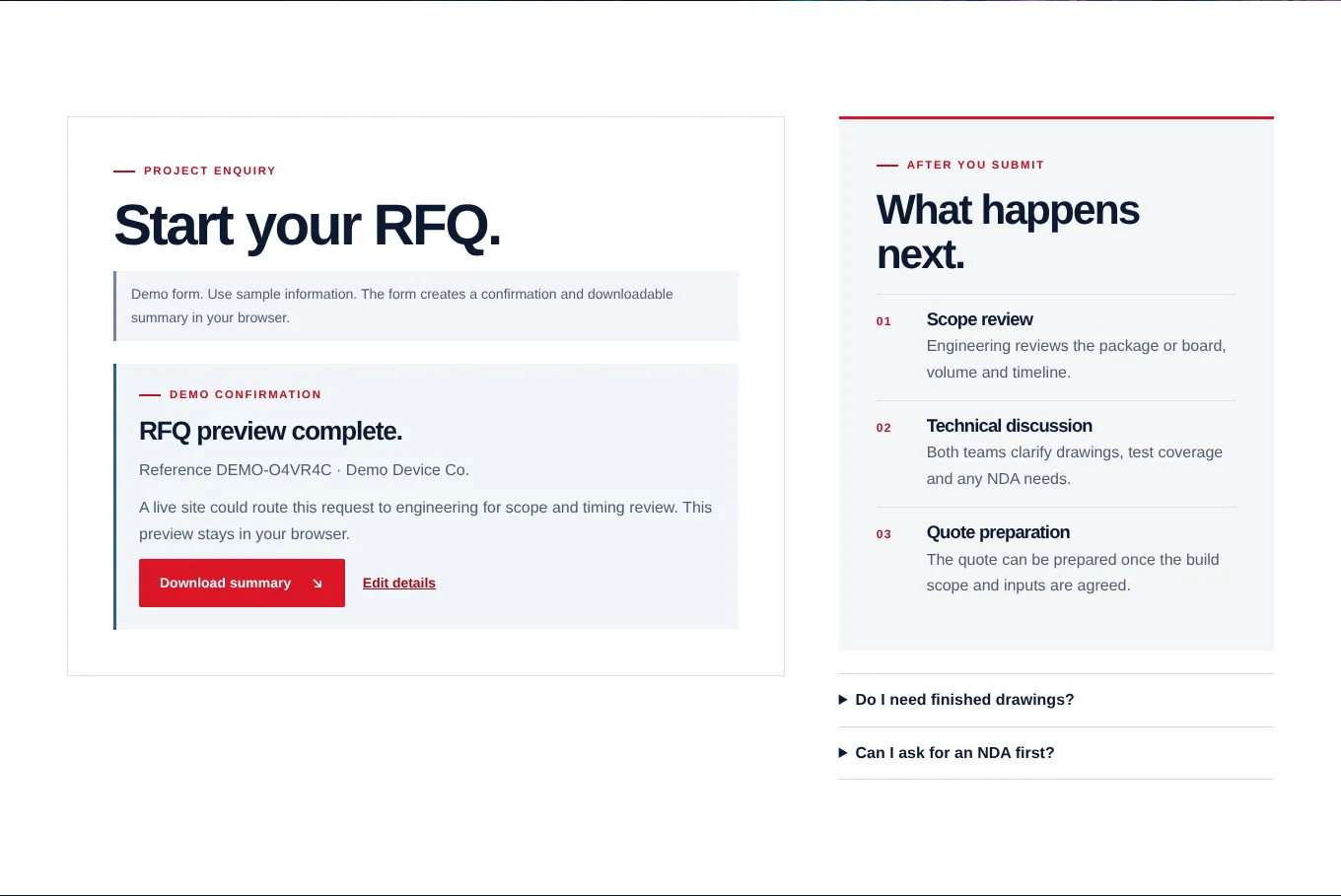
“RFQ preview complete. Reference DEMO…” and a Download summary button. The buyer gets something to forward to their manager. On a live site, the same details also go out by email.
What happens next
Say what happens after they press send
Scope review, technical discussion, quote preparation. Then two short answers: you don’t need finished drawings to start, and yes, you can ask for an NDA first.
Factory tipAdd a reply time you can keep, like “within one working day”. Then keep it. A fast first reply often decides who gets the project.
Page 4 · Where trust is checked
The quality page
Buyers rarely ask for this page by name, but their quality team will open it before any order is placed. It should show how you work, not just which badges you hold.
Lot traceability
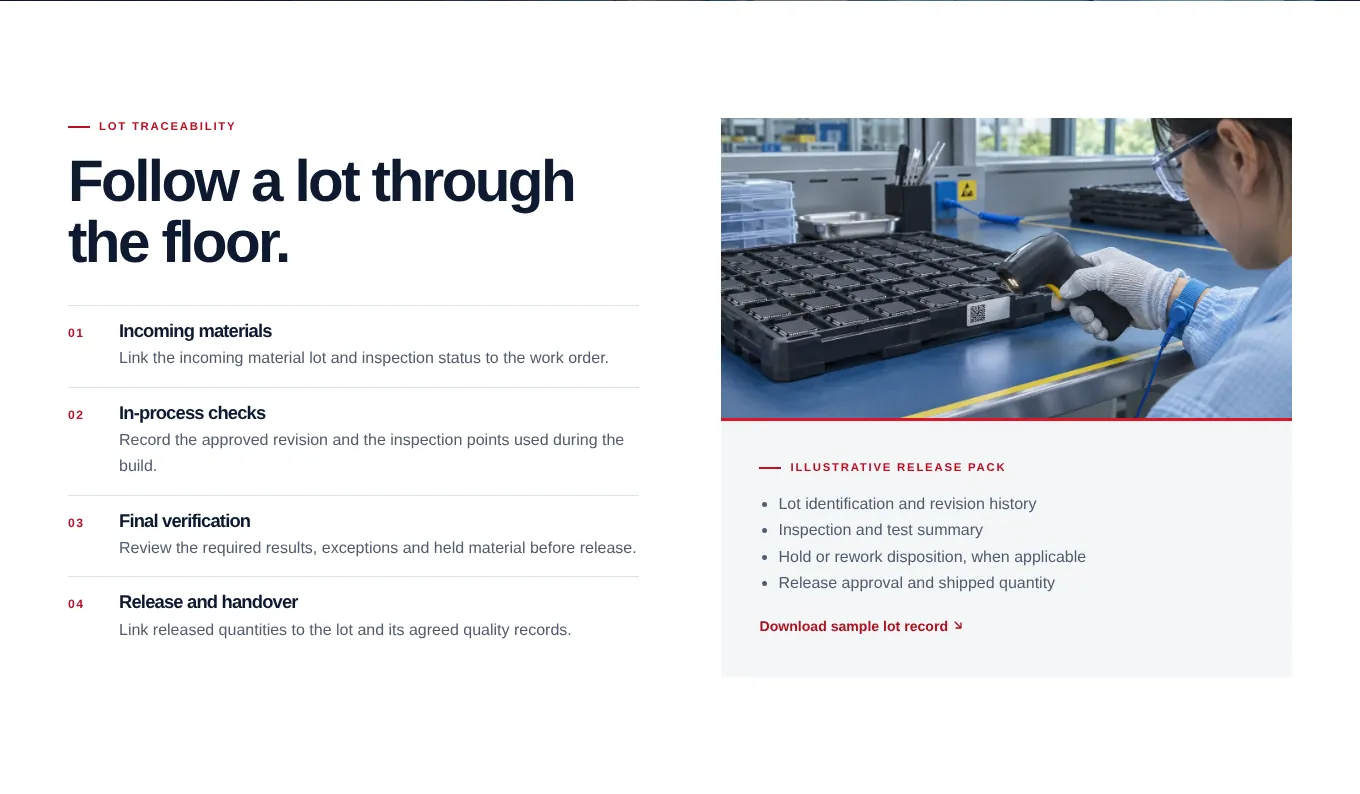
Walk one lot through the floor in four steps
Incoming materials, in process checks, final verification, release and handover. Each step has one line on what gets recorded. A quality engineer can see how you think in under a minute.
Release pack
Offer a sample record they can download
A short list of what comes with each lot, and a sample lot record to download. It shows the format of what the buyer would receive, before any business is placed.
Factory tipUse real field names with made up data. Never put a real customer’s lot record on your website.
Buyer questions
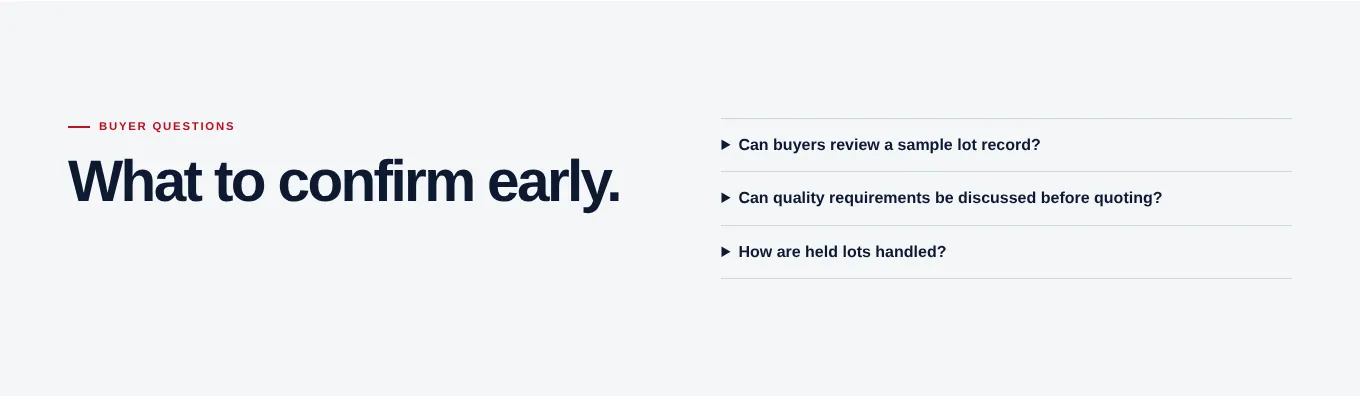
Answer what quality engineers ask early
Can we review a sample record? Can requirements be discussed before quoting? How are held lots handled? Three short answers here save a long call later, and show you have done this before.
The other pages
What each of the other pages must do
These support the four pages above. Keep each one focused on a single job.
Capability pages
For each service: the steps engineering reviews, a quick scope check (typical parts, inputs to prepare, outputs to agree) and a scope sheet to download. Put the machine list and sizes here. Example →
Application pages
One page per product type you help build. What the buyer’s team should prepare, which capabilities apply and a related project. Example →
Case studies
Challenge, approach and result for each project, even without the client’s name. Filter them by industry. Example →
Engineering resources
A document library with search and a filter by type: guides, scope sheets, checklists and sample records. Example →
Company and team
Who reviews a project: applications, manufacturing and quality engineering. How to plan a facility visit. Real photos of your people. Example →
Support
Three routes: engineering questions, quality records and quote preparation, each with its own button, plus common questions. Example →
Careers
Not in the demo, but most factories need it. Operators, technicians and engineers look you up too. One page with open roles and a WhatsApp or email to apply.
Site search
Once you pass about twenty pages, add search. Buyers type the exact process or part name they need. Example →
Smaller factories
If you run a smaller factory or an industrial supply business
You don’t need thirty pages. A plastic moulding shop, a metal fabricator or an industrial parts supplier can bring in good enquiries with five pages, as long as they answer the same three questions.
Page 1
Home
What you make, for which industries, where you are, and a Request a quote button with WhatsApp beside it.
Page 2
Capabilities
Your machines with sizes and tonnage, the materials you work with, tolerances, finishes and the volumes you take on.
Page 3
Products or industries
The parts or product groups you supply, each with a photo and a line on where it is used.
Page 4
Quality
The certificates you hold with scope and expiry, how you inspect, and photos of your QC area.
Page 5
Request a quote
Part or drawing, material, quantity, target date and a WhatsApp option for quick questions.
A real example
Jujin Plastic Technology supplies hardware, industrial glues and automation parts to factories. Their sales relied on emailing a PowerPoint. In two weeks it became a catalogue website where buyers browse and ask for a quote.
Beyond the pages
Six things that quietly bring in more RFQs
Not pages, but they decide whether a buyer finds you, and whether you can tell the website is working.
Put your plant on Google Maps properly
Your Google Business Profile with the right industrial area, photos of the building and the gate, and a link to your capabilities page. Buyers, drivers and job seekers all search for it. See Google Business Profile.
Link LinkedIn to the same pages
Your company page and your sales team’s profiles should link to the capability pages, not just the homepage.
Send RFQs to a shared inbox
Not one person’s email. When that person is on leave or moves on, enquiries should not go quiet.
Tracking
Count every quote request
Set up a goal for each form sent, so you can see which pages bring in RFQs. See Google Analytics for small business.
Documents
Date your documents
Put a revision and date on every scope sheet and datasheet, and update certificates the week they renew.
Reply
Answer within one working day
The website brings the request. A quick, specific reply wins the project. Give someone the job of replying.
What good looks like
Manufacturing website checklist
Check your own site against these. Each one you are missing is a reason for a buyer to quietly move on to the next supplier.
What you make, where and for whom in the hero
Plus a photo of your own floor or product.
“Request a quote” in the header
Always one click away, on desktop and on phones.
Ways in by capability, application and question
So each visitor starts where they already are.
A page for each capability
Steps, inputs to prepare, outputs to agree and a scope sheet.
Case studies, even without client names
Challenge, approach and result.
A quality page that shows the process
Plus certificates with number, scope and expiry.
Free engineering documents
Guides and scope sheets anyone can download.
An RFQ form with scope, stage, volume, date and NDA
And a reply time you can keep.
Full address with the industrial area
The same on your Google listing and LinkedIn.
Four things that lose RFQs
“One stop solution” with no details
Every factory says it. Buyers need processes, sizes and volumes.
A contact form with only name, email and message
The requests that arrive are vague, and take three emails to understand.
Every document behind a form
Engineers leave rather than hand over their details for a datasheet.
Stock photos of someone else’s factory
Buyers in your industry can tell. When they visit, the trust is gone.
Owners’ questions
Manufacturing website questions
What should a manufacturing website include?
A first screen that says what you make, where and for whom, a Request a quote button in the header, a page for each capability that lists what buyers must send and what they get back, real photos of your floor, case studies, a quality page that shows how lots are tracked and which certificates you hold, free engineering documents, and a quote form that asks for scope, stage, volume, target date and whether an NDA is needed.
Do manufacturers really get RFQs from a website?
Yes, but usually not on the first visit. A buyer meets you at a trade show, gets your name from a colleague or finds you in a search, then opens your website to check fit before they write. A site that answers their technical questions gets the RFQ. A site that only says “one stop solution” gets skipped, and you never hear about it.
Should a manufacturer show prices on its website?
For custom work, a fixed price rarely makes sense. What helps is showing what drives the price: volume, materials, tolerances, testing and lead time, plus any minimum order. If you sell standard parts, show price ranges or price breaks. Buyers want to know if they are in the right range before they spend time on drawings.
How many pages does a manufacturing website need?
A small factory or industrial supplier can do well with five: home, capabilities, products or industries, quality, and request a quote. A larger plant like the one in this example adds a page per capability, application pages, case studies, a document library and support pages. Start with the pages buyers ask about most.
How much does a manufacturing website cost in Malaysia?
A 5 to 10 page site built to bring in enquiries usually costs RM 6,000 to RM 15,000 in Malaysia in 2026. A larger site with a capability finder, a quote form that carries choices forward and a document library sits at the top of that range or above. See the full price guide for what changes the quote. Website design cost in Malaysia →
Run a factory or an industrial business? Let’s bring in better RFQs.
Whether you have a website or not, there’s a next step for you.
Already have a website
Send me your website
I’ll check it against this page and send the three changes that would bring you the most quote requests, within 48 hours. Free, no sales call.
No website yet, or starting over
Get a manufacturing site built like this
Capability pages, a quality page and an RFQ form, built around your own processes, photos and team. I’m based in Batu Berendam, so a visit to your plant is easy.
More industries: website concepts by industry → · restaurant walkthrough · bakery walkthrough · property agent walkthrough · lawyer walkthrough