
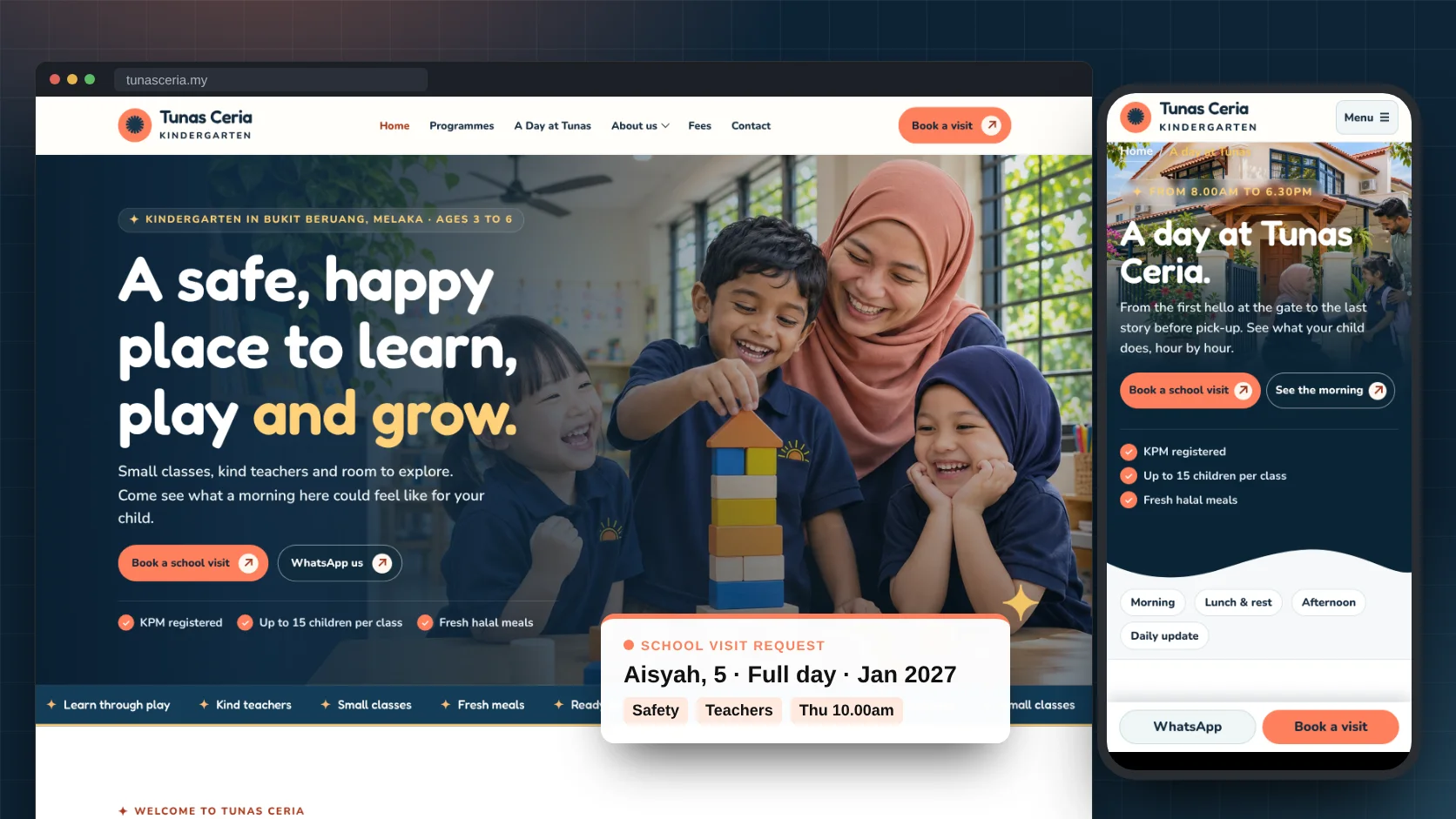
The short answer
Parents are not buying lessons. They are deciding who to trust with their child.
Every section below answers one of these five worries, from the first screen to the footer. Most kindergarten websites answer none of them, and show a logo, a few cartoon shapes and a phone number instead.
Is my child safe there?
One locked gate, a named pick up list, first aid trained staff and a sick child policy, written plainly on the homepage.
Will they be kind to my child?
Real teachers with their names, qualifications and years of experience, and reviews that mention them by name.
Will my child cry every day?
A gentle two week settling in plan, said honestly: some children cry at first, and here is what we do.
What will they learn, and will they be ready for school?
A day at the kindergarten hour by hour, the national preschool curriculum, and an honest note about Year One.
What will it really cost?
Every monthly fee, every one time fee and a calculator, with “no other charges” in writing.
The example is a kindergarten for ages 3 to 6 with half day and full day care. A taska, a playgroup, a home based kindergarten or an enrichment centre can use the same layout; the smaller version is further down. Tunas Ceria is a made up kindergarten. Its teachers, children, families, fees and numbers are there to show the layout, and your own will differ.
Page 1 · The homepage
The full homepage, section by section
Read it top to bottom, the way a parent would at night after the children are asleep, phone in hand, comparing three kindergartens near home. Each numbered pin matches the note beside it.
The whole page at a glance
Twenty parts, in the order a careful parent makes up their mind
First happy children, a kind teacher and a free school visit. Then a welcome from the principal, the programmes by age, how children are kept safe, a look inside the day and how a new child settles in. The teachers, the food and the full fees come next, then reviews from other parents, the questions everyone asks, the address and one last invitation. Tap any part to jump to its note.

Header
Make “Book a visit” the one button that stands out
The sun logo, six links and one orange button. Parents visit three or four kindergartens before choosing. The visit is where they decide, so every page should lead there.
Hero
Show a real moment, a teacher and happy children
A teacher at the children’s level, laughing as they build a tower. Not cartoon shapes, not an empty classroom. Then who it is for and where: “Kindergarten in Bukit Beruang, Melaka, ages 3 to 6.” A parent knows in one second if you are near them and right for their child’s age.
TipUse your own best photo of children and a teacher, in daylight, with the parents’ written consent. A real moment beats any stock photo.
Buttons
A free visit, plus three facts that calm the first worry
“Book a school visit” and “WhatsApp us”, then three short ticks: KPM registered, up to 15 children per class, fresh halal meals. Registration, small classes and food are what parents ask about first. Answer them before they scroll.
Moving strip
A slow strip of short promises
“Learn through play. Kind teachers. Small classes. Fresh meals. Ready for Year One.” It adds warmth and movement, and it repeats the promises without taking up a whole section. Keep it slow, and stop it for people who turn off motion.
Welcome
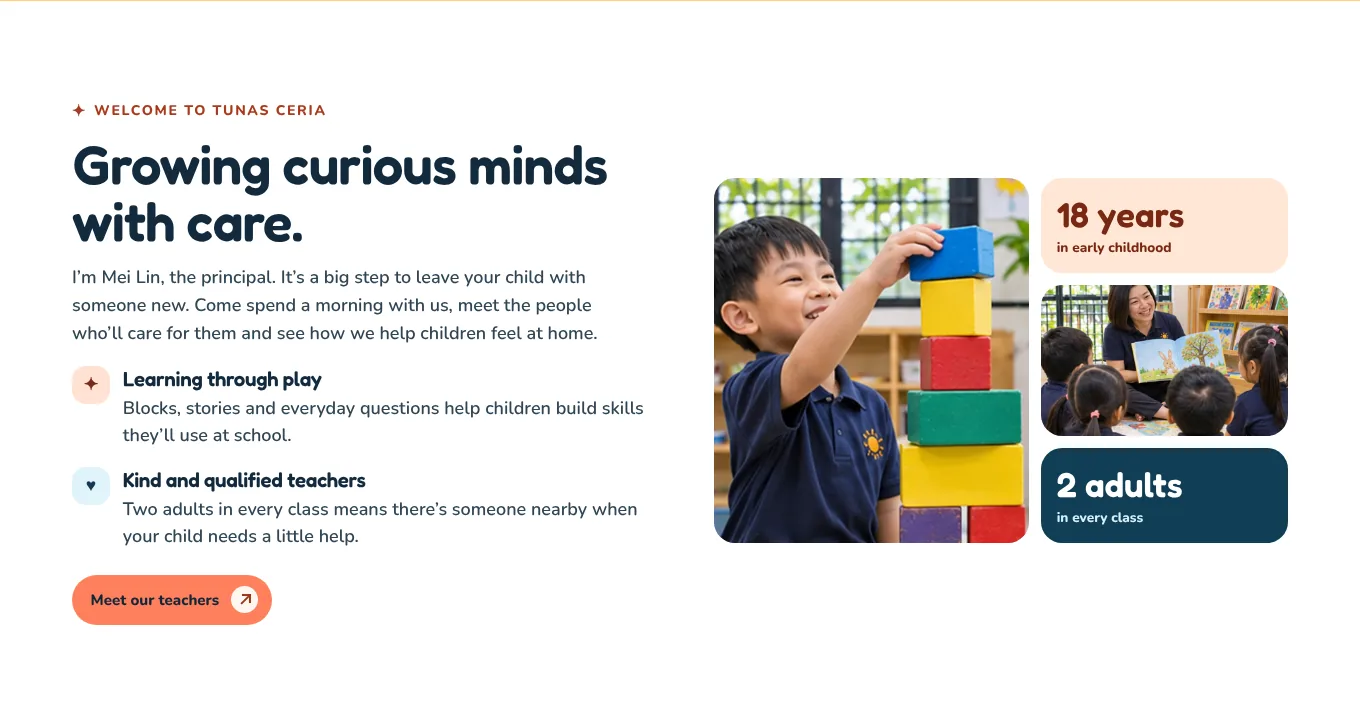
Let the principal speak, and name the feeling
“I’m Mei Lin, the principal. It’s a big step to leave your child with someone new.” Saying the worry out loud shows you understand it. Then two plain promises and two badges with real numbers: 18 years in early childhood, 2 adults in every class.
TipWrite the welcome as the principal, in the first person, with their real name and photo. Parents want to know who is in charge.
Programmes
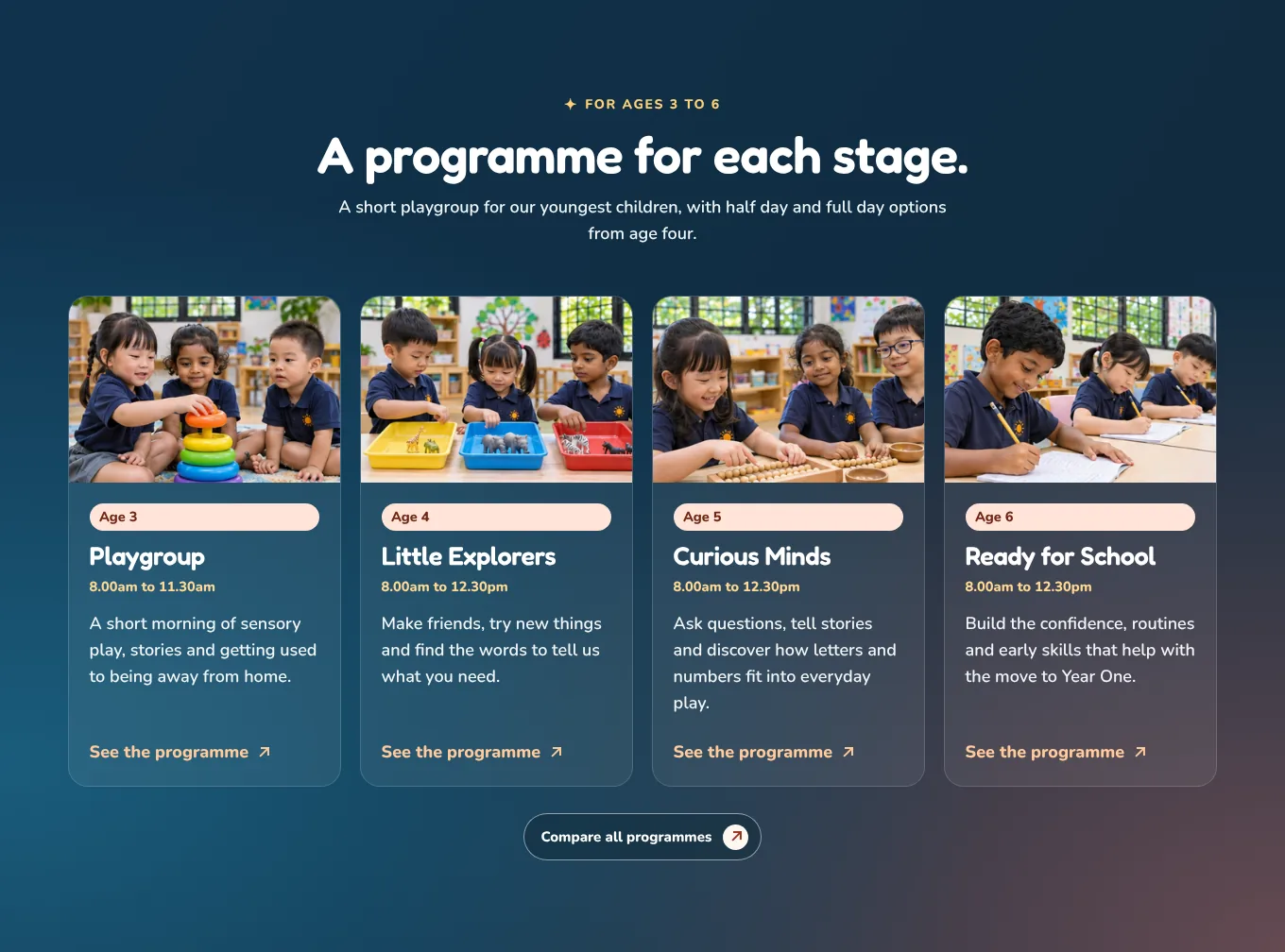
One card per age, with the hours
Age 3, 4, 5 and 6, each with its name, its hours and one line about what children do. A parent finds their child’s age in a second, and the hours tell them straight away if it fits their working day.
Life at Tunas
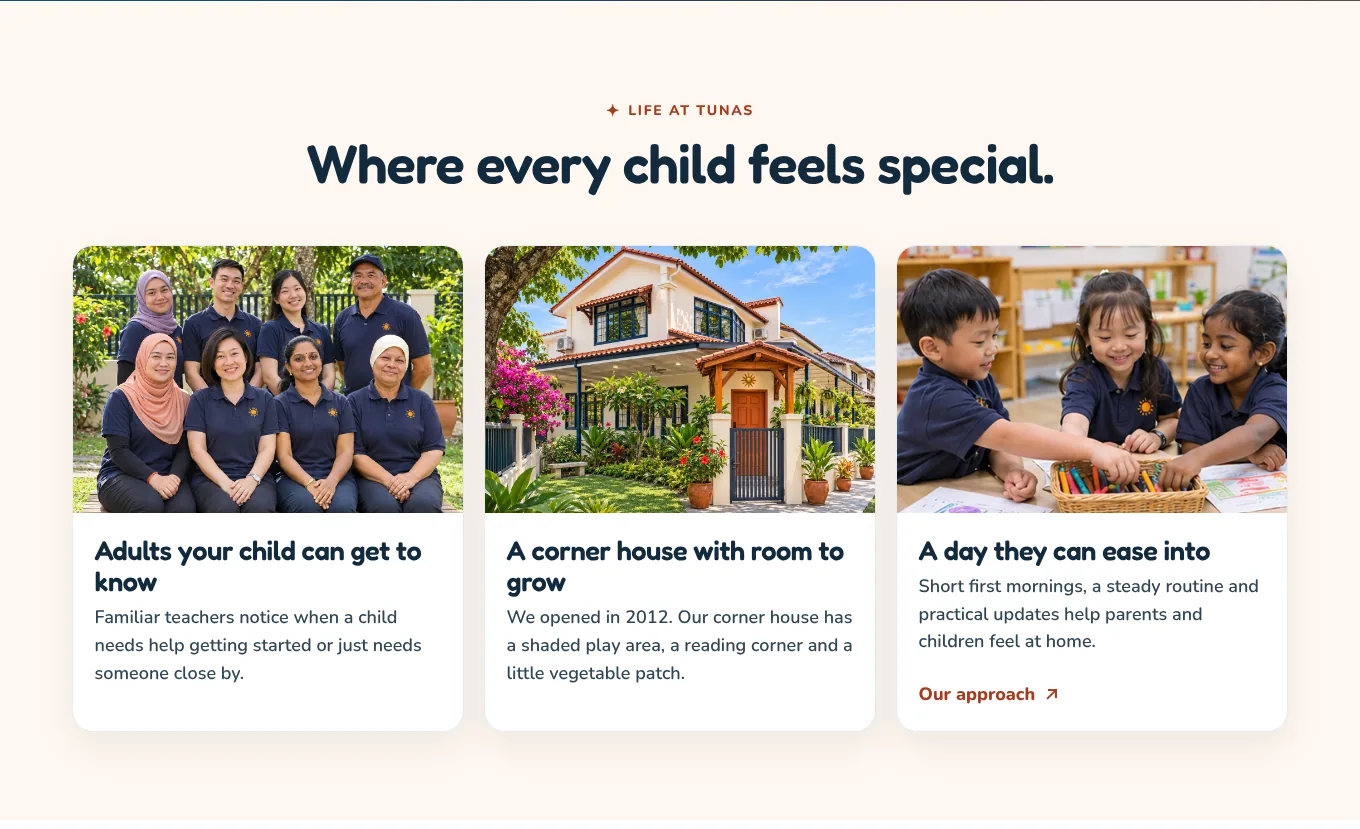
Show the people, the place and the pace
The whole team in one photo, the actual house with its fenced garden, and children at work. Three cards answer three quiet questions: who will look after my child, where, and will it feel too much for them.
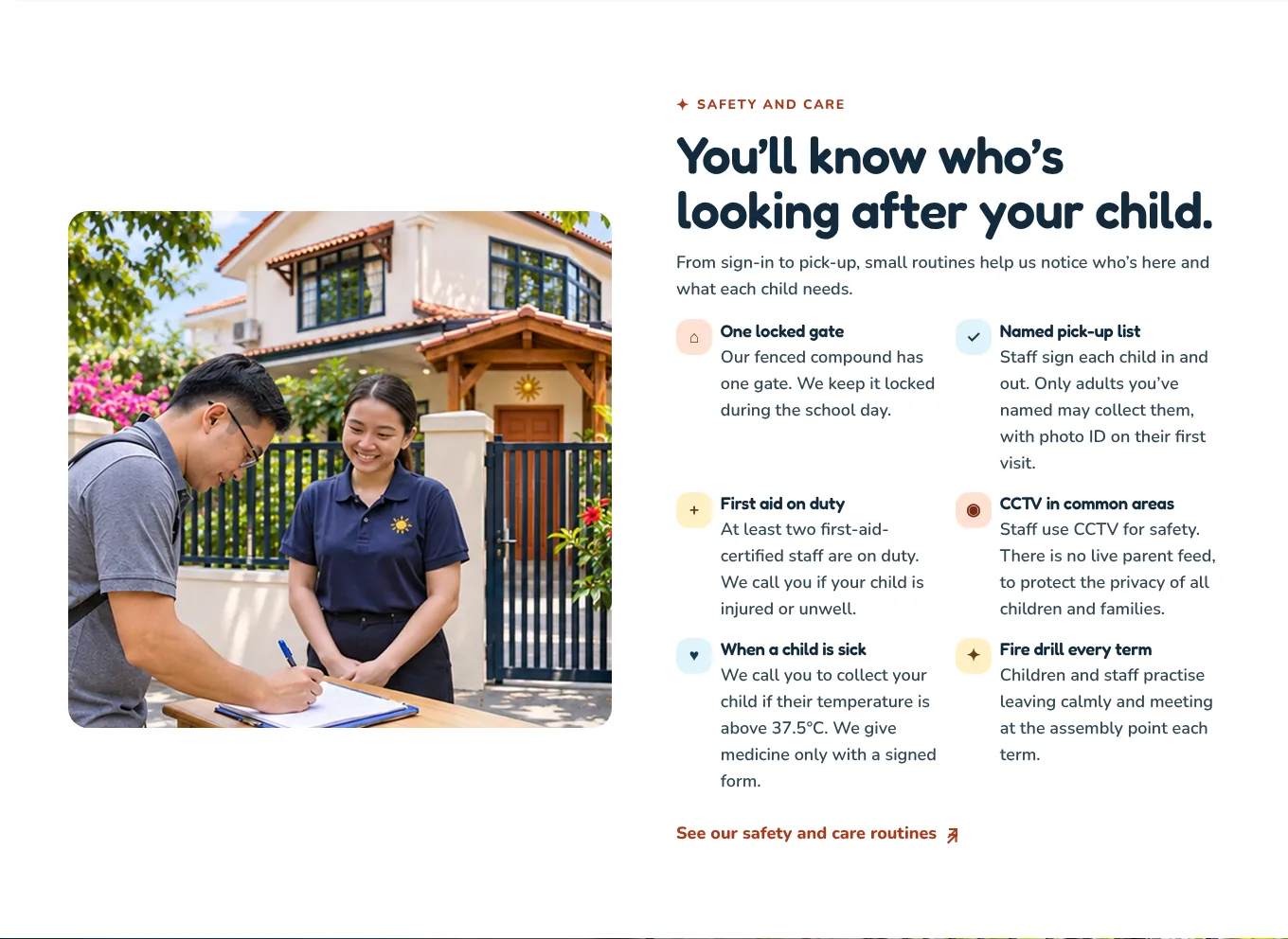
Safety
Put the safety routines on the homepage, in plain words
One locked gate. A named pick up list, with photo ID the first time. Two first aid trained staff. A fever rule of 37.5°C. Medicine only with a signed form. Safety is the first worry for almost every parent, and most kindergartens only say “safe and caring environment”. Specific routines are what make people believe it.
TipExplain the rule parents might not like. “No live CCTV feed, to protect the privacy of all children” turns a “no” into a reason to trust you.

A look inside
Let parents peek into a real morning
A play button over a wide classroom photo opens a slideshow of a school day. Most parents never see inside a classroom before they enrol. A short look makes the place feel familiar, and leads to the full day page.
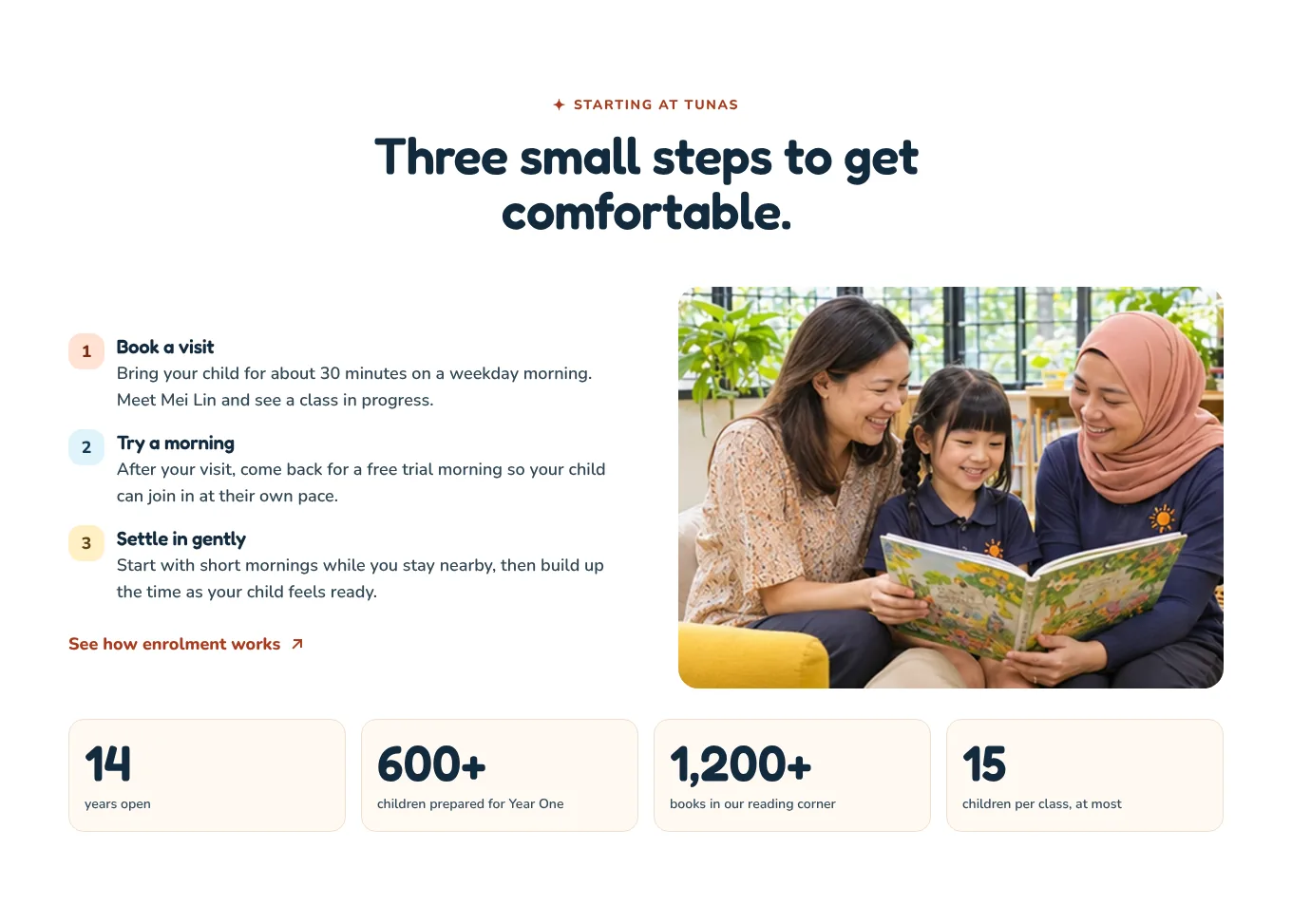
Three steps
Make starting feel small and gentle
Book a visit. Try a morning. Settle in gently. Many parents dread the first day more than their child does. Three small steps, and the promise that you can stay nearby at first, make it feel possible. The numbers below are calm facts, not boasts: years open, children prepared for Year One, books, and the class size.

Teachers
Name every teacher, with their qualification
Mei Lin, Farah and Priya, each with their role and “Diploma in Early Childhood Education”. A child spends more waking hours with these people than with anyone but family. Faces, names and qualifications tell a parent this is a school, not just a babysitter.
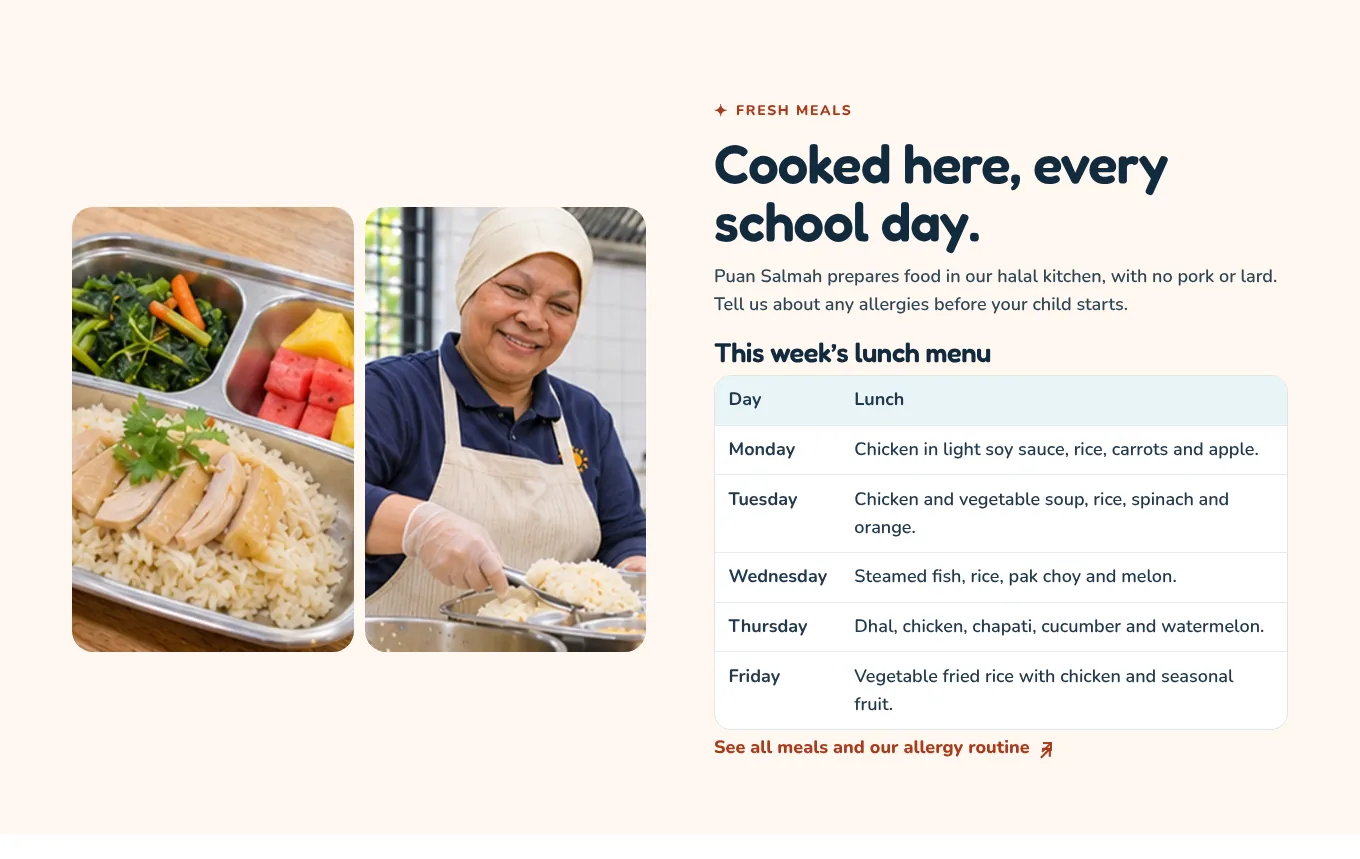
Meals
Show the cook, the food and this week’s menu
A real lunch tray, the cook by name, “halal kitchen, no pork or lard”, and five days of lunches. Food is a daily worry for parents of fussy eaters and children with allergies. A real menu answers it better than “nutritious meals provided”.
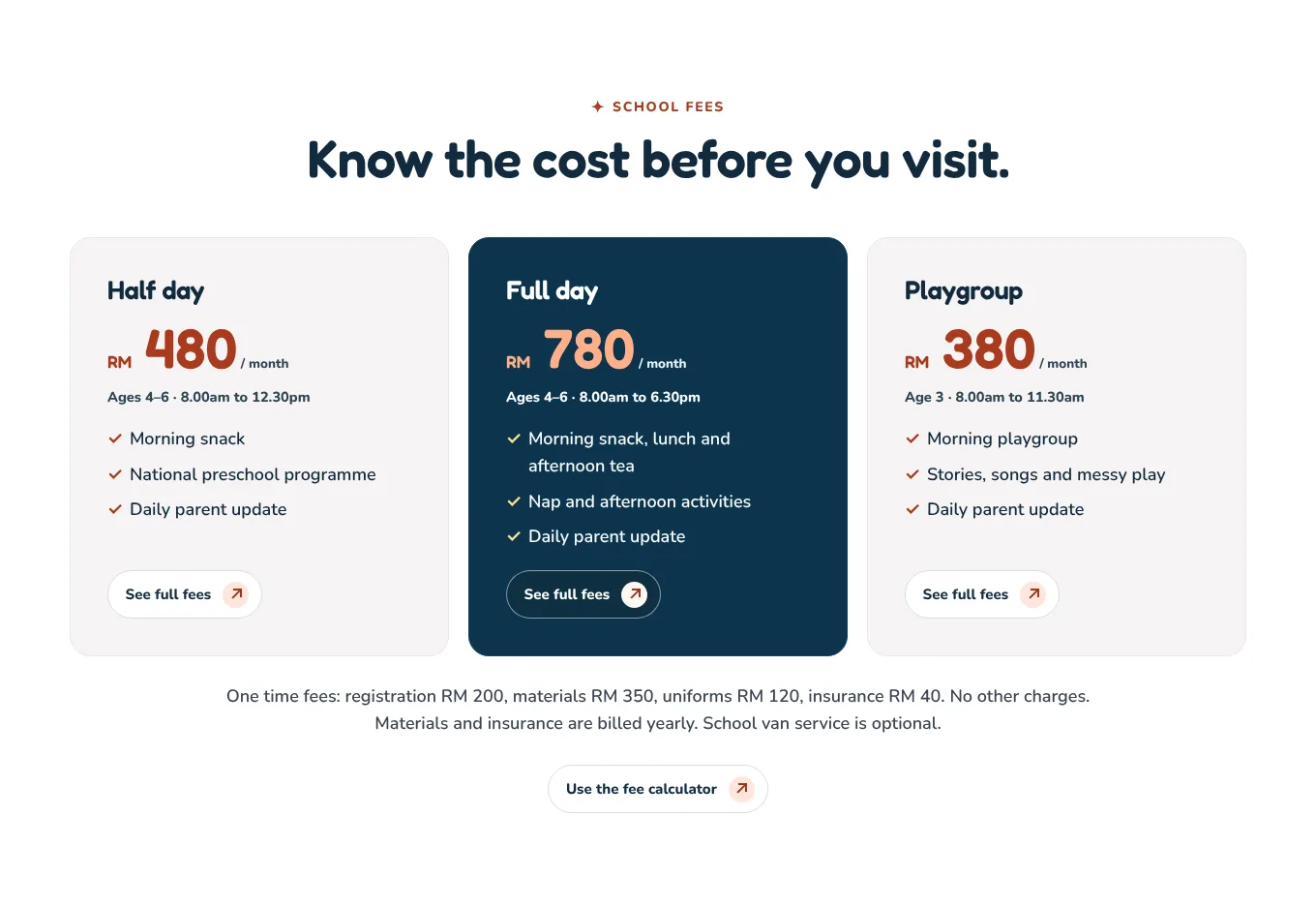
Fees
Show every fee, then say “no other charges”
RM 480, RM 780 and RM 380 a month, then the one time fees in a single line: registration, materials, uniforms, insurance. “No other charges.” Parents have all been surprised by a book fee or a concert fee. A kindergarten that shows everything up front stands out, and the parents who visit are the ones who can afford you.
TipYour fees are approved by the Ministry of Education anyway. There is nothing to hide, so publish them.
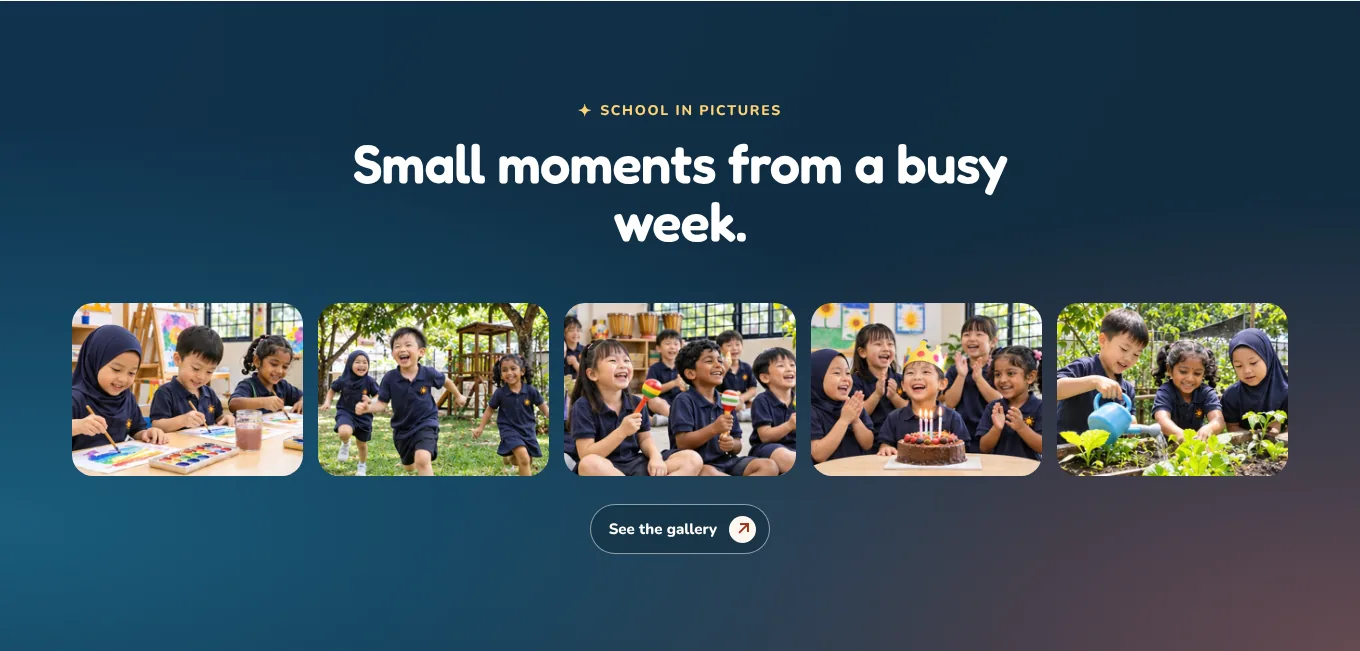
Gallery
Five different moments, five different photos
Art, outdoor play, music, a birthday and the garden. Each photo shows another part of the week, and none is used anywhere else on the site. Parents imagine their own child in each one.
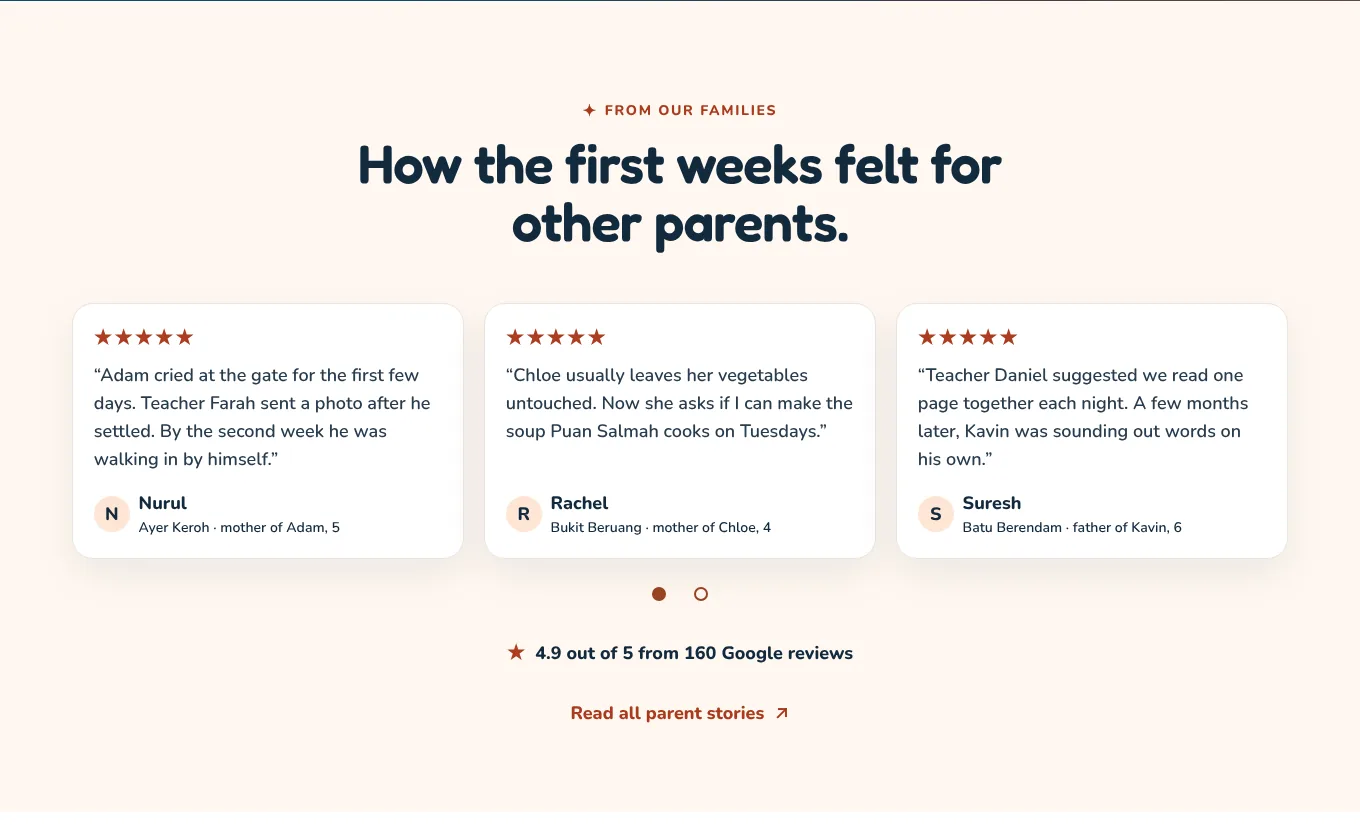
Reviews
Choose reviews about the first weeks, with teachers’ names
“Adam cried at the gate for the first few days. Teacher Farah sent a photo after he settled.” A review about crying, food or reading is about the parent’s real worry, and it names a teacher. Each one gives the area and the child’s age.
TipAsk parents in the third month, when the settling in worry is fresh in their memory and already solved.
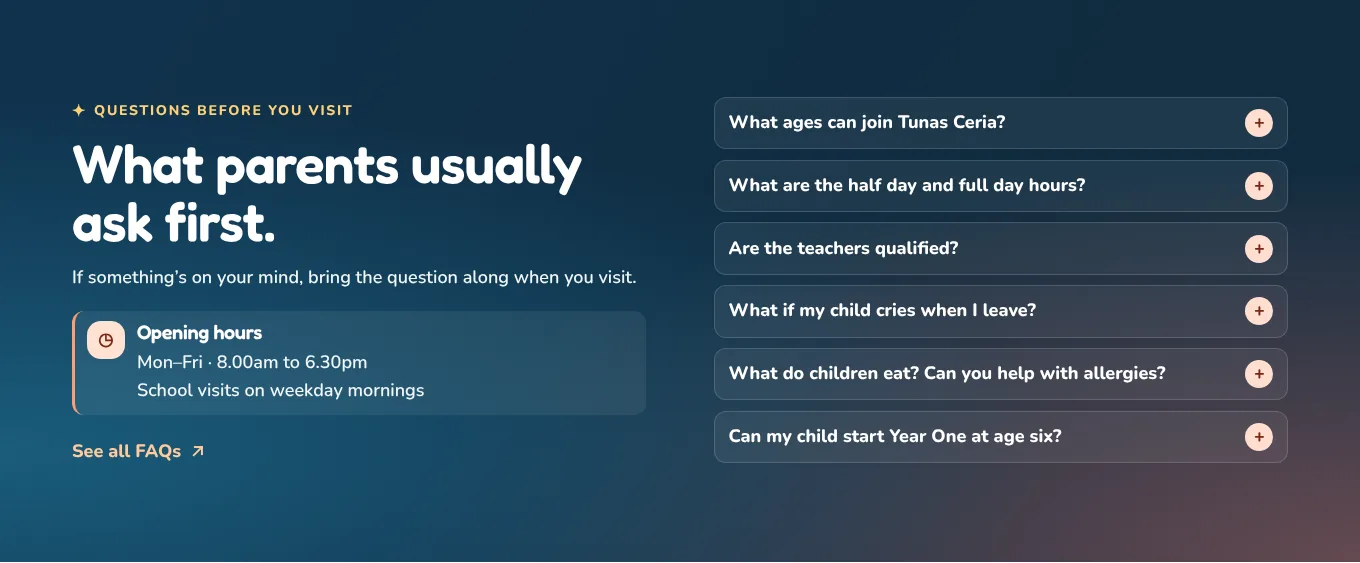
Questions
Answer what they will ask at the gate
Ages, hours, qualifications, crying, food and allergies, and Year One at six. Then the opening hours beside them. These are the six questions every principal answers every week. Answering them here means the visit can be about the child.
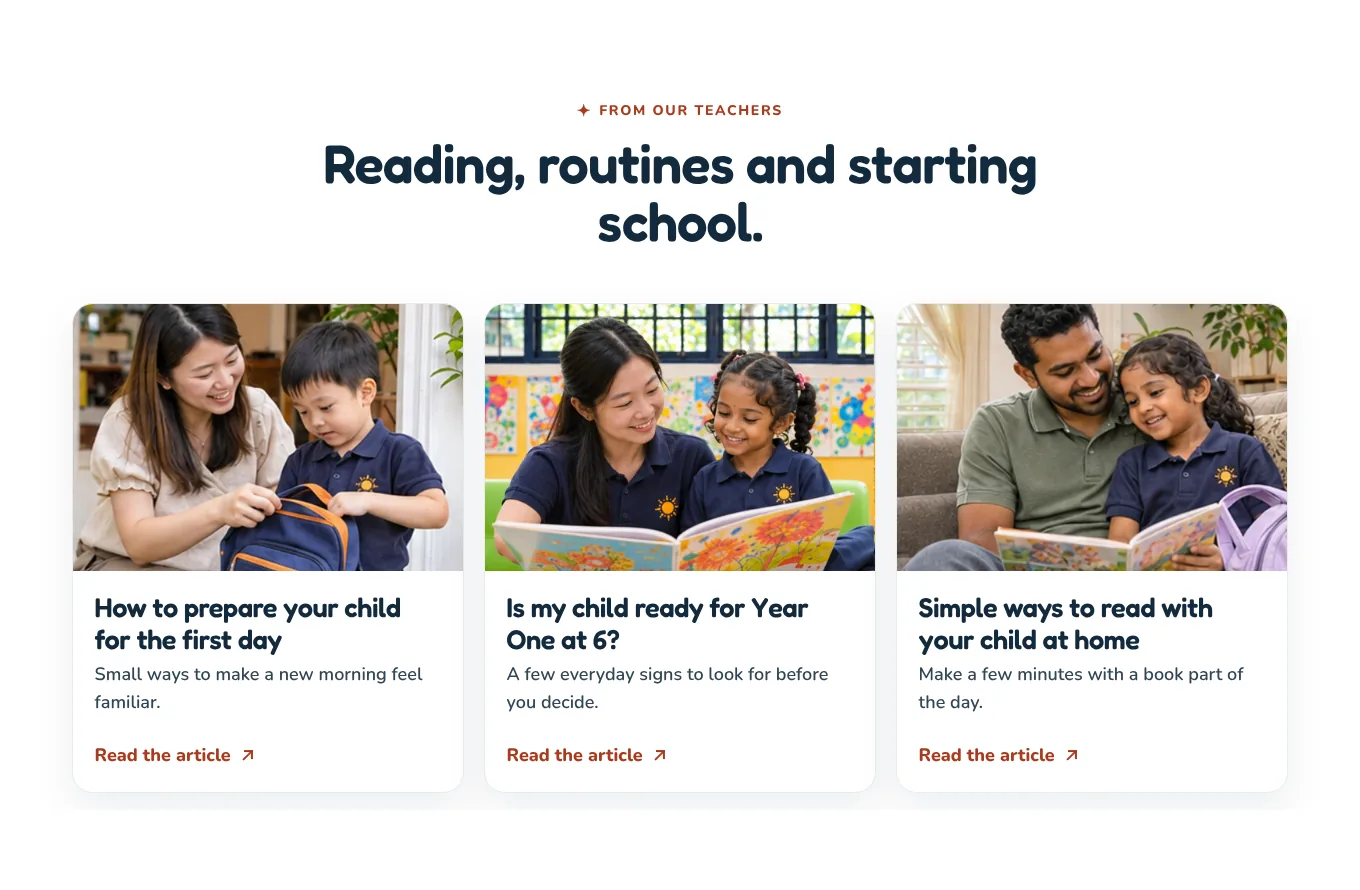
Tips for parents
Write three short articles parents are already searching for
The first day, Year One at six, and reading at home. Parents search for these questions on Google, and a helpful answer from your teachers is often how they first find you. It also shows you think about their child beyond school hours.
Find us
Show the house, then the map
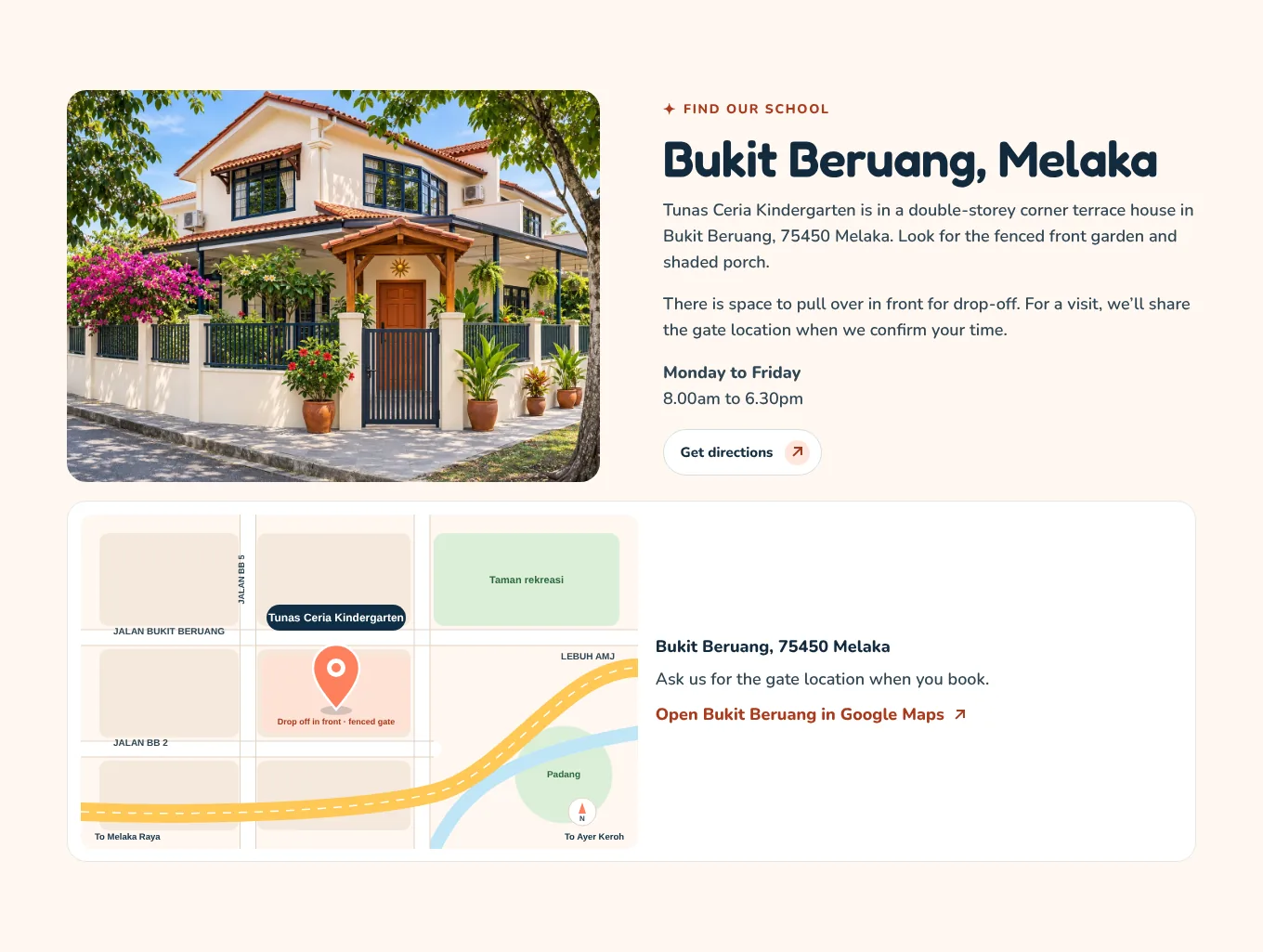
Parents drive past before they visit. A photo of the real house with its gate, a simple map and “space to pull over in front for drop off” make the first trip easy, and answer the morning traffic question before it is asked.
TipFor privacy, many kindergartens share the exact gate pin only after the visit is confirmed. Say so, as this one does.
Last invitation
Invite them to a real morning, not a sales tour
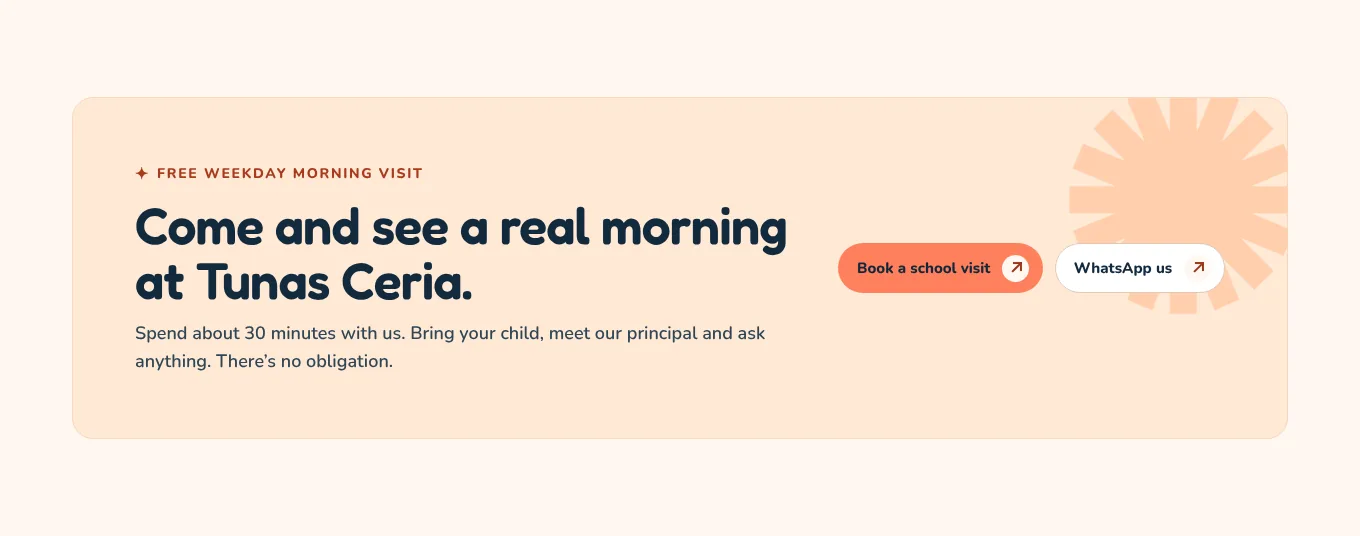
“Spend about 30 minutes with us. Bring your child, meet our principal and ask anything. There’s no obligation.” It tells a nervous parent exactly how long, who they will meet and that they can bring their child.
Footer
Your KPM registration number, on every page
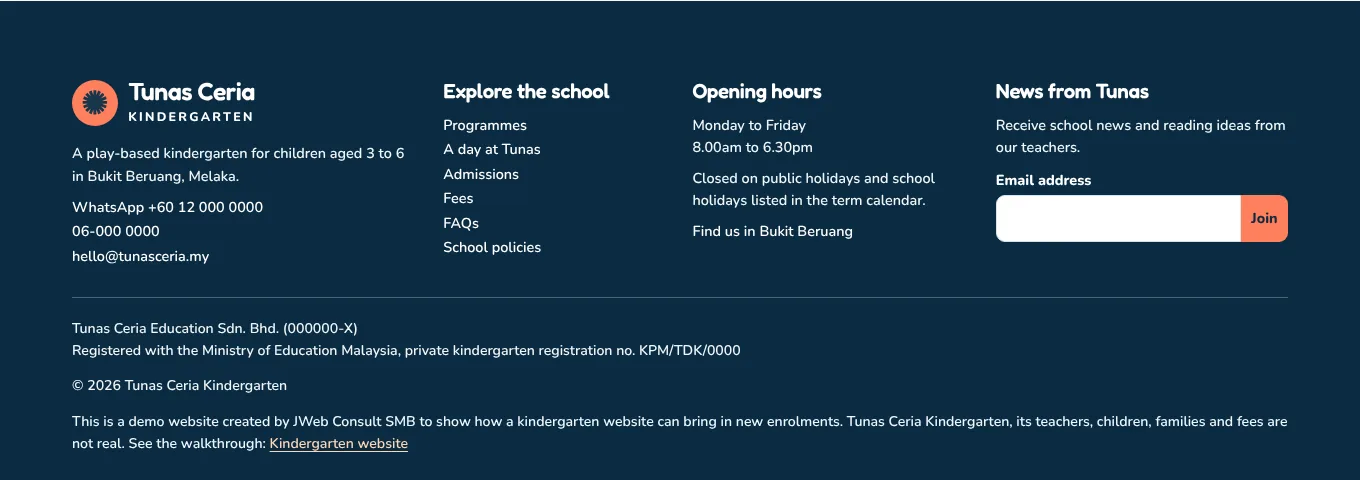
Company name and number, and “Registered with the Ministry of Education Malaysia, private kindergarten registration no.” Careful parents check this, and some ask about it at the visit. Put it where they can find it.
TipOn a phone, a bar with WhatsApp and Book a visit stays at the bottom of every page.
Page 2 · Where trust is won
A day at the kindergarten, hour by hour
Parents cannot see inside your classroom. This page lets them. One honest, photo by photo walk through a real day does more than any list of “programmes” or “activities”.
Page header
Promise the whole day, hour by hour
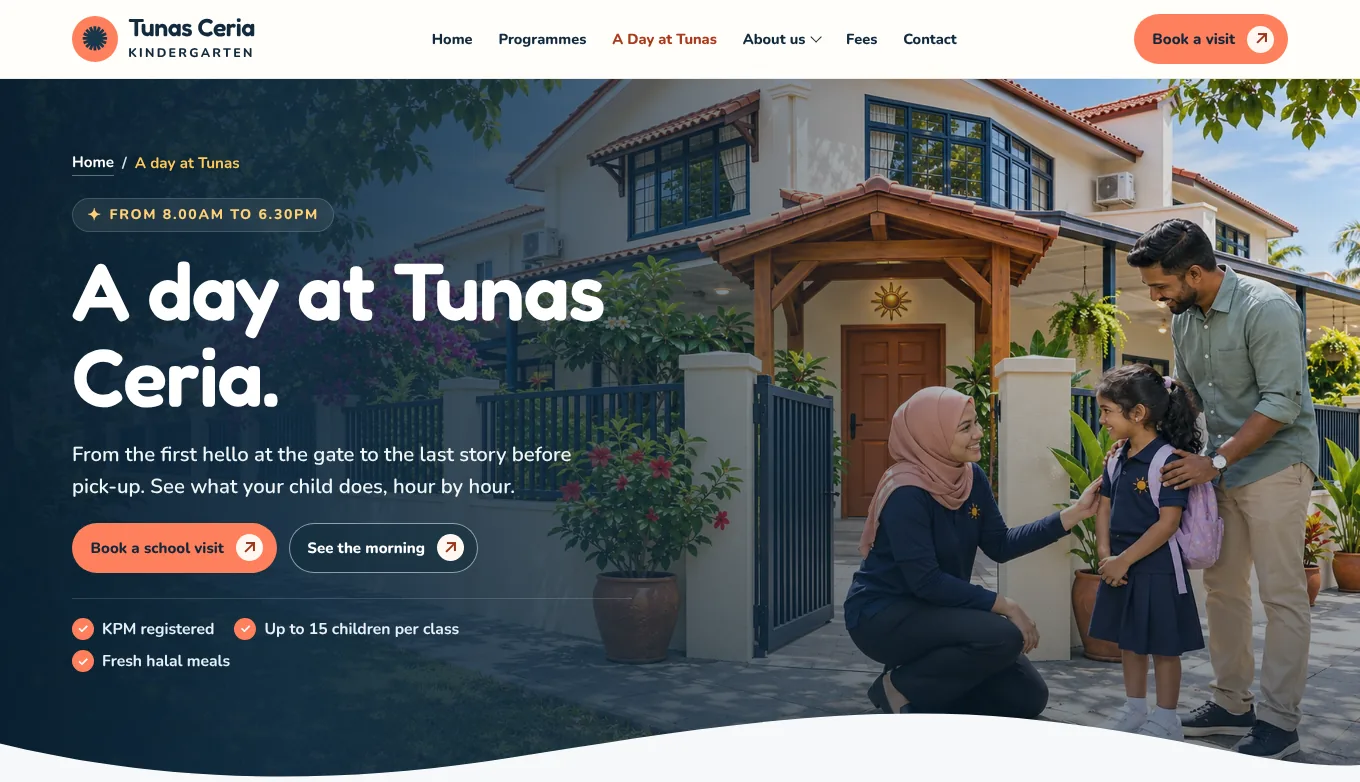
“From the first hello at the gate to the last story before pick up. See what your child does, hour by hour.” This is the page parents read twice, often with their partner. It replaces the question “what do they actually do all day?”
TipBuild this page from a real day. Walk around with a phone for one morning and note the times. Parents can tell when a timetable was written in an office.
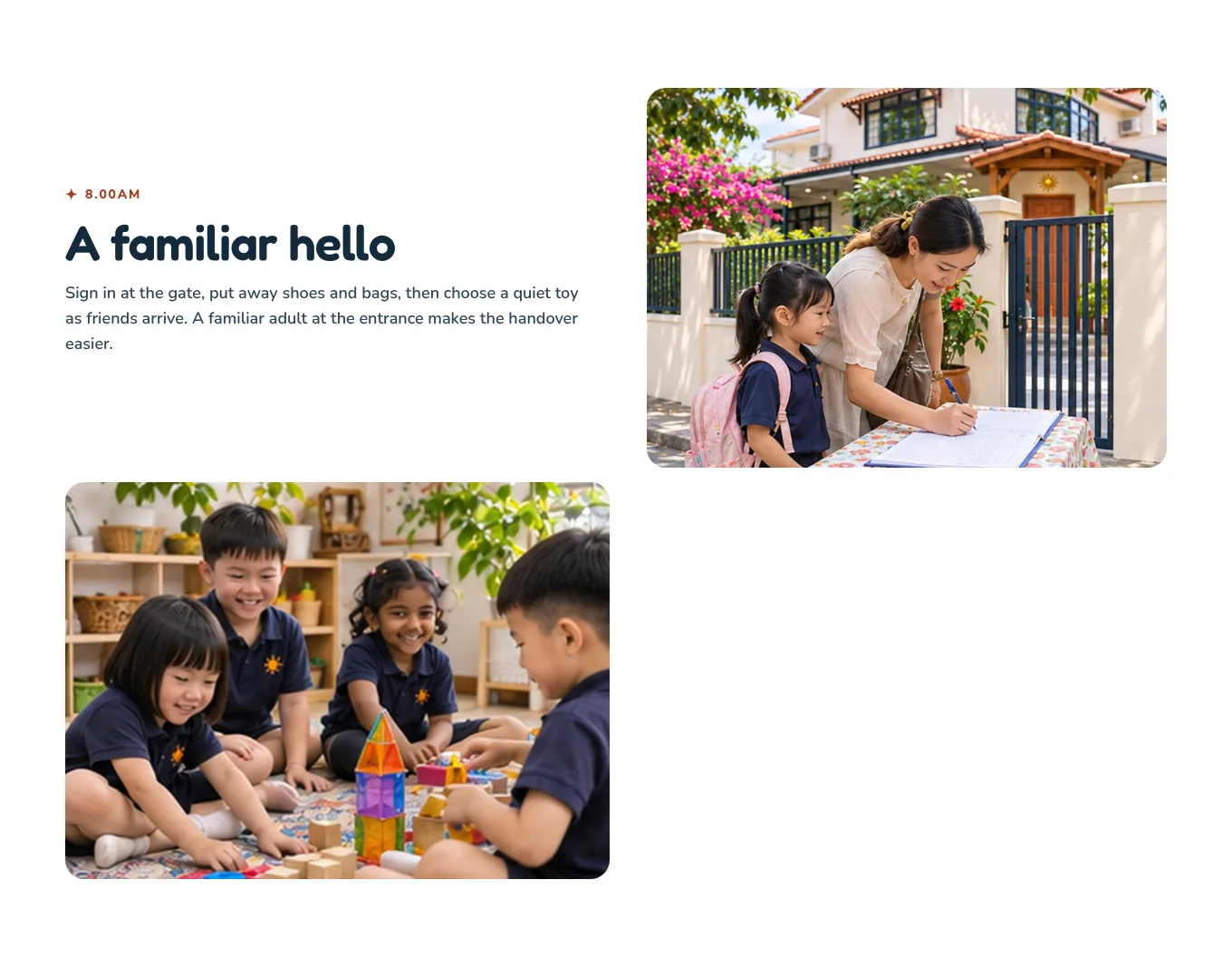
8.00am
Start with the handover, the hardest moment
Sign in at the gate, shoes and bags away, a quiet toy. “A familiar adult at the entrance makes the handover easier.” The drop off is what parents worry about most. Show it first, calmly, with a photo of a real sign in.
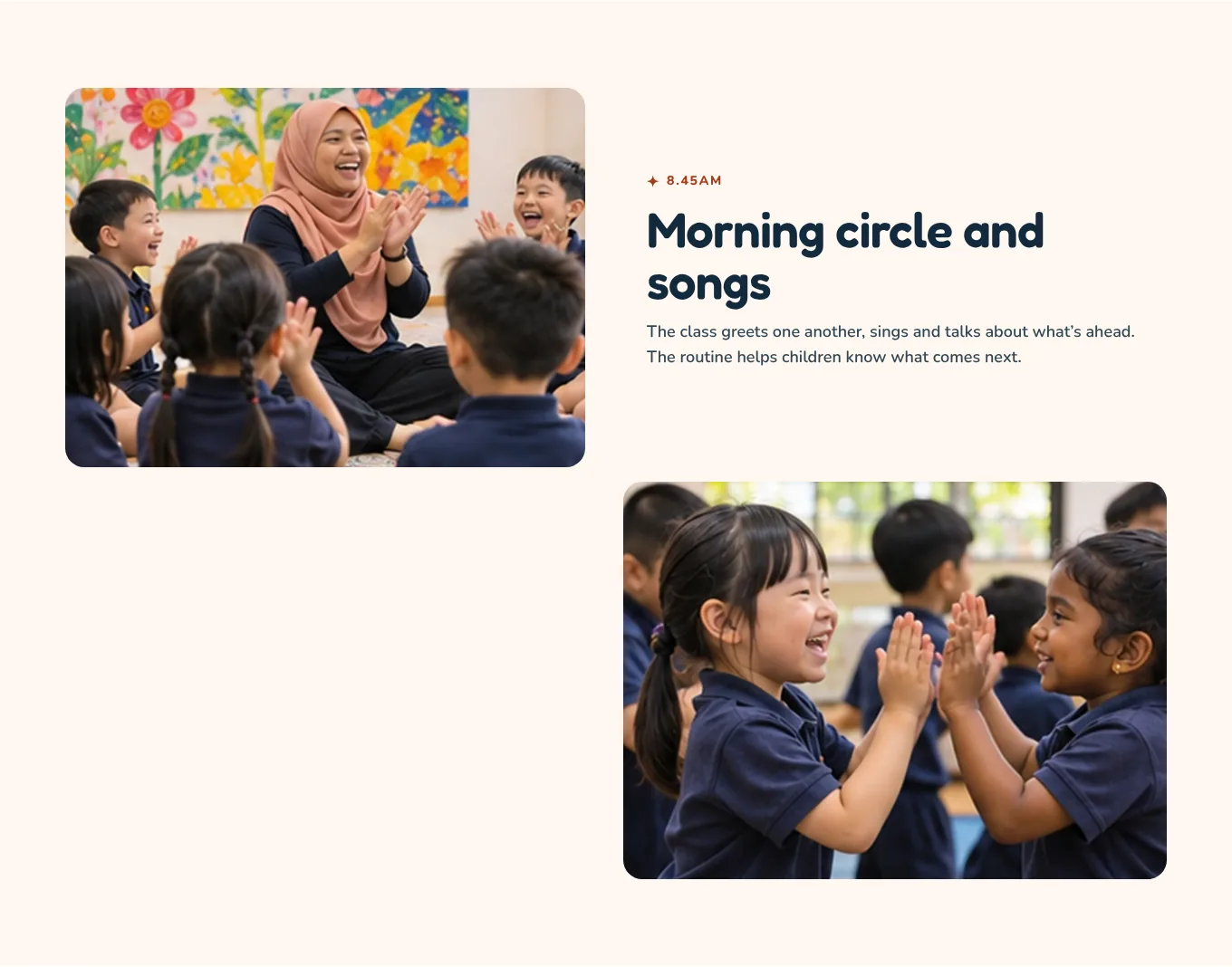
8.45am
Explain why, not only what
“The routine helps children know what comes next.” Every part of the day gets one line on what happens and one on why it matters. Parents learn that the day is planned, and that the plan is about their child.
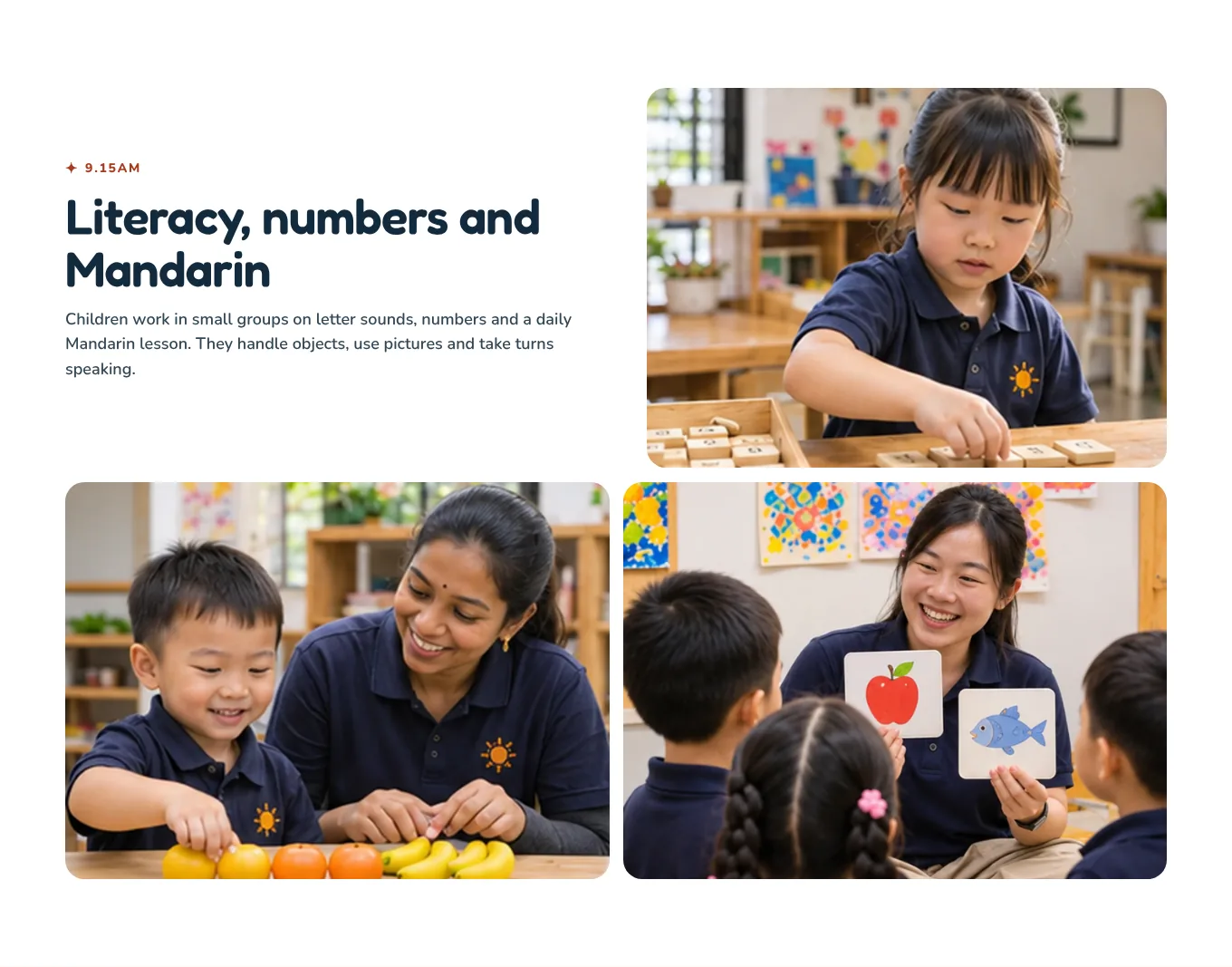
9.15am
Show learning with objects, not worksheets
Letter tiles, counting with real fruit, picture cards in Mandarin. Three photos of hands on learning reassure parents who worry about Year One, without suggesting four year olds sit at desks all morning.
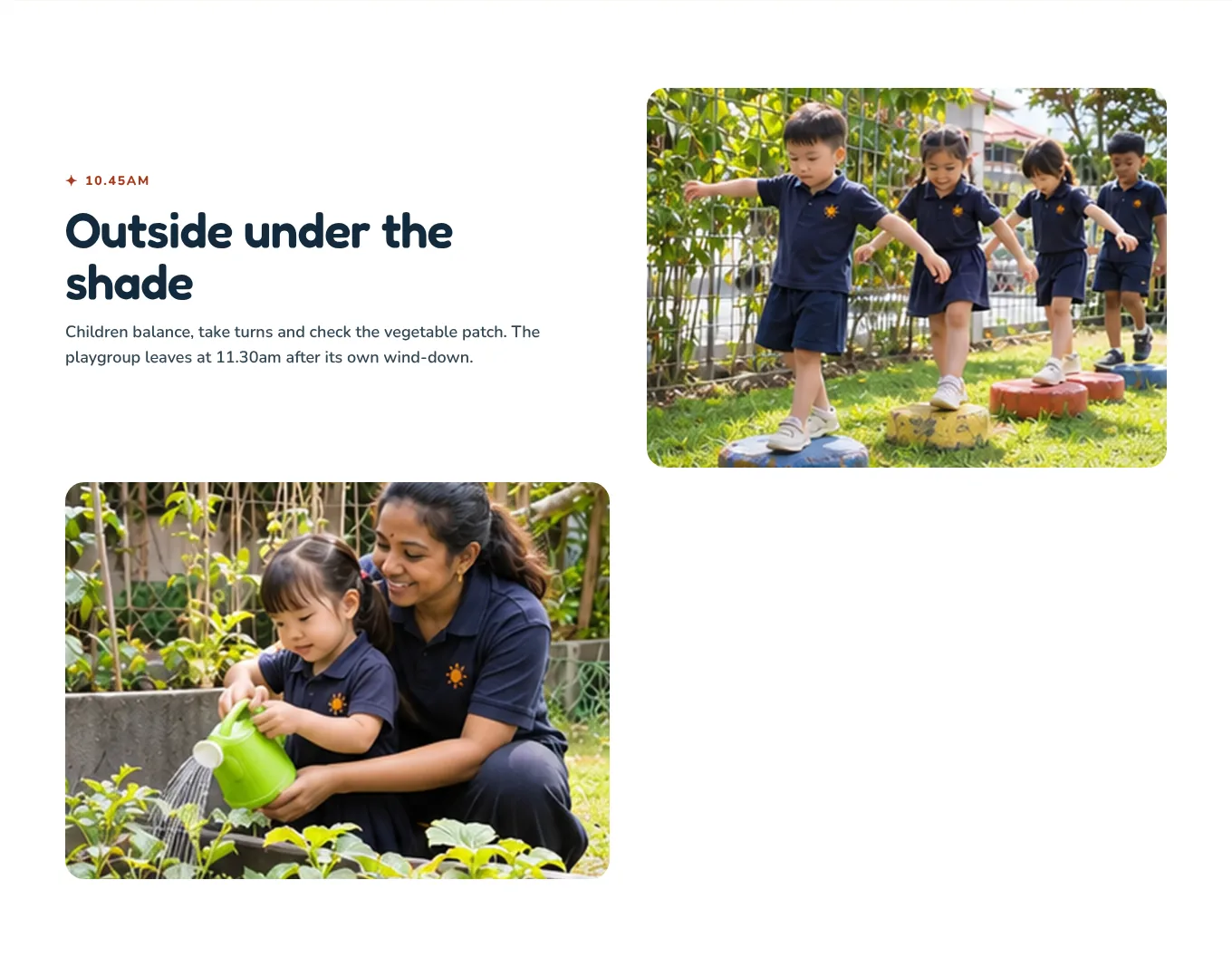
10.45am
Show outdoor time, and the shade
Balancing, taking turns, watering the vegetable patch, under cover. In Melaka heat, “outside under the shade” answers a question parents would not think to ask until their child came home sunburnt.
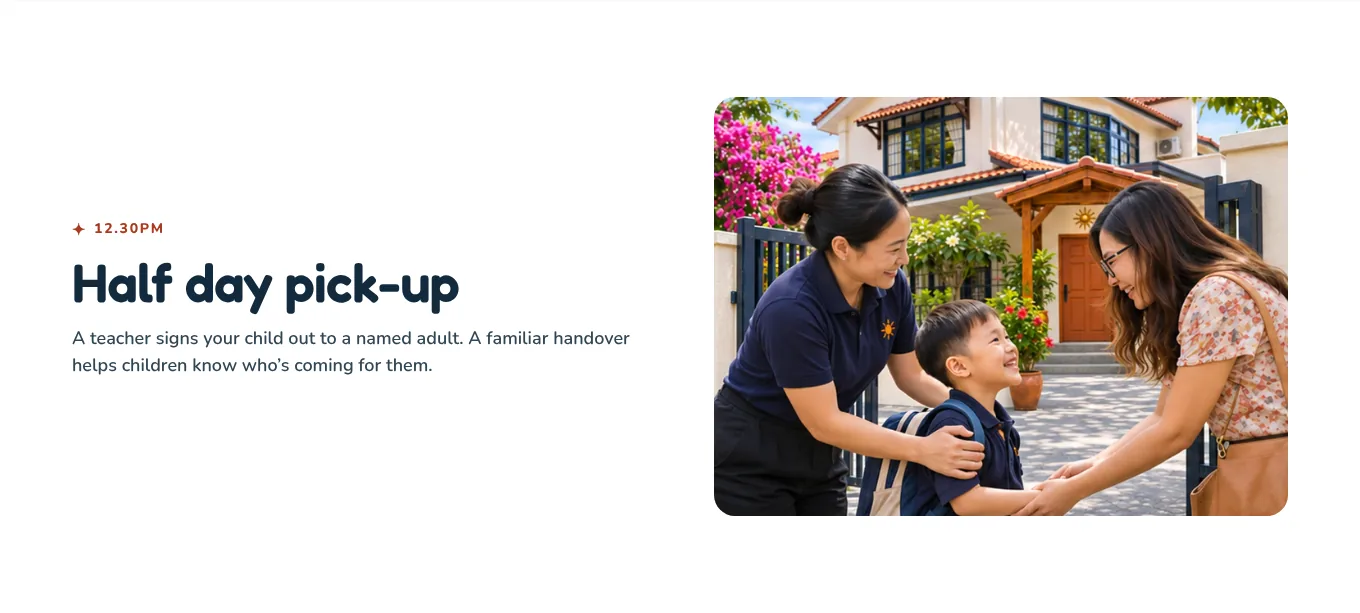
12.30pm
Show the pick up rule in action
“A teacher signs your child out to a named adult.” The safety rule from the homepage, shown happening at the real gate. One photo makes a policy feel real.

12.45pm
Food, and each child’s allergy plan
A real lunch, and one plain line: teachers “follow each child’s agreed allergy plan”. For a parent of a child with an allergy, that sentence decides whether they book a visit at all.
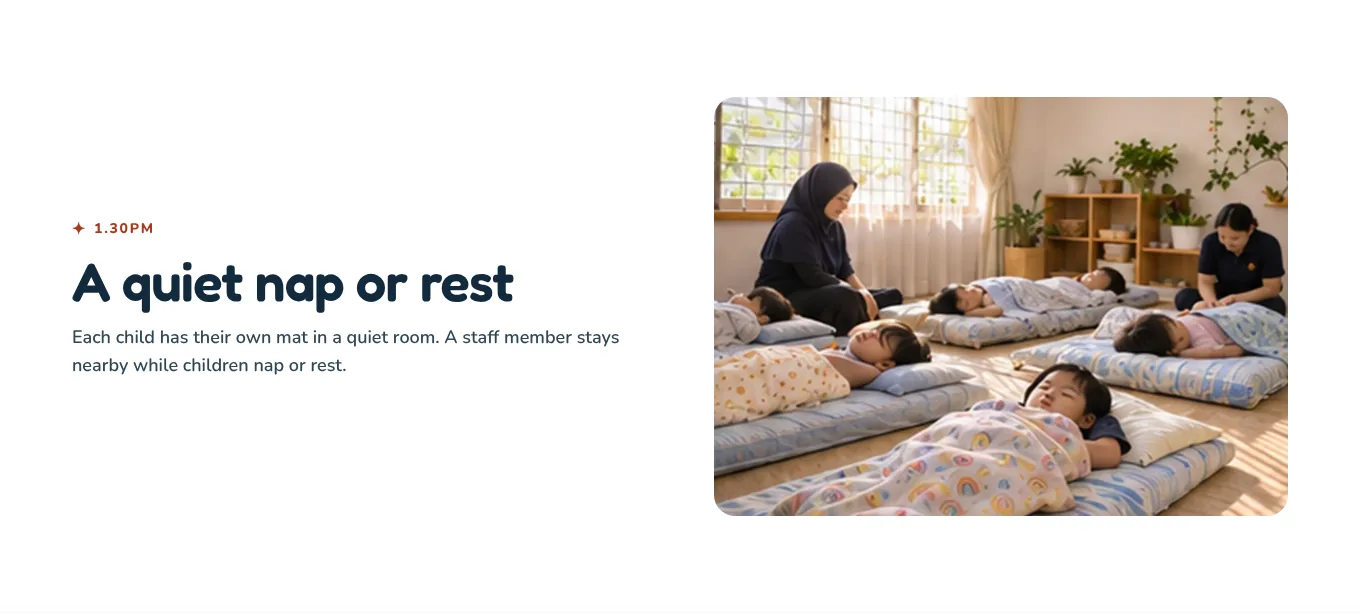
1.30pm
Show who stays with the children at nap time
“Each child has their own mat. A staff member stays nearby.” Parents of full day children wonder about this, and few kindergartens say it.
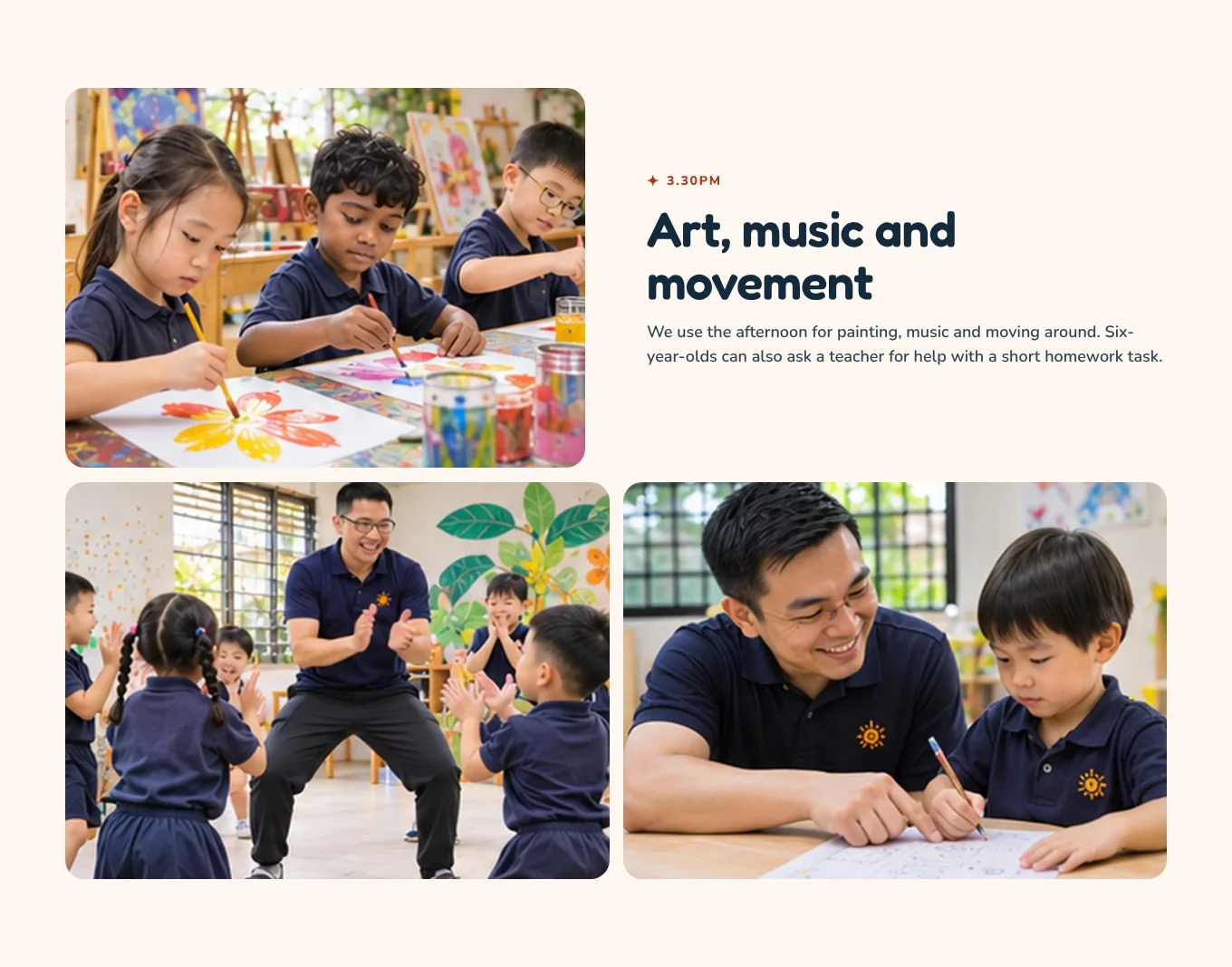
3.30pm
Make the afternoon worth paying for
Painting, music and movement, and homework help for six year olds. Full day care costs more. Showing a real afternoon programme, with a male teacher leading a game, makes the price feel fair.
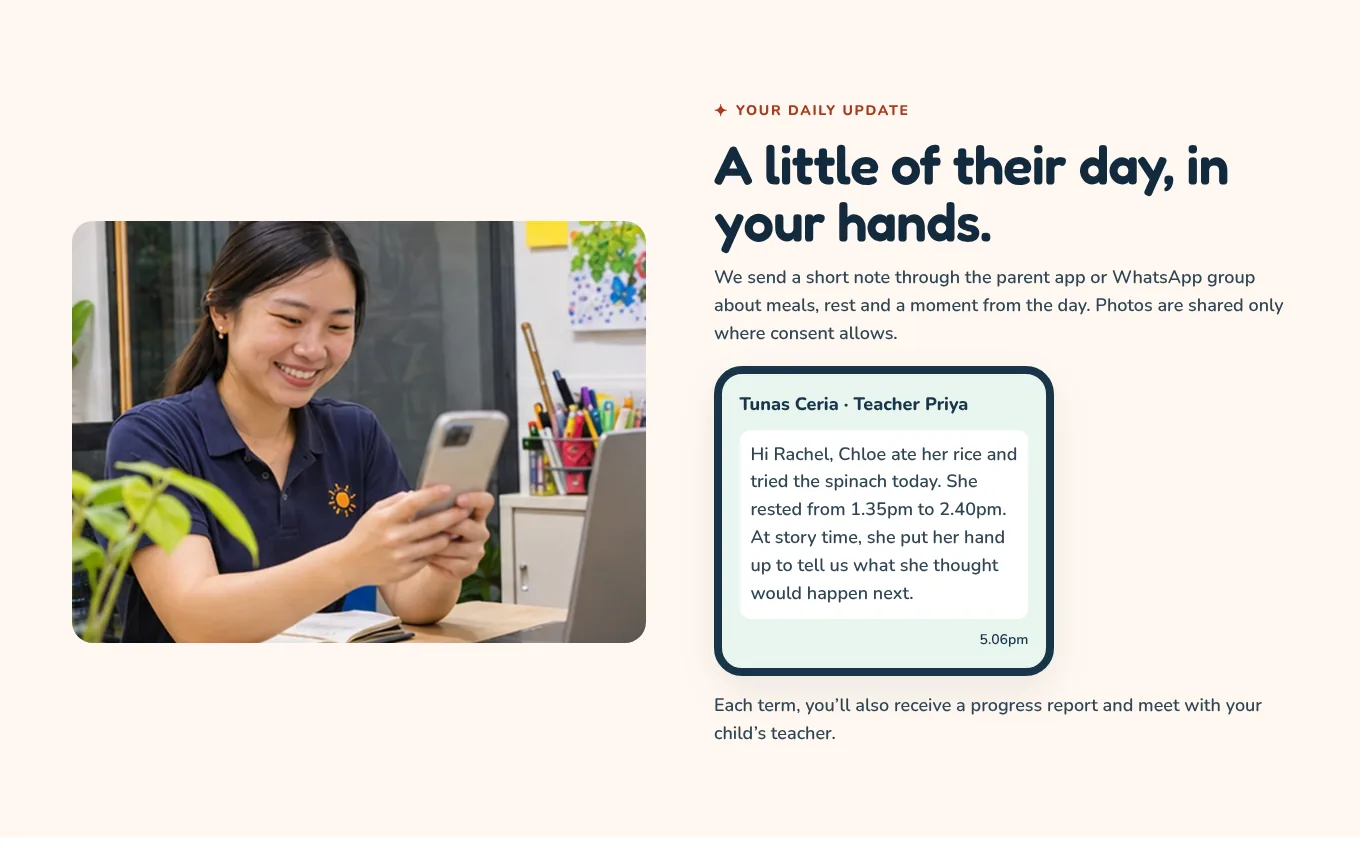
Daily update
Show the exact message parents will get
“Hi Rachel, Chloe ate her rice and tried the spinach today. She rested from 1.35pm to 2.40pm.” A real example update, on a phone, is the most reassuring thing on the page for a working parent. It shows they will know how their child’s day went, every day.
TipAdd one line on photo consent here too. Parents who see that you ask before sharing photos trust you more, not less.
Page 3 · Where the cost worry is answered
The fees page
The homepage shows the monthly fees. The fees page answers everything else about money, so the visit can be about the child, not the price list.
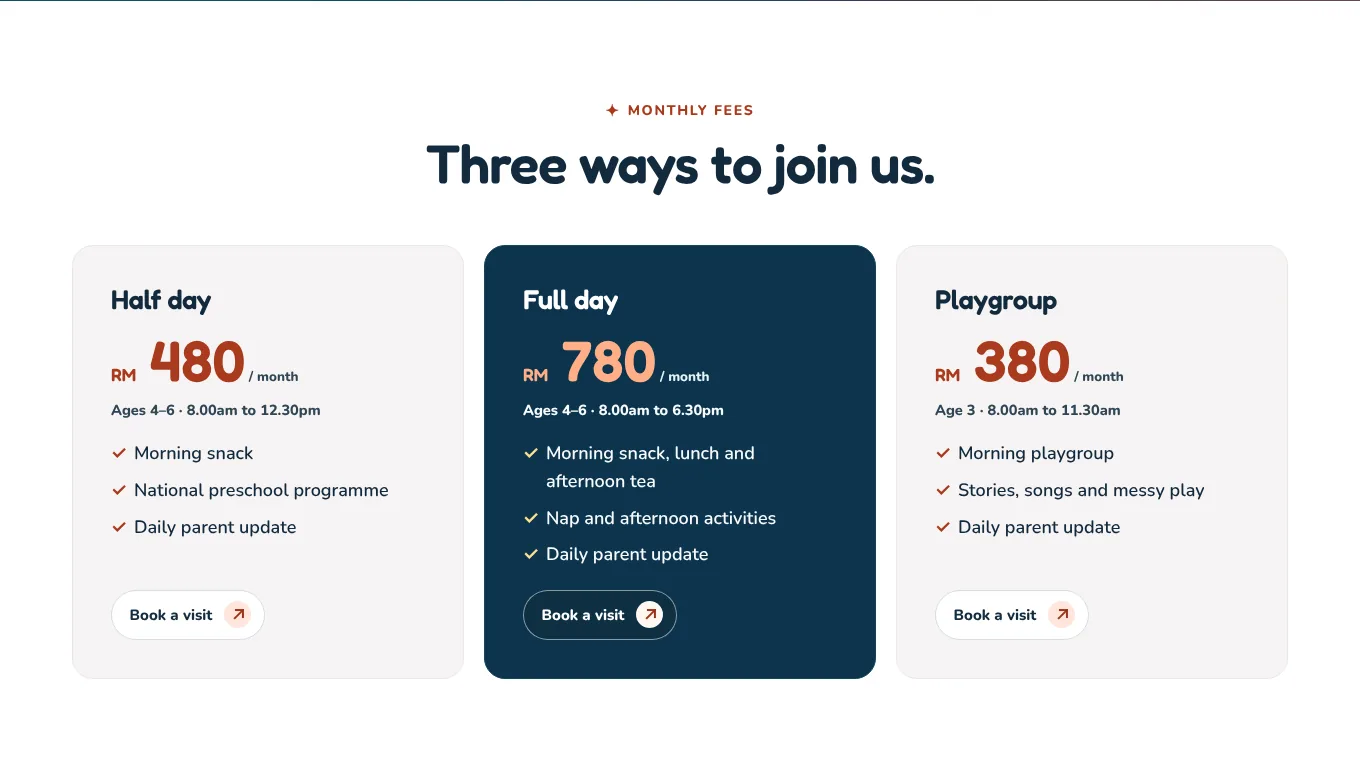
Monthly fees
One card per programme, with hours and what is included
The fee, the ages, the hours and three things that are included. A parent can compare half day and full day in a few seconds, and see what the extra RM 300 buys.
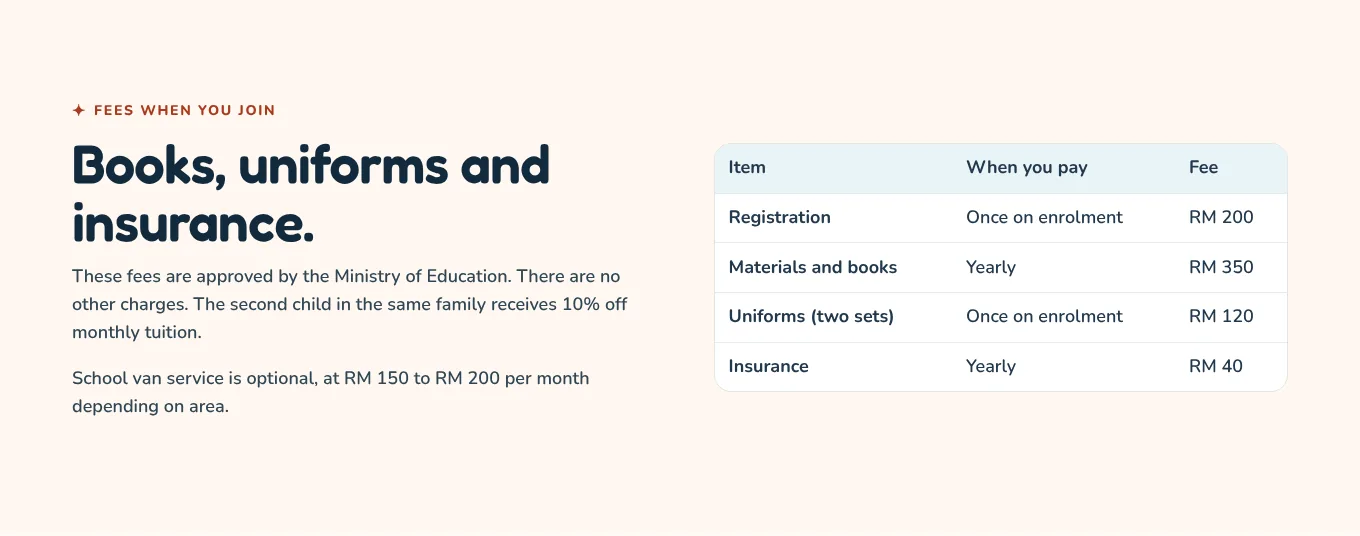
One time fees
List every fee, when it is paid, and nothing else
Registration, materials and books, uniforms, insurance, each with “once” or “yearly”. Then the sibling discount and the van. This is the table parents photograph and send to their partner. Make it complete.
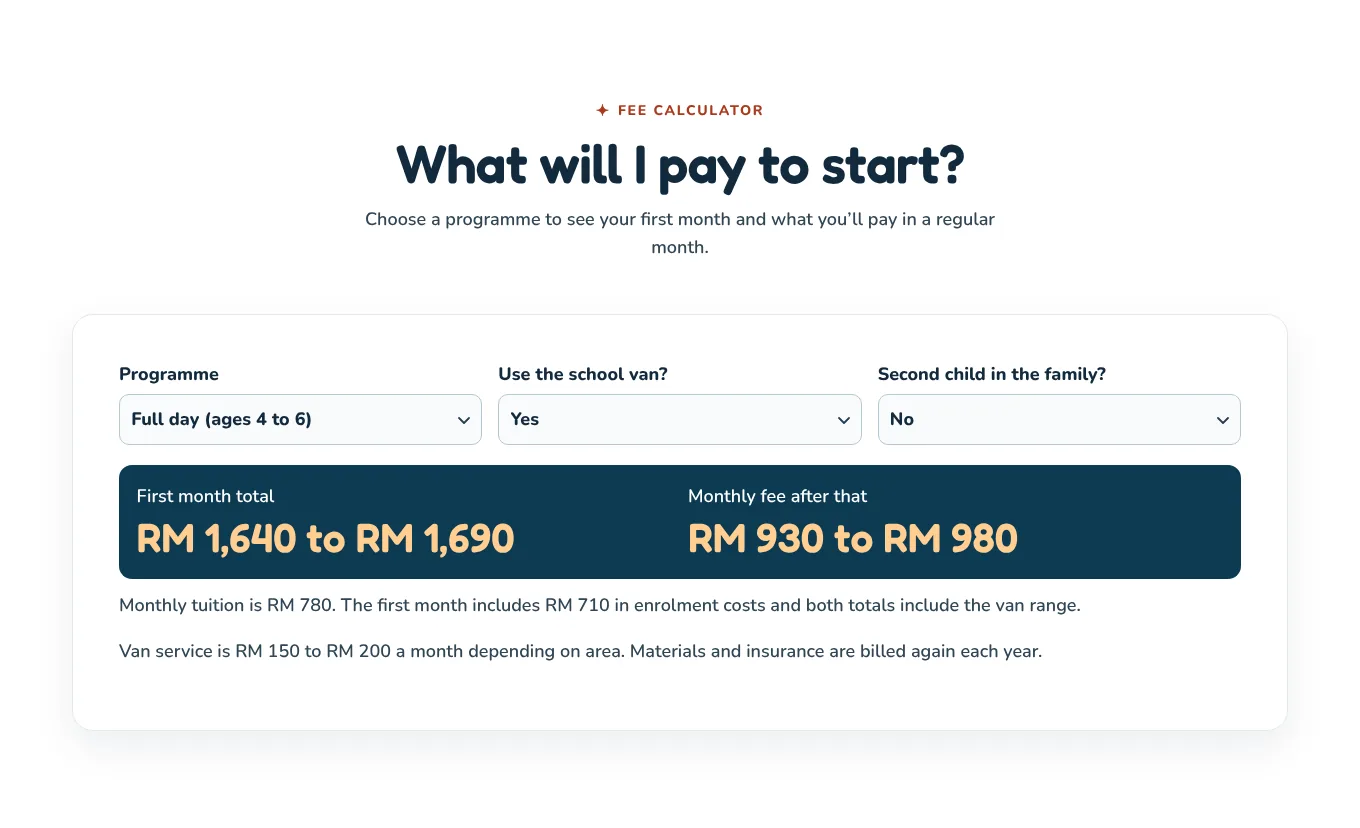
Calculator
Let parents work out the first month themselves
Programme, van, sibling. The calculator shows the first month total and the monthly fee after that. The first month is always the biggest bill, and parents are rarely told it in advance. Showing it honestly removes the last surprise.
TipShow a range when part of the cost depends on the area, as the van does here. An honest range beats a precise number that turns out wrong.
Page 4 · Where the visit is booked
The school visit booking
Every “Book a school visit” button leads here. Four short steps that work on a phone, ending in a WhatsApp message. No payment, and nothing to commit to.
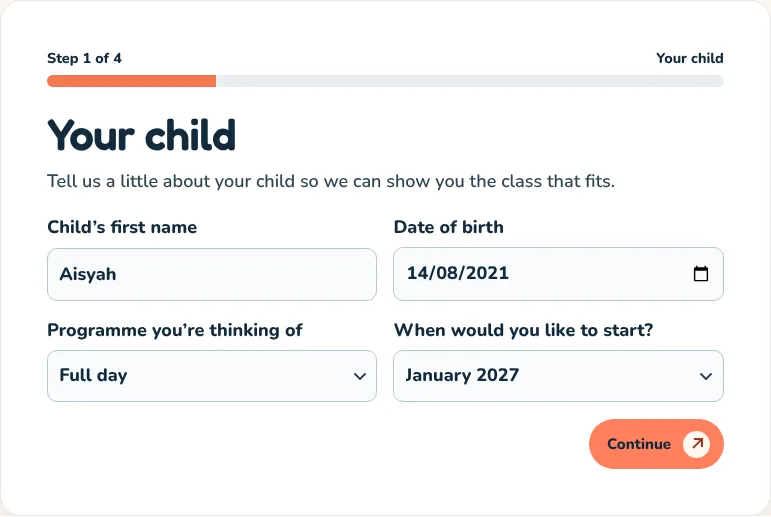
Step 1
Start with the child, by first name
The child’s first name, date of birth, the programme and when to start. Parents love talking about their child, and the date of birth tells you the right class. Easy questions first.
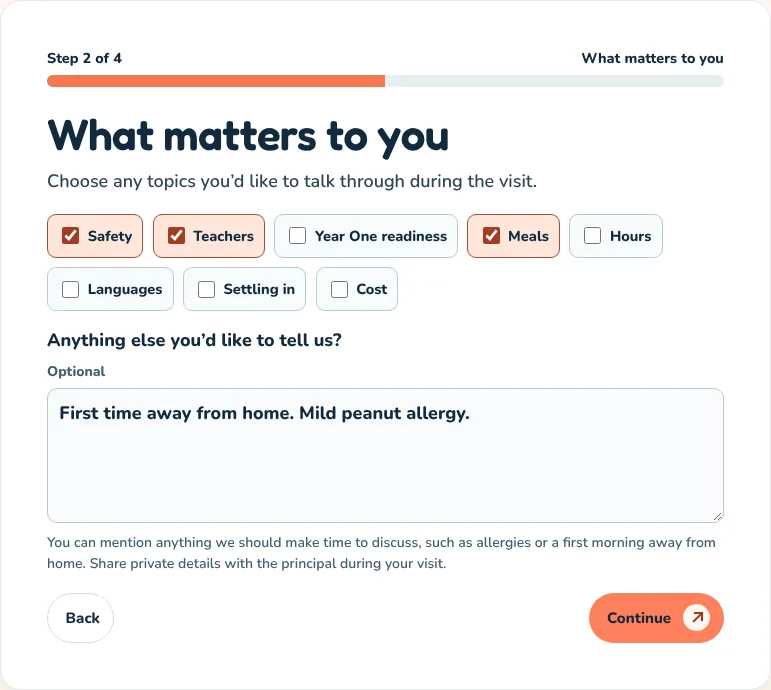
Step 2
Ask what they care about, then prepare for it
Eight topics to tap, and one box: “Anything we should know?” Now the principal knows to show this parent the kitchen and the sign in book, and to mention the allergy plan. The visit feels made for them.
TipThe notes box often holds the deciding detail: an allergy, a speech delay, a very shy child. Read it before the visit.
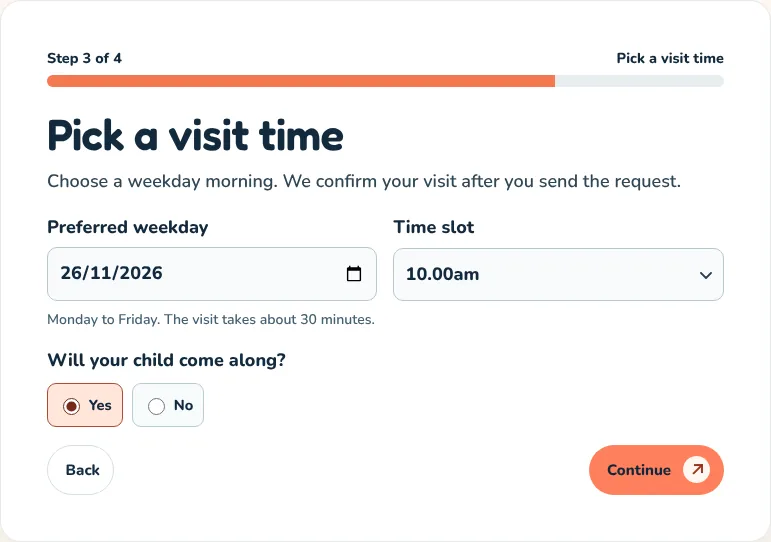
Step 3
Offer real slots, during a real school morning
A weekday and a time between 9.00am and 11.00am, with two slots already full. Visits during class let parents see a real morning, not an empty room. Full slots are honest information, not pressure.
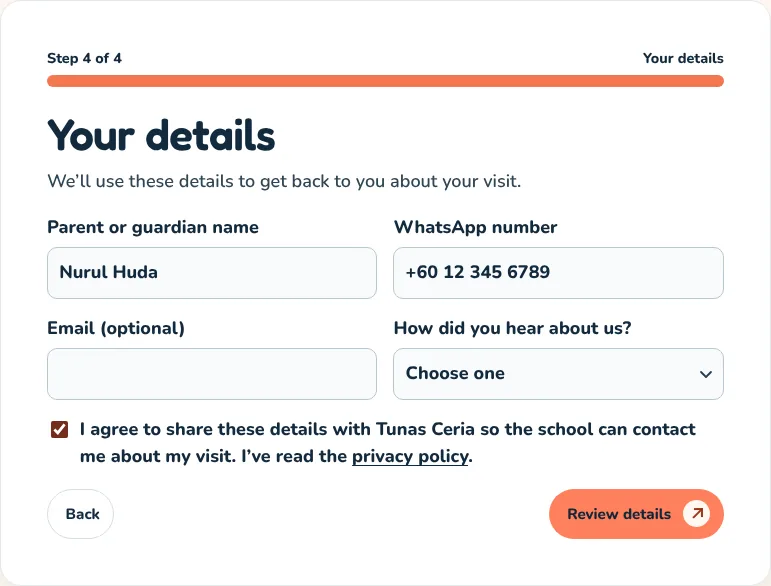
Step 4
Contact details last, email optional
Name, WhatsApp, an optional email, how they heard about you, and a consent tick box. Nothing more. “How did you hear about us” tells you which of your efforts brings families.
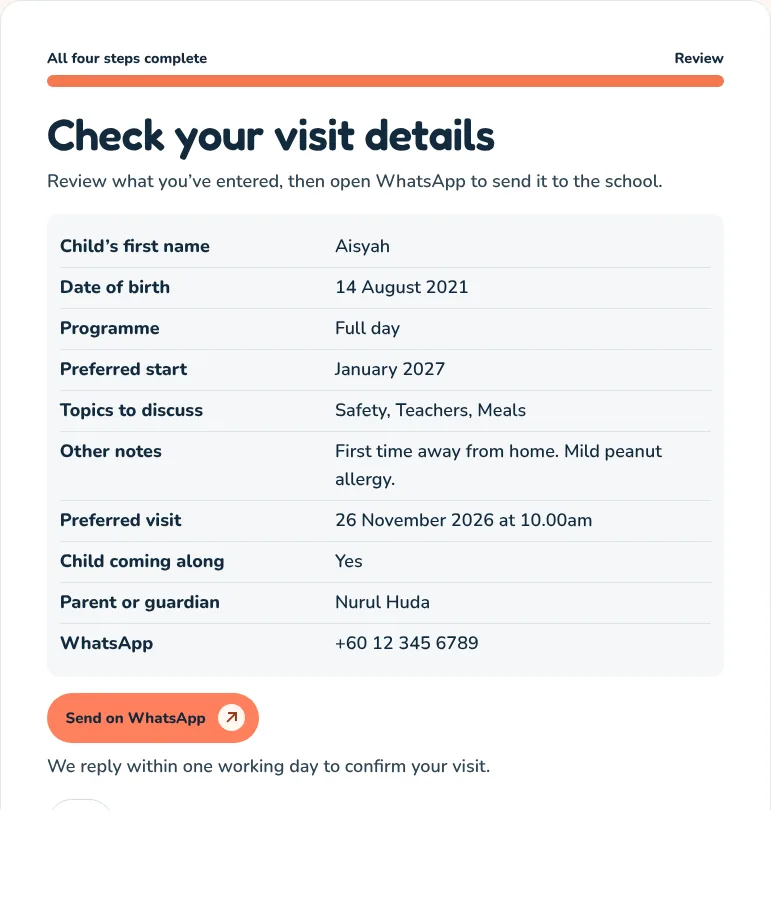
Summary
End on WhatsApp, with a reply promise
A summary to check, then “Send on WhatsApp”, which opens the chat with everything written out. “We reply within one working day to confirm your visit.” The parent knows exactly what happens next.
Pages 5 to 10
Safety, settling in, meals, teachers, Year One and the rooms
Shorter pages, each answering one question a parent asks before they book a visit.
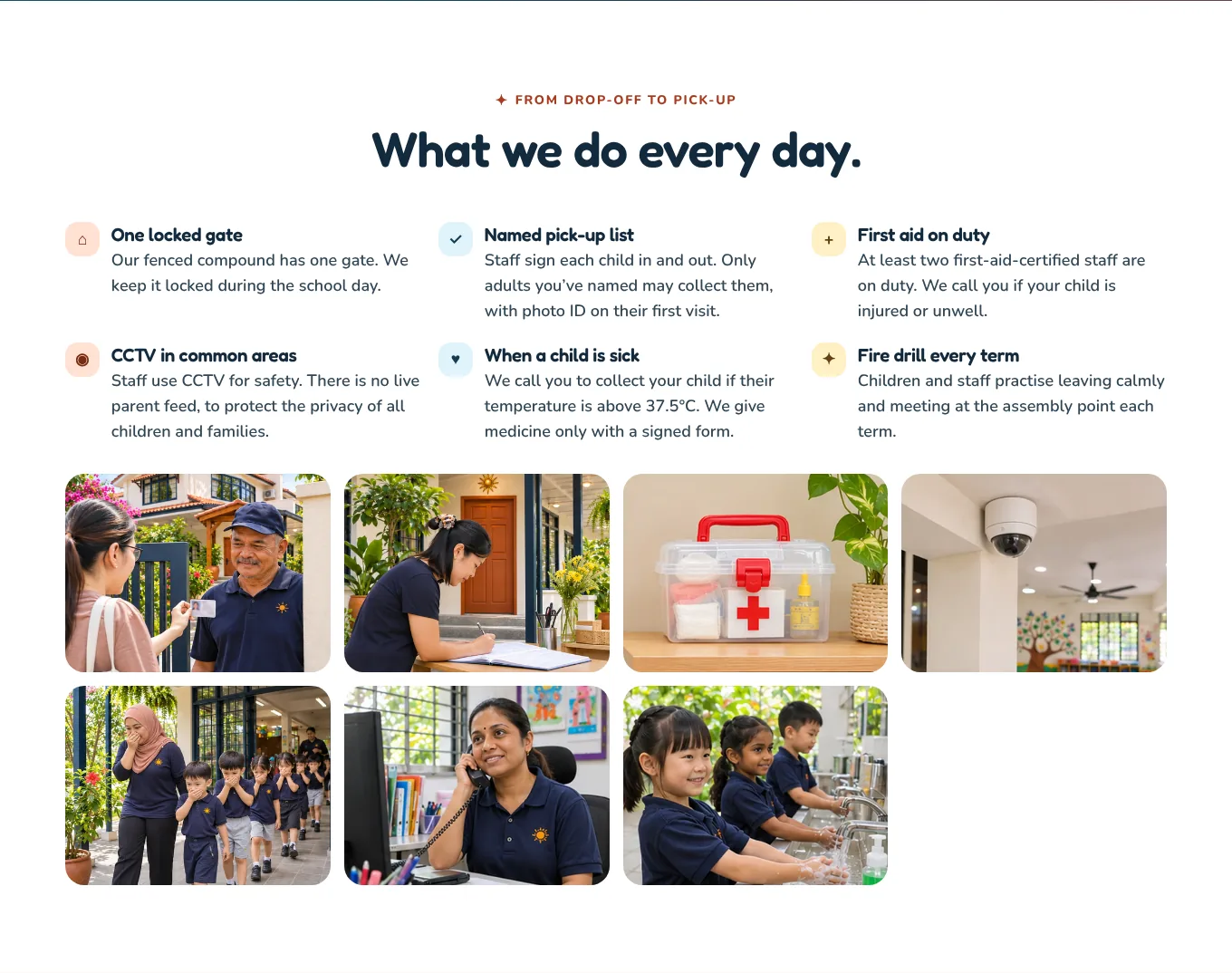
Safety
Give safety its own page, with photos of each routine
The gate, the sign in book, the first aid kit, the fire drill. The homepage gives the promises. This page shows them, for the parent who wants to read every word before they trust you.
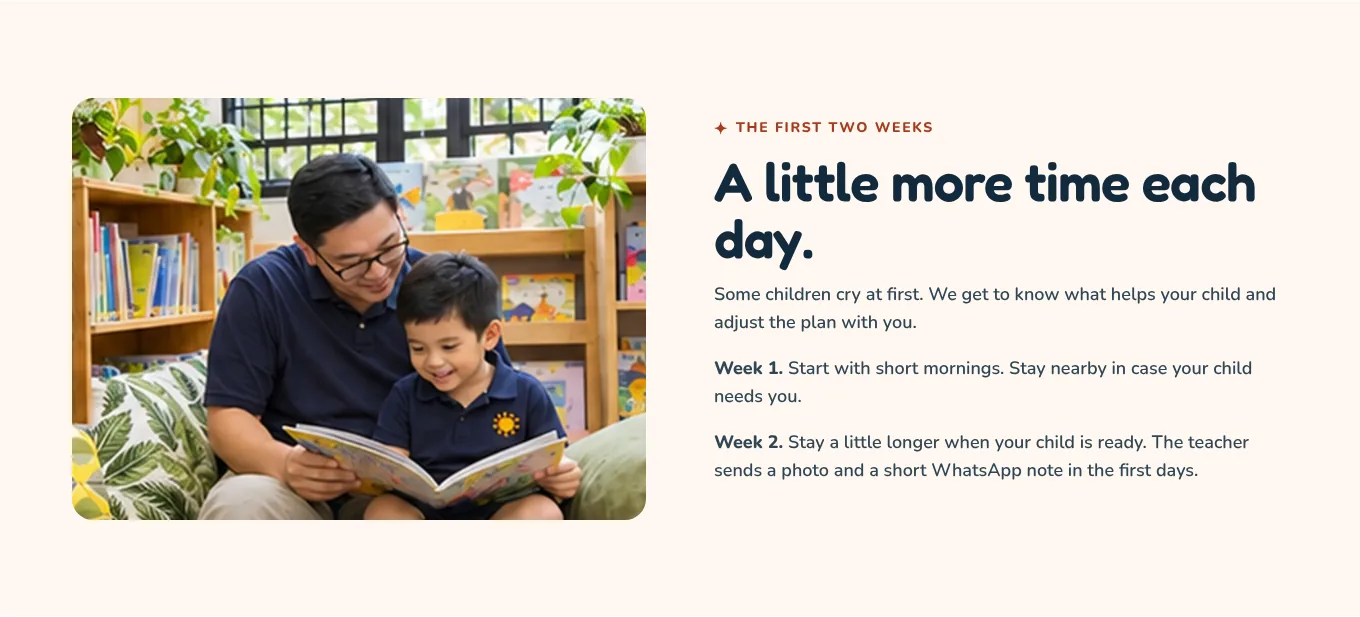
Settling in
Say honestly that some children cry, then show the plan
“Some children cry at first.” Then week one, week two, and the photo the teacher sends. Admitting the hard part is what makes parents believe the rest. It also prepares them, so a few tears at the gate do not feel like a failure.
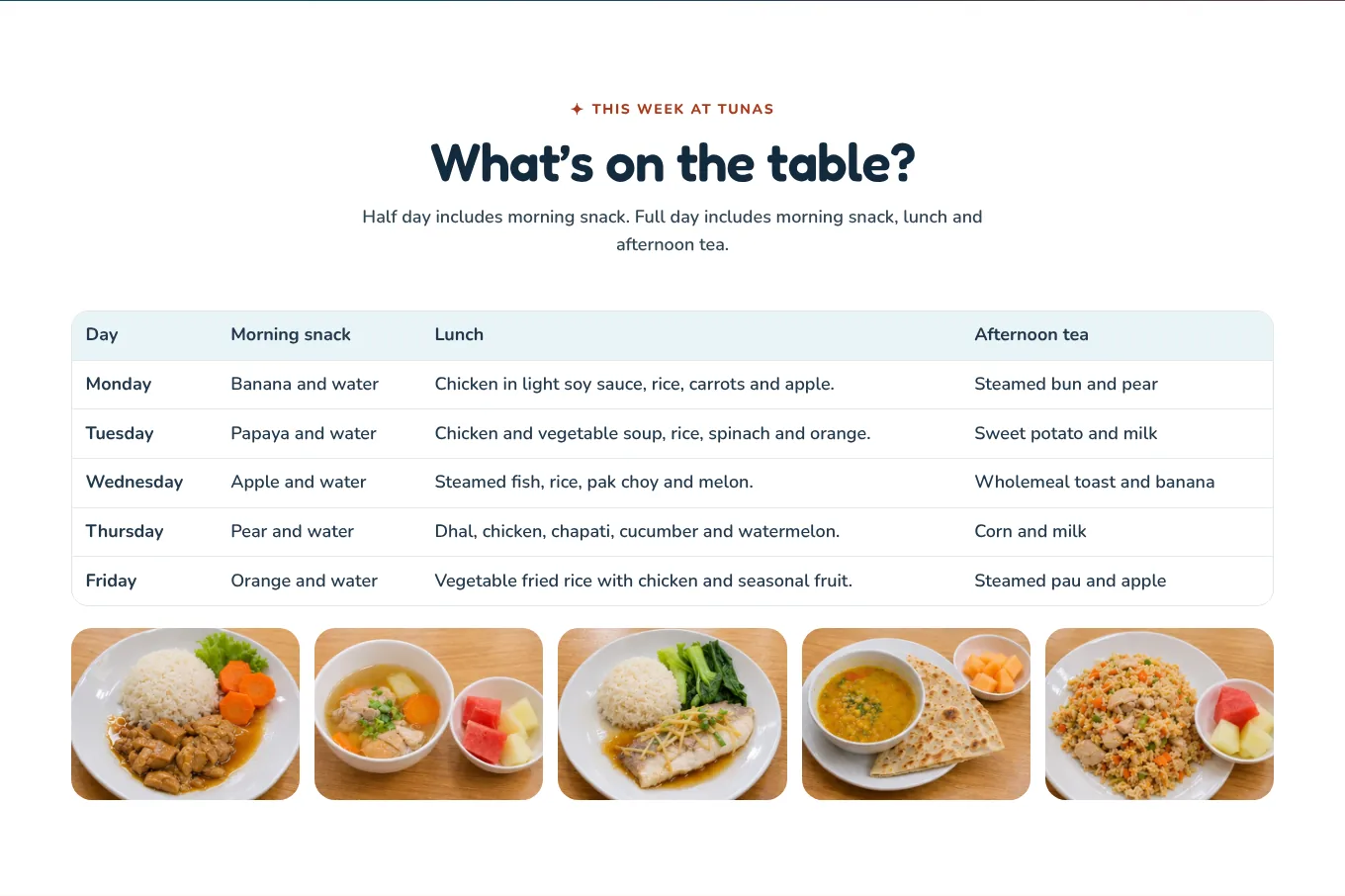
Meals
Publish the whole week, all three meals
Snack, lunch and tea for five days, and photos of the real food. Then a section on allergies: the principal, teacher and cook agree a plan before the child eats with the group.
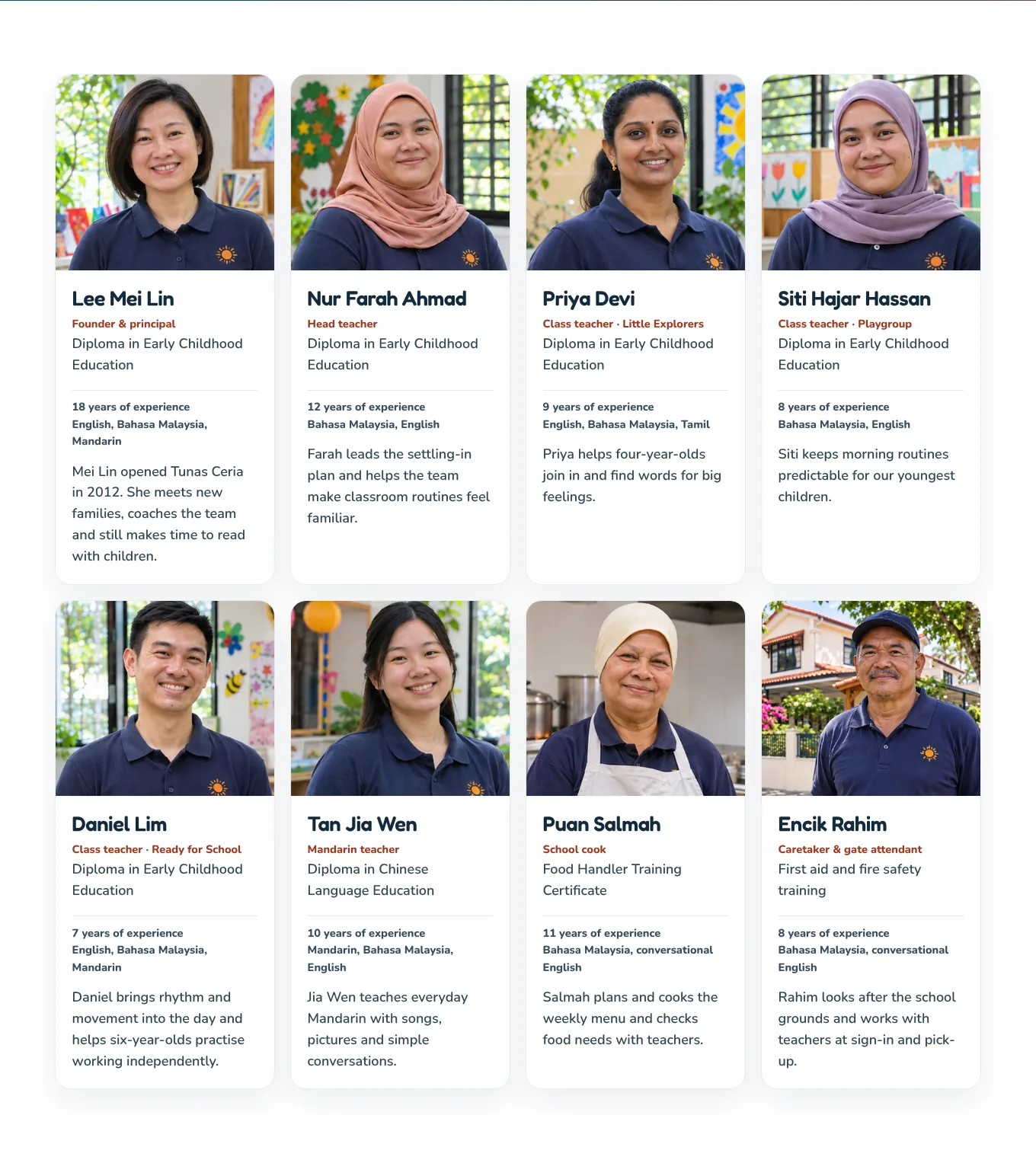
Teachers
Every adult in the building, including the cook and the gate
Eight people, from the principal to the cook and the caretaker at the gate, with qualifications, years, languages and one human line each: “Priya helps four year olds find words for big feelings.” Parents want to know every adult their child will meet, not only the principal.

Year One
Explain the new rule honestly, and help parents decide
“Eligible children may start Year One at age six if their parents choose. Age seven remains the usual entry age.” Then: “We talk it through with you so you can decide together.” Parents are confused about this change. A calm, accurate note, without a promise, makes you the people they ask.
TipCheck the Ministry’s rules before each intake and date the note. They changed more than once in 2026.
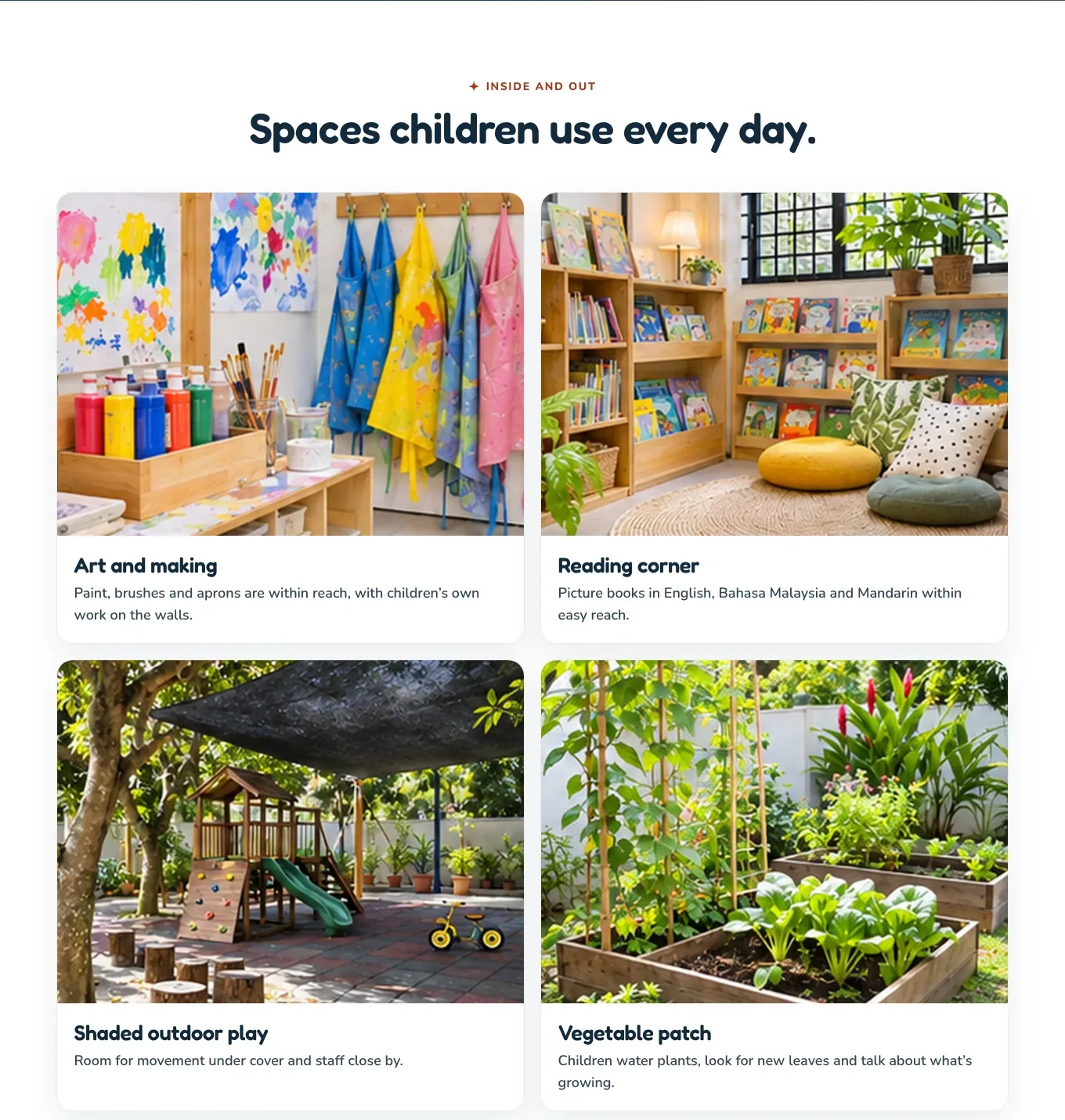
Facilities
Show every room a child will use
Art corner, reading corner, shaded play area, vegetable patch, nap room, the shoe rack by the door. Big photos of real spaces. Many parents judge a kindergarten by how clean and calm the rooms look.
On a phone
The same site on a phone
Three screens from the demo: the homepage, a day at the kindergarten and the visit booking, at the size most parents first see them.
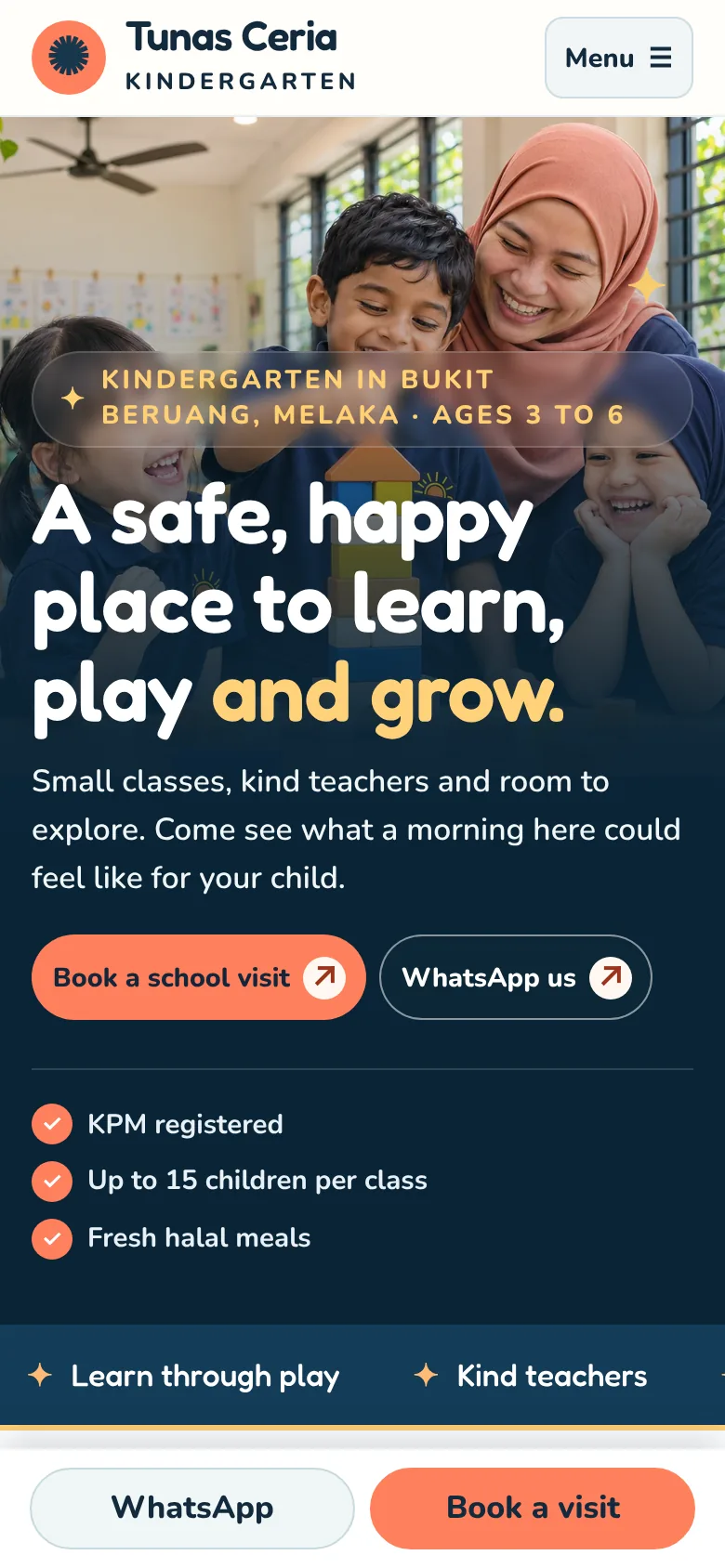
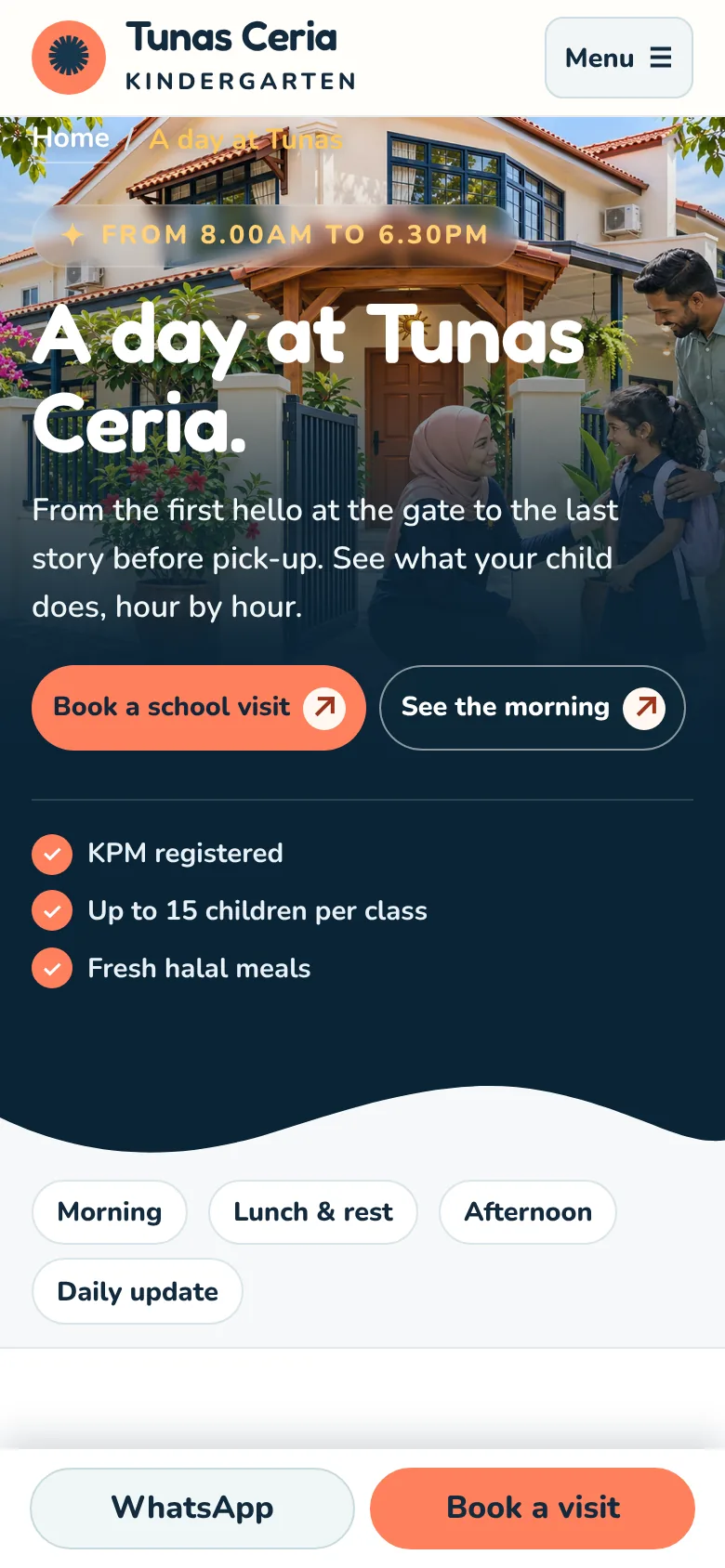
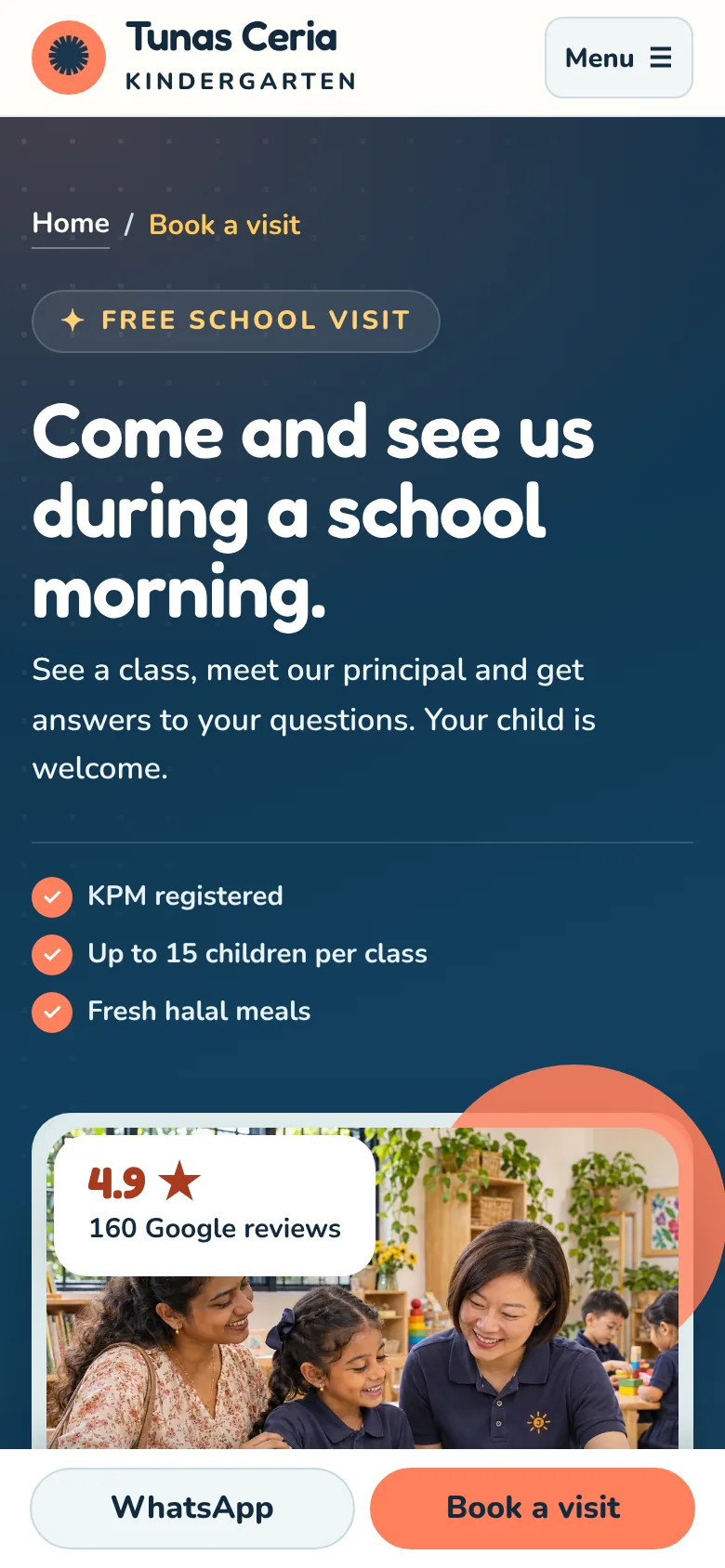
Bottom bar
WhatsApp and Book a visit, always under the thumb
On a phone a bar with both buttons stays at the bottom of every page.
Easy to read
Large text, big buttons, photos that fill the screen
Body text is 17px on a phone, and every button is easy to tap with one hand while holding a child with the other.
Why it matters
Parents choose kindergartens on their phone, late at night
Usually after the children are asleep, often sending links to a partner on WhatsApp. If your site is calm, clear and quick to book on a phone, you get the visit.
TipOpen your own site on your phone and book a visit with your thumb. If it is fiddly, fix it first.
Before you publish
Six honest practices for a kindergarten website in Malaysia
Some of these are about the law and some are about trust. This is a plain summary, not legal advice. Checked 20 Nov 2026.
Show your KPM registration
Private kindergartens for children aged four to six must register with the Ministry of Education under section 20 of the Education Act 1996. Put your registration number in the footer. Parents can ask the state education department to check it.
Source: The Star, 26 Aug 2025
Publish the fees the Ministry approved, all of them
Private kindergarten fees and charges need the Ministry’s approval, and an increase can only be asked for three years after the last approved rate, capped at 30%. Publish exactly those fees, and say “no other charges” only if it is true.
Source: The Star, 26 Aug 2025
If you take children under four, check which registration applies
Care for younger children usually comes under the Child Care Centre Act 1984 and registration with the Social Welfare Department (JKM), not the Ministry of Education. If you run a playgroup or taska beside your kindergarten, show the right registration for each.
Source: Child Care Centre Act 1984
Get written consent for every child’s photo
Ask parents in writing, at enrolment, with a clear yes or no. Never put a child’s full name next to their face. Your visit booking also collects personal data, so add a consent tick box and a short privacy notice.
Source: DLA Piper · Baker McKenzie
Be careful with Year One promises
From 2027 parents may choose to send a six year old to Year One. The proposed screening test was dropped in January 2026, and the rules were still being explained in February. Do not promise early entry. Date your note and check it before each intake.
Source: The Star, 27 Jan 2026 · The Star, 19 Feb 2026
Only promise the safety you deliver
Write the routines you really follow: the gate, the pick up list, the first aid certificates, the fever rule. If two staff hold first aid certificates, say two. A parent who finds a safety claim untrue will never trust the rest of your site.
The other pages
What each of the other pages must do
These support the pages above. Keep each one focused on a single job.
Programme pages
One page per age, with what children do, photos, hours and fees. The age 6 page carries the Year One note. Example →
Admissions
How to enrol in four steps, the settling in plan and the documents to bring, such as the MyKid. Example →
Our approach
The national preschool curriculum, learning through play, three languages and how progress is shared. Example →
Parents and gallery
Six parent stories and a gallery in four themes: learning, play, celebrations and outings. Example →
Full day care
Lunch, nap, the afternoon programme and holiday closures, for working parents. Example →
Policies
Fees and refunds, sick child, pick up, photo consent and privacy. Example →
If you run a small or home based kindergarten
A small tadika, a playgroup or a taska: one page
You don’t need twenty pages. One strong page, built the same way, beats a Facebook page with old posts. In order:
1
One warm photo and who you are for
“A small kindergarten in Taman Merdeka for ages 4 to 6.” A WhatsApp button for a visit right under it.
2
Your day, in six photos
Arrival, learning, play, lunch, rest and pick up, with the times.
3
Safety in five lines
The gate, who can collect, first aid, the fever rule and medicine.
4
Your teachers and your fees
Faces, names, qualifications, and every fee including the one time ones.
5
Three parent reviews and your Google rating
About settling in, the teachers and the food.
6
A Google Business Profile
With the same photos, hours and fees. Parents search “tadika near me”, and this is where many first find you. See Google Business Profile.
Beyond the pages
Six things that quietly bring more enrolments
Not pages, but they decide whether parents find you, and whether a visit becomes an enrolment.
Timing
Start before the intake season
Parents choose for January from around September to December, and searches for kindergartens peak then. Have your site and photos ready by September.
Keep your Google listing full
Photos of the classrooms and the gate, your hours, your fees and a reply to every review. See Google Business Profile.
Reply to visit requests within a working day
Parents usually contact two or three kindergartens. The first warm, clear reply often gets the visit. See WhatsApp for small business.
Follow up
Send a short note after the visit
Thank them, answer what they asked, attach the fees sheet and offer the trial morning. It is what the parents will look at together that evening.
Reviews
Ask for a review after settling in
Around the third month, when the first weeks are a happy memory. Ask them to mention their area and their child’s age.
Tracking
Count every visit request
Track the booking form and WhatsApp clicks, so you know which pages bring families. See Google Analytics for small business.
What good looks like
Kindergarten website checklist
Check your own site against these. Each one you are missing gives a careful parent a reason to keep looking.
Real children and a teacher in the hero
In daylight, with the parents’ written consent, and a Book a visit button.
Ages, area and hours on the first screen
So parents know straight away if you fit.
Safety routines in plain words
The gate, pick up, first aid, the fever rule, medicine.
A day at the kindergarten, hour by hour
With a real photo for each part of the day.
Every fee, including one time fees
And “no other charges” only if it is true.
Teachers with names and qualifications
Including the assistants and the cook.
An honest settling in plan
Some children cry. Say what you do.
KPM registration number in the footer
On every page.
Cartoon clip art instead of photos
Parents want to see your real classroom and your real teachers.
“Call for fees”
Parents assume you are expensive, or hiding something, and visit someone else.
Photos of children without consent
It breaks trust, and the law on personal data.
“Best kindergarten in Melaka”
Every kindergarten says it. A real day and real reviews say more.
Owners’ questions
Kindergarten website questions
What should a kindergarten website include?
A first screen with a warm photo of children learning with a teacher, the ages you take, your area, and a Book a school visit button. Then your programmes with hours, a clear safety section, a day at the kindergarten hour by hour, your teachers with their qualifications, meals, the full fees including every one time fee, reviews from parents, a short FAQ, your address and a visit booking that works on a phone. WhatsApp should be one tap away on every page.
How can a kindergarten get more enrolments from its website?
Make the school visit the main goal of every page, and make it easy to book. Then answer the questions parents are too shy to ask: who can pick my child up, what if they cry, what do they eat, what will it really cost. Parents choose the kindergarten they trust, and they trust the one that explains its day, its people and its fees openly. Reply to every visit request on WhatsApp within a working day.
Should a kindergarten show its fees on the website?
Yes, all of them. Show the monthly fee for each programme and every one time fee: registration, books and materials, uniforms, insurance and the school van. In Malaysia private kindergarten fees are approved by the Ministry of Education, so publishing them is simple and safe. Parents compare several kindergartens, and the one that hides its fees often loses the visit.
Can I put photos of the children on my kindergarten website?
Only with written consent from the parents, and only of children whose parents agreed. Many kindergartens ask at enrolment with a clear yes or no choice, and keep a list. Never put a child’s full name next to their face, and leave out anything that shows exactly where a child lives. If a parent changes their mind, take the photo down.
How much does a kindergarten website cost in Malaysia?
A 5 to 10 page site built to bring in enquiries usually costs RM 6,000 to RM 15,000 in Malaysia in 2026. A kindergarten site with programme pages, a day in the life page, a fee calculator and a multi step visit booking sits in the middle or top of that range, mostly because of the photography and the writing. A small home based kindergarten can start with one strong page. See the full price guide for what changes the quote. Website design cost in Malaysia →
Run a kindergarten? Let’s fill your school visit diary.
Whether you have a website or not, there’s a next step for you.
Already have a website
Send me your website
I’ll check it against this page and send the three changes that would bring you the most school visit requests, within 48 hours. Free, no sales call.
No website yet, or starting over
Get a kindergarten site built like this
Warm photos of your own school day, your teachers, your safety routines, your full fees and a school visit booking that ends on WhatsApp.
More industries: website concepts by industry → · interior design walkthrough · gym walkthrough · hotel walkthrough · dental clinic walkthrough · contractor walkthrough · aesthetic clinic walkthrough · manufacturing walkthrough · restaurant walkthrough · property agent walkthrough · lawyer walkthrough · bakery walkthrough